


Whether you’re an aspiring musician, a podcaster, or simply someone who loves to sing in the shower, having a reliable voice recorder is a must. With the new Voice Recorder, you can effortlessly capture and playback your voice with ease. Say goodbye to those frustrating moments when you’re struck with a brilliant idea, but have no way to document it. This sleek and user-friendly device is the perfect companion for anyone looking to preserve their voice in crystal clear quality. So why wait? Start recording your thoughts and melodies today with the Voice Recorder.



1. What is a Voice Recorder?
A voice recorder is an electronic device used to capture and store audio recordings. It allows you to conveniently record your voice or any other sound in various situations. Whether you need to record interviews, lectures, meetings, or even your own thoughts and ideas, a voice recorder can be a valuable tool.
1.1 Definition
A voice recorder is a portable device that uses digital technology to capture and store audio recordings. It is equipped with a built-in microphone for recording sound and can save the recordings in a digital format.
1.2 Types of Voice Recorders
There are different types of voice recorders available in the market to suit different needs. Some common types include:
- Handheld voice recorders: These are compact and portable devices that are easy to carry around. They are suitable for various recording purposes and come with built-in microphones.
- Smartphone voice recording apps: Many smartphones today come with built-in voice recording apps that can be used for basic recording needs. These apps are convenient and eliminate the need for an additional device.
- Digital audio recorders: These are more advanced voice recorders that offer higher audio quality and additional features such as external microphone support, larger storage capacity, and improved battery life. They are commonly used by professionals who require high-quality recordings.
2. Features of a Voice Recorder
When choosing a voice recorder, it is essential to consider its features to ensure it meets your specific requirements. Here are some key features to look for:
2.1 Record and Playback Functions
The primary function of a voice recorder is to record audio. Look for a recorder that offers easy-to-use record and playback functions. It should have dedicated buttons for starting, pausing, and stopping recordings, allowing for seamless operation.
2.2 Storage Capacity
Consider the storage capacity of the voice recorder, as it determines how many recordings you can store. Look for a device with sufficient internal memory or one that allows for expandable storage through SD cards or other external storage options.
2.3 Audio Quality
Audio quality is crucial, especially if you plan to use the recordings for professional purposes. Look for a voice recorder that offers high-quality audio with clear and crisp sound reproduction. Pay attention to features like noise cancellation and microphone sensitivity to ensure optimal audio capture.
2.4 Battery Life
Battery life is an important consideration, especially if you anticipate recording for extended periods. Look for a device with a long battery life that can withstand continuous recording or playback without needing frequent recharging.
2.5 Connectivity Options
Check for connectivity options such as USB ports or Bluetooth capability. These features allow for easy transfer of recordings to a computer or other devices. Bluetooth connectivity can also enable wireless recording with compatible microphones or headsets.
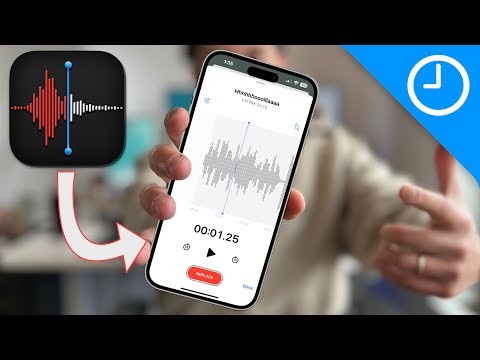
3. Steps to Record Your Voice
Using a voice recorder is simple and straightforward. Here are the basic steps to record your voice:
3.1 Powering on the Voice Recorder
Ensure your voice recorder has sufficient battery power or is connected to a power source. Power on the device and wait for it to boot up.
3.2 Adjusting Settings
Before recording, you may want to adjust certain settings based on your preferences. These settings can include audio quality, recording format, microphone sensitivity, and more. Refer to the user manual or on-screen instructions provided by the specific voice recorder model to make these adjustments.
3.3 Starting the Recording
Position the voice recorder close to the sound source or your mouth, depending on the purpose of the recording. Press the designated recording button to begin capturing audio. Speak clearly into the microphone to ensure proper sound pickup.
3.4 Pausing and Stopping the Recording
To pause a recording temporarily, press the designated pause button. This is useful when you need to take a break or want to exclude specific sections from the final recording. To stop the recording completely, press the stop button. The voice recorder will save the recording as a file for later playback.
4. Playback Options
After recording your voice or any other sound, you can easily access and playback the recordings using the voice recorder’s playback options. Here’s what you need to know:
4.1 Accessing Recorded Files
Most voice recorders have a user-friendly interface that allows you to access your recorded files easily. Simply navigate to the stored recordings folder or use the device’s file management system to locate your desired recording.
4.2 Adjusting Playback Settings
Depending on the voice recorder model, you may have playback options for adjusting volume, equalizer settings, and playback speed. These settings can help enhance the listening experience and make it easier to understand the recorded content.
4.3 Repeating or Looping a Recording
If you need to listen to a specific section of a recording repeatedly, some voice recorders offer a repeat or loop function. By selecting the desired portion of the recording, you can loop it continuously without manually rewinding or restarting.
4.4 Adjusting Playback Speed
Certain voice recorders provide the option to adjust the playback speed. This can be useful when you want to review a recording at a faster or slower pace, allowing for efficient transcription or analysis.
4.5 File Management
To keep your recorded files organized, consider utilizing the file management features available on your voice recorder. This may include the ability to create folders, rename recordings, or even delete unwanted files directly from the device.

5. Using a Voice Recorder for Professional Needs
Voice recorders have numerous applications in professional settings. Here are some examples:
5.1 Lecture and Meeting Recordings
For students, educators, or professionals attending lectures or meetings, voice recorders are invaluable tools. They allow you to capture important information and refer back to it later, ensuring you don’t miss any essential details.
5.2 Dictation and Transcription
Voice recorders can be used for dictation and transcription purposes. Instead of writing long paragraphs, you can simply speak your thoughts or ideas and have them recorded. Later, these recordings can be transcribed into written text, making documentation a faster and more efficient process.
5.3 Voiceovers and Podcasts
Professional voiceover artists and podcasters depend heavily on voice recorders to capture their performances. These recordings serve as raw material that can be edited, mixed, and enhanced to create polished and high-quality audio content.
6. Recording Tips for Best Results
To achieve the best results when using a voice recorder, consider the following tips:
6.1 Choose a Suitable Environment
When recording, aim for a quiet environment with minimal background noise. This ensures that your voice or the desired sound is the main focus of the recording and that it stands out clearly without interference.
6.2 Position the Voice Recorder Properly
To capture clear audio, position the voice recorder close to the sound source. If you’re recording your own voice, hold the device around 6-12 inches away from your mouth to ensure optimal sound pickup.
6.3 Adjust Settings for Optimal Recording
Experiment with the voice recorder’s settings to achieve the best recording quality. This may include adjusting microphone sensitivity, audio formats, and bitrates. Customizing these settings can help optimize the device for specific recording environments and purposes.
7. Popular Voice Recorder Brands
Several brands are well-known for producing reliable and high-quality voice recorders. Here are some popular options:
7.1 Sony
Sony offers a range of digital voice recorders known for their excellent audio quality, intuitive user interfaces, and durability. They cater to both casual users and professionals who require advanced features.
7.2 Olympus
Olympus voice recorders are renowned for their robust build quality and superb audio performance. With various models suitable for different needs, Olympus ensures high fidelity sound capture and easy usability.
7.3 Zoom
Zoom voice recorders are particularly popular among musicians and audio professionals. They are known for their advanced microphone systems, versatile features, and exceptional recording quality, making them a favorite in the field of music and sound recording.
7.4 Tascam
Tascam voice recorders are highly regarded for their professional-grade audio capabilities. They offer a wide range of models with features like XLR inputs, multi-track recording, and rugged designs, catering to the needs of audio enthusiasts and professionals.
7.5 Philips
Philips voice recorders are known for their user-friendly interfaces, compact designs, and reliable performance. With a focus on simplicity and ease of use, Philips offers voice recorders suitable for various recording purposes.
8. Voice Recorder Apps for Smartphones
In addition to dedicated voice recorders, many smartphones offer voice recording apps that can meet basic recording needs. Here are some popular voice recording apps for iOS and Android devices:
8.1 iOS Apps
- Voice Memos
- iTalk Recorder
- Rev Voice Recorder
8.2 Android Apps
- Easy Voice Recorder
- Smart Voice Recorder
- RecForge II
9. How Voice Recorders Benefit Users
Voice recorders bring several benefits to users. Here are some key advantages:
9.1 Convenient and Portable
Voice recorders are compact, lightweight, and portable, allowing you to carry them anywhere. They are convenient for on-the-go recording needs, ensuring you never miss capturing important moments or ideas.
9.2 Versatile and Multi-purpose
Voice recorders are versatile tools suitable for a wide range of applications. From recording lectures and meetings to creating high-quality audio content, these devices can adapt to various needs and purposes.
9.3 Improves Listening Skills
Using a voice recorder improves listening skills as it encourages active listening and the ability to comprehend and recall information accurately. By recording and reviewing audio content repeatedly, you can train your ears to identify and understand subtle nuances in speech.
10. Voice Recorder Accessories
To enhance your voice recording experience, various accessories are available. Here are some popular ones:
10.1 External Microphones
External microphones can be directly connected to voice recorders, allowing for improved audio capture in specific situations. These microphones offer better sound quality, noise reduction, and directional recording capabilities.
10.2 Windshields and Pop Filters
Windshields and pop filters are essential accessories for outdoor recording or scenarios where there is a lot of wind or plosive sounds. They help reduce unwanted noise caused by wind gusts or harsh consonant sounds, resulting in cleaner and more professional recordings.
10.3 Carrying Cases and Protective Covers
To protect your voice recorder from damage and ease portability, consider investing in a carrying case or protective cover. These accessories safeguard your device from scratches, bumps, and environmental factors, ensuring it remains in excellent condition.
In conclusion, voice recorders are valuable tools that allow you to capture and playback your voice or any other sound conveniently. With their varied features and applications, they can be beneficial for personal, educational, and professional needs. By following the steps for recording and utilizing the features effectively, you can make the most of your voice recorder and experience the benefits it offers.