


Imagine a world where you can effortlessly monitor your home or office from wherever you are, at any given time. Unleashing the power of wireless cameras allows you to do exactly that. With the convenience of these ingenious devices, you can keep a watchful eye on your property, ensuring the safety of your loved ones and the security of your valuables. Without the hassle of cables and wires, wireless cameras provide a seamless and discreet way to enhance your sense of peace and protection. In this article, we will explore the incredible possibilities that wireless cameras offer, from easy installation to remote monitoring, and witness how they have truly revolutionized the way we keep our spaces safe and secure.


This image is property of home-cdn.reolink.us.


Wireless Camera Technology
Definition of wireless camera technology
Wireless camera technology refers to the use of wireless connectivity options, such as Wi-Fi, Bluetooth, or cellular networks, to transmit audio and video signals from a camera to a receiver or a mobile device. Unlike traditional wired cameras that require physical cables for data transmission, wireless cameras offer a more flexible and convenient solution for monitoring and surveillance purposes.
Advantages of wireless cameras
Wireless cameras offer several advantages over their wired counterparts. Firstly, the absence of cables makes installation and setup of wireless cameras much easier and quicker. You don’t have to worry about drilling holes and hiding cables, which significantly reduces the complexity and cost of the installation process. Additionally, wireless cameras allow for more flexible camera placement, as they can be mounted in locations that may not have easy access to power outlets or wired connections.
Wireless cameras also provide the convenience of remote access, allowing you to monitor your property or loved ones from anywhere using your smartphone or computer. This feature is particularly useful for individuals who travel frequently or have a busy lifestyle. Furthermore, wireless cameras often come with advanced features such as motion detection and alerts, two-way audio communication, and integration with other smart devices, enhancing the overall functionality and convenience of the system.
Comparison to wired cameras
While wired cameras have their own advantages, such as a more stable and reliable connection, wireless cameras have gained popularity due to their convenience and flexibility. Wired cameras require a physical connection to a recording device or monitor, limiting their placement options and necessitating more complex installation. Wireless cameras, on the other hand, can be easily relocated or moved without any hassle. However, it’s important to consider factors such as signal strength, range, and potential interference when choosing between wireless and wired cameras to ensure optimal performance.
Applications of Wireless Cameras
Home security and surveillance
Wireless cameras are widely used for home security and surveillance purposes. They can be installed both indoors and outdoors, providing homeowners with the ability to monitor their property and deter potential intruders. Wireless cameras offer a sense of security and peace of mind, allowing you to keep an eye on your home, even when you’re away. With features like motion detection and alerts, night vision capability, and remote access, wireless cameras are an effective tool in protecting your home and loved ones.
Business and workplace monitoring
Wireless cameras are also commonly utilized in business and workplace settings for monitoring and surveillance. They can help deter theft, monitor employee activities, and ensure a safe working environment. Wireless cameras provide business owners and managers with real-time access to live footage, allowing them to respond swiftly to any incidents or emergencies. Additionally, advanced features like pan, tilt, and zoom functions enable a wide coverage area and detailed monitoring of specific areas.
Pet and baby monitoring
Wireless cameras are ideal for monitoring pets and babies. With the ability to access live footage remotely through a mobile app, you can check on your furry friends or monitor your baby’s activities from anywhere. Wireless cameras equipped with two-way audio communication allow you to interact with your pets or comfort your baby, even when you’re not physically present. This makes wireless cameras a valuable tool for pet owners and parents who want to ensure the well-being of their loved ones.
Outdoor surveillance
Wireless cameras are commonly used for outdoor surveillance, especially in areas where running cables may be challenging or impractical. They can be mounted on walls, fences, or other structures to provide a comprehensive view of the surroundings. Outdoor wireless cameras are designed to withstand harsh weather conditions and have features like night vision capability to ensure continuous monitoring day and night. Whether it’s monitoring a large outdoor area or ensuring the security of your property, wireless cameras are a versatile solution.


Features and Capabilities
Wireless connectivity options (Wi-Fi, Bluetooth, cellular)
Wireless cameras offer multiple connectivity options, including Wi-Fi, Bluetooth, and cellular networks. Wi-Fi connectivity allows the camera to connect to your home or office network, enabling remote access and control through a mobile app or computer. Bluetooth connectivity is often used for quick and short-range connections, such as pairing the camera with a smartphone during initial setup. Cellular connectivity is ideal for locations where Wi-Fi or Bluetooth signals may not be accessible, ensuring continuous remote monitoring.
High-definition video resolution
Wireless cameras are capable of capturing high-definition video footage, providing clear and detailed visuals. High-resolution cameras allow for better identification of subjects, making them useful in situations that require detailed monitoring or evidence collection. Whether it’s monitoring the front porch for package deliveries or keeping an eye on your baby’s nursery, wireless cameras with high-definition video resolution ensure that you can see every detail with clarity.
Night vision capability
To effectively monitor areas in low-light or no-light conditions, wireless cameras are often equipped with night vision capability. This feature utilizes infrared technology to capture clear footage even in complete darkness. Night vision enables round-the-clock monitoring, ensuring that you are aware of any activity or potential security threats regardless of the time of day.
Pan, tilt, and zoom functions
Wireless cameras with pan, tilt, and zoom (PTZ) functions provide the ability to remotely control the camera’s movement and adjust the field of view. This feature is particularly useful in large areas that require surveillance, such as parking lots or offices with open spaces. With PTZ capability, you can easily pan the camera 360 degrees, tilt it up and down, and zoom in to focus on specific areas of interest, maximizing your monitoring coverage.
Motion detection and alerts
Many wireless cameras come with built-in motion detection technology. This feature allows the camera to detect any movement within its field of view and send instant notifications or alerts to your mobile device. This helps reduce false alarms and ensures that you are only alerted when there is a potential security breach or activity of interest. Whether it’s monitoring your front door for package deliveries or detecting unauthorized entry, motion detection and alerts enhance the effectiveness of wireless cameras.
Two-way audio communication
Wireless cameras with two-way audio communication allow for real-time interaction between the viewer and the camera’s location. This feature is particularly useful for scenarios where remote communication is required, such as pet monitoring or baby monitoring. You can use the camera’s built-in microphone and speaker to talk to your pets or loved ones and even play pre-recorded messages or soothing sounds to provide comfort or reassurance.
Cloud storage and remote access
One of the key advantages of wireless cameras is the ability to store and access footage remotely using cloud storage. Instead of relying on local storage devices, wireless cameras can automatically upload recorded footage to secure cloud servers. This ensures that your footage is protected and accessible from anywhere, even if the camera or local storage is tampered with or destroyed. Cloud storage also allows for easy retrieval and sharing of footage, making it a convenient solution for archiving and evidence gathering.
Integration with other smart devices
Wireless cameras can integrate seamlessly with other smart devices and home automation systems, enhancing the overall functionality and convenience of your surveillance setup. Integration with smart devices enables features such as voice control, automated recording based on specific triggers, and synchronization with other security devices like door/window sensors or alarms. By establishing a connected ecosystem, you can create a comprehensive and customized surveillance system tailored to your specific needs.
Factors to Consider when Choosing a Wireless Camera
Indoor or outdoor use
Before choosing a wireless camera, consider whether it will be used indoors or outdoors. Outdoor cameras require specific weatherproofing and durability to withstand extreme temperatures, rain, and other environmental factors. Indoor cameras may not need the same level of ruggedness but should still be built to withstand daily use and potential accidents.
Power source options
Wireless cameras can be powered by various means, including batteries, power cords, or solar panels. Battery-powered cameras offer the flexibility of installation without the need for a nearby power outlet, but they require regular battery replacements or recharging. Power cord-connected cameras provide a continuous power supply but may limit placement options. Solar-powered cameras offer an eco-friendly and cost-effective solution, but their performance may vary based on the amount of sunlight available.
Range and signal strength
Consider the required range and signal strength when choosing a wireless camera. The range determines how far the camera can transmit data to the receiver or your mobile device. Ensure that the camera’s range matches your specific surveillance needs and the size of the area you want to monitor. Additionally, check the signal strength and reliability of the camera within the range to ensure uninterrupted connectivity and continuous monitoring.
Scalability
If you plan to expand your surveillance system in the future, consider the scalability of the wireless cameras you choose. Look for cameras that are compatible with additional cameras or have the capability to integrate with a larger surveillance system. This allows you to easily add or upgrade cameras without having to replace the entire setup, saving time and cost in the long run.
Ease of installation and setup
Choose a wireless camera that offers easy installation and setup. Look for cameras that come with clear instructions and user-friendly interfaces. Consider factors such as the complexity of mounting the camera, connecting it to a power source, and configuring the wireless connectivity. Choosing cameras with intuitive setup processes will save you time and frustration during installation.
Compatibility with existing devices
If you already have other smart devices or a home automation system in place, ensure that the wireless camera you choose is compatible with your existing devices. Compatibility allows for seamless integration and centralized control of your entire smart home ecosystem. Check for compatibility with popular platforms or protocols like Amazon Alexa, Google Assistant, or Z-Wave to ensure smooth operation and easy integration.
Budget and pricing
Consider your budget and compare the pricing of different wireless cameras. Set a realistic budget and prioritize features based on your specific needs and requirements. While it’s tempting to go for the most affordable option, keep in mind that quality and reliability are important factors to consider as well. Research different brands and read customer reviews to find a wireless camera that offers the best balance of price and performance.
Customer reviews and ratings
Before making a final decision, read customer reviews and ratings of the wireless cameras you are interested in. Customer reviews provide valuable insights into the performance, reliability, and usability of the cameras from people who have already used them. Look for reviews from verified buyers to ensure authenticity and consider both positive and negative feedback to make an informed choice.


This image is property of i.ytimg.com.
Installation and Setup Process
Placement considerations
When installing a wireless camera, consider the areas you want to monitor and the most strategic locations for placing the camera. Identify potential points of entry or areas that require close monitoring, such as main entrances, windows, or high-risk areas. Strategically positioning the camera allows for optimal coverage and maximizes its effectiveness in capturing important footage.
Mounting options
Wireless cameras can be mounted in various ways depending on the specific camera and the environment it will be placed in. Common mounting options include wall mounts, ceiling mounts, or pole mounts. Ensure that the chosen mounting option provides a stable and secure position for the camera, and consider any additional equipment or brackets needed for mounting.
Connecting to power source
If your wireless camera requires a power source, follow the manufacturer’s instructions for connecting the camera to a power outlet or power supply. Depending on the camera, this may involve plugging in a power cord or connecting to a battery pack. Ensure that the camera is securely connected and that the power source is reliable and easily accessible.
Connecting to Wi-Fi network
To connect your wireless camera to your Wi-Fi network, follow the provided instructions or use the accompanying mobile app. Typically, the process involves accessing the camera’s settings through the app, selecting your Wi-Fi network, and entering the network password. Ensure that the camera is within range of your Wi-Fi router and that the signal strength is sufficient for a stable connection.
Pairing with mobile app or software
Once the camera is connected to your Wi-Fi network, download and install the manufacturer’s mobile app or software for remote access and control. Follow the app’s instructions for pairing the camera with the app or software. This typically involves scanning a QR code or entering a unique camera ID to establish the connection. Ensure that the camera and mobile app or software are on the same network and that the pairing process is completed successfully.
Customizing settings and preferences
Once the camera is installed and connected, customize the settings and preferences to suit your specific needs. This may include adjusting motion detection sensitivity, enabling alerts or notifications, setting recording schedules, or configuring other advanced features. Take the time to explore and understand the different settings available to optimize the camera’s performance and tailor it to your surveillance requirements.
Maintenance and Troubleshooting Tips
Regular cleaning and inspection
To maintain optimal performance, regularly clean and inspect your wireless camera. Dust and debris can accumulate on the camera lens or obstruct the sensors, affecting the quality of the captured footage. Use a soft, lint-free cloth to gently wipe the camera lens and exterior surfaces. Additionally, inspect the camera regularly for any signs of damage or wear, and address any issues promptly to ensure continuous functionality.
Updating firmware and software
Manufacturers often release firmware and software updates for their wireless cameras to address bugs, improve performance, and introduce new features. Regularly check for firmware or software updates and follow the manufacturer’s instructions to keep your camera up to date. Keeping the camera’s firmware and software current ensures that you benefit from the latest enhancements and security patches.
Ensuring proper power supply
If your wireless camera is powered by batteries, ensure that you monitor their charge levels and replace or recharge them as needed. For cameras connected to a power outlet, periodically check the power supply and connections to ensure a consistent and reliable power source. Maintaining a proper power supply is crucial to ensure uninterrupted surveillance and prevent any potential downtime.
Troubleshooting connectivity issues
If you experience connectivity issues with your wireless camera, there are a few troubleshooting steps you can take. Firstly, check the camera’s Wi-Fi signal strength and range to ensure a stable connection. If the signal is weak, consider moving the camera closer to the Wi-Fi router or using Wi-Fi extenders to improve the signal. Additionally, check your network settings and devices for any potential conflicts or issues that may be affecting the camera’s connectivity.
Resetting and reconfiguring the camera
In some cases, resetting the wireless camera to its factory settings may be necessary to resolve issues or reconfigure the camera. Follow the manufacturer’s instructions for resetting the camera, which typically involve holding down a physical reset button or using the mobile app or software to initiate the reset process. Be aware that resetting the camera will remove any customized settings and require you to set up the camera again.
Contacting customer support
If you encounter persistent issues or are unsure how to resolve a problem with your wireless camera, don’t hesitate to contact the manufacturer’s customer support. They can provide you with expert guidance and troubleshooting assistance based on your specific situation. Whether it’s technical issues, setup problems, or general inquiries, customer support is there to help you make the most of your wireless camera.

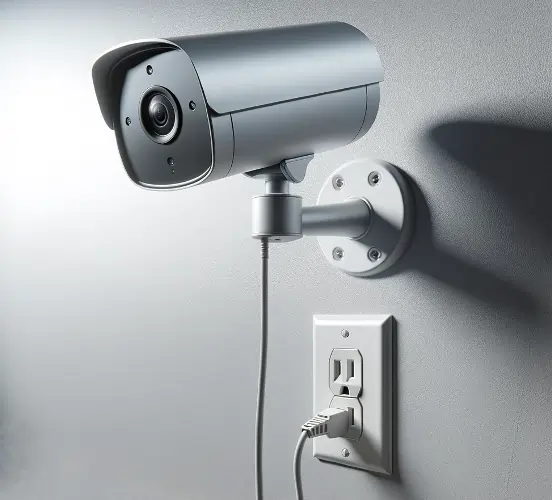
This image is property of mammothsecurity.com.
Privacy and Security Concerns
Encryption and data protection
Privacy and data protection are crucial considerations when using wireless cameras. Ensure that the camera’s video and audio data is encrypted during transmission to prevent interception or unauthorized access. Encryption protocols, such as SSL/TLS, ensure that the data is securely transmitted and received. Additionally, consider wireless cameras that offer end-to-end encryption and data encryption at rest to protect your footage while stored on the camera or in the cloud.
Securing network connection
To enhance the security of your wireless camera, secure your Wi-Fi network with a strong, unique password. Enable network encryption, such as WPA2, to prevent unauthorized access to your network. Regularly check for firmware updates for your Wi-Fi router and apply them to ensure any security vulnerabilities are addressed. By taking these measures, you can protect your wireless camera from potential hacking or unauthorized access.
Password and access management
Choose strong, unique passwords for your wireless camera’s administration account and any associated mobile app or software. Avoid using commonly used passwords or sharing passwords across multiple devices. Additionally, consider enabling two-factor authentication for an additional layer of security. Regularly review and update passwords to reduce the risk of unauthorized access to your camera and associated accounts.
Protection against hacking and unauthorized access
Wireless cameras can be vulnerable to hacking and unauthorized access if proper security measures are not implemented. To minimize the risk, ensure that your camera’s firmware and software are updated to the latest versions, as these updates often include security patches. Avoid using default usernames and passwords and change them to unique, strong credentials. Regularly monitor for any suspicious activity or unauthorized access to your camera and report any concerns to the manufacturer.
Cost and Value Proposition
Initial investment
The cost of wireless cameras varies depending on the brand, features, and specifications. Initial investment typically includes the purchase of the camera itself, any necessary additional equipment such as mounting brackets or power supplies, and potentially installation fees if you opt for professional installation. Consider your budget and prioritize features to find a wireless camera that offers the best value for your investment.
Monthly subscription fees (if applicable)
Some wireless camera manufacturers offer optional cloud storage and advanced features that require a monthly subscription fee. These subscriptions often provide additional storage capacity, longer retention periods for recorded footage, and access to premium features like artificial intelligence-based motion detection or facial recognition. Evaluate the subscription options and associated costs to determine if the added benefits justify the recurring fee.
Long-term cost analysis
When considering the cost of wireless cameras, it’s important to factor in the long-term expenses as well. This includes ongoing costs such as battery replacements, potential maintenance or repairs, and any additional cameras or equipment you may need in the future. Additionally, consider the potential savings in terms of reduced installation and setup costs compared to wired cameras. Conduct a thorough cost analysis to determine the overall value of wireless cameras in the long run.
Comparative value of wireless cameras
To assess the value of wireless cameras compared to other options, consider their advantages, functionality, and convenience. Wireless cameras offer flexibility in terms of placement, easy installation, remote access, and integration with other smart devices. Compare these benefits to wired cameras, which may require more complex installation and limit flexibility. Evaluate the specific features and capabilities of wireless cameras to determine their comparative value for your surveillance needs.


This image is property of Amazon.com.
Future Developments and Trends
Advancements in video compression
As technology continues to advance, there are ongoing developments in video compression techniques. These advancements aim to reduce bandwidth requirements while maintaining high-quality video footage. New video codecs, such as H.265 or H.265+, offer more efficient compression algorithms, allowing for improved storage efficiency and lower bandwidth consumption. As video compression technology evolves, wireless cameras will benefit from increased storage capacity and smoother transmission of high-definition video.
Artificial intelligence and machine learning integration
Artificial intelligence (AI) and machine learning (ML) are driving innovation in the field of surveillance cameras. Wireless cameras are increasingly incorporating AI and ML capabilities to enhance their functionality. AI-powered features like advanced motion detection, person detection, or facial recognition offer more precise and intelligent monitoring. ML algorithms can analyze footage to detect patterns or anomalies and provide proactive alerts or notifications. The integration of AI and ML in wireless cameras will continue to advance, providing more accurate and efficient surveillance capabilities.
Enhanced privacy features
Privacy concerns are driving the development of enhanced privacy features in wireless cameras. Manufacturers are implementing features such as privacy zones, which allow users to define areas within the camera’s view that should be excluded from monitoring or recording. Additionally, features like scheduled privacy mode or geofencing can automatically disable recording or monitoring when specific conditions are met, enhancing privacy when the camera is not needed. As privacy regulations become more stringent, wireless cameras will adapt to ensure compliance and address privacy concerns.
Integration with smart home systems
Wireless cameras are becoming an integral part of smart home systems, allowing for seamless integration and centralized control. Integration with smart home systems enables automated actions based on specific triggers or events. For example, a wireless camera could be configured to turn on the lights when motion is detected, or trigger a pre-recorded message when a visitor is at the front door. As smart home systems continue to evolve, the integration of wireless cameras will further enhance the overall automation and convenience of the smart home experience.
Improvements in battery life and power efficiency
Battery-powered wireless cameras are benefiting from advancements in battery technology and power efficiency. Manufacturers are developing cameras with longer battery life and optimizing power consumption to extend the operational duration. This is particularly important for outdoor wireless cameras, where access to a power source may be limited. Improved battery life and power efficiency will contribute to the longevity and reliability of wireless cameras, ensuring continuous surveillance and minimizing interruptions.
Conclusion
Wireless cameras have revolutionized the surveillance industry with their convenience, flexibility, and advanced features. They offer easy installation, remote access, and integration with other smart devices, making them a valuable tool in various applications such as home security, workplace monitoring, pet monitoring, and outdoor surveillance. When choosing a wireless camera, consider factors such as indoor or outdoor use, power source options, range and signal strength, scalability, ease of installation, compatibility with existing devices, budget, and customer reviews. Proper installation, maintenance, and attention to privacy and security ensure the optimal performance and protection of your wireless cameras. With ongoing advancements in technology, wireless cameras will continue to evolve, offering improved video compression, AI integration, enhanced privacy features, smart home integration, and better battery life. The power of wireless cameras lies in their ability to provide comprehensive and reliable surveillance, giving you peace of mind and protection wherever you are.

