
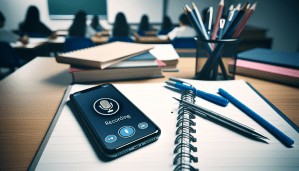

Why Should I Use a Lecture Recorder App?
I have always been the type of student who prefers to listen and understand the lecture, rather than furiously jotting down notes. That’s why I decided to look for a lecture recorder app to help me capture all the essential information during class. Lecture recorder apps are incredibly useful for students like me who want to revisit the lecture later or simply want to enhance their learning experience.
Benefits of Using a Lecture Recorder App
Using a lecture recorder app has countless benefits. It allows me to focus on listening to the lecturer, rather than worrying about taking detailed notes. I can also play back the recording at my own pace to review the material and fill in any gaps in my understanding. Additionally, having a recording of the lecture can be a lifesaver when studying for exams or writing papers.
What Features Should I Look for in a Lecture Recorder App?
When I was researching lecture recorder apps, I realized that not all apps are created equal. Some have basic features, while others offer advanced functionalities that can greatly enhance my learning experience. Here are some key features to look for in a lecture recorder app:
Automatic Recording
One of the most important features of a lecture recorder app is automatic recording. This means that the app will start recording as soon as the lecture begins, without me having to remember to press a button. This feature is essential for ensuring that I capture all the important information without any interruptions.
Organization Tools
Another feature to look for in a lecture recorder app is organization tools. I want to be able to easily categorize and label my recordings by subject, date, or lecturer. This makes it much easier to find specific recordings when I need to review them later.
Playback Speed Control
Playback speed control is another essential feature for me. I often like to listen to recordings at a faster speed to review the material more efficiently. Being able to control the playback speed allows me to customize my listening experience to suit my learning style.
Cloud Storage Integration
Having cloud storage integration is a huge bonus for me. It allows me to securely store my recordings online and access them from any device. This is especially useful when I need to listen to a lecture on the go or share it with classmates.
Which Lecture Recorder Apps Stand Out from the Rest?
After extensive research and testing, I have found a few lecture recorder apps that stand out from the rest. These apps offer a combination of essential features, user-friendly interface, and excellent audio quality. Here are some of my top picks for the best lecture recorder apps:
Notability
Notability is a popular lecture recorder app that offers a wide range of features to enhance your note-taking and recording experience. In addition to recording lectures, you can also take handwritten notes, annotate PDFs, and sync your recordings across all your devices. Notability’s intuitive interface and versatile features make it a great choice for students who want to stay organized and productive.
Otter.ai
Otter.ai is another excellent lecture recorder app that uses AI technology to provide real-time transcriptions of your recordings. This feature is incredibly useful for students who want to quickly search for specific keywords or phrases in their lectures. Otter.ai also offers cloud storage integration, collaboration tools, and the ability to highlight important sections of the recording.
Voice Record Pro
Voice Record Pro is a simple yet powerful lecture recorder app that offers a range of customization options for your recordings. You can adjust the audio quality, format, and playback speed to suit your preferences. Voice Record Pro also allows you to trim, edit, and share your recordings easily. This app is perfect for students who want a straightforward recording tool with minimal distractions.
How Can I Make the Most of My Lecture Recorder App?
Using a lecture recorder app is a great way to enhance your learning experience, but it’s important to use the app effectively to get the most out of it. Here are some tips to help you make the most of your lecture recorder app:
Take Clear and Detailed Notes
While a lecture recorder app can capture the audio of the lecture, it’s still important to take clear and detailed notes to supplement the recordings. Make sure to jot down key points, definitions, and examples to help you understand the material better. Combining your notes with the recordings can create a powerful study tool.
Review and Summarize Regularly
Don’t wait until the night before the exam to review your recordings. Make it a habit to listen to the lectures and summarize the main points regularly. This will help reinforce your understanding of the material and prevent you from feeling overwhelmed when it’s time to study.
Stay Organized
Organize your recordings in a way that makes sense to you. Create folders, labels, or tags to categorize your recordings by subject, date, or lecturer. This will make it much easier to locate specific recordings when you need them.
Engage with the Material
Simply recording the lecture is not enough; you need to actively engage with the material to truly benefit from it. Take the time to listen to the recordings, ask questions, and participate in discussions. This will help you retain the information better and make connections between different concepts.
Conclusion
In conclusion, using a lecture recorder app can be a game-changer for students who want to enhance their learning experience. By choosing the right app with the essential features, staying organized, and actively engaging with the material, you can make the most of your recordings and improve your academic performance. Give one of the recommended lecture recorder apps a try and see how it can revolutionize the way you learn.