


Have you ever wondered how technology can help keep your children safe when you’re not around? In today’s world, where life can get quite busy, understanding how a nanny cam can enhance child safety is more important than ever. Let’s explore the ins and outs of nanny cams, their benefits, and considerations when choosing one.


What is a Nanny Cam?
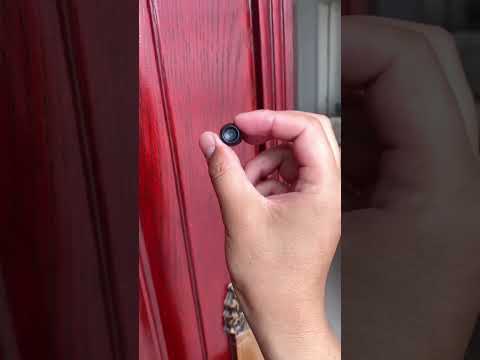
A nanny cam is a surveillance camera that you can place in your home to monitor your child’s care when you’re not present. Unlike regular security cameras, which are typically used for home security, nanny cams are often designed to be discreet and unobtrusive. They allow you to keep an eye on your child’s well-being and the caregiver’s interactions with them.
How Nanny Cams Work
Nanny cams can function in a variety of ways depending on their features and designs. Most modern nanny cams come equipped with Wi-Fi capabilities, allowing you to stream live video to your smartphone or tablet. You can check in on your little one anytime and from anywhere, which can provide peace of mind during your day.
Types of Nanny Cams
There are numerous types of nanny cams available on the market. Understanding these options can help you choose the right fit for your home.
| Type | Description |
|---|---|
| Wired Cameras | These cameras need to be plugged into an outlet. They are generally more stable but can be difficult to position. |
| Wireless Cameras | These cameras connect to your home Wi-Fi, which means you can move them around more easily and position them where they’re needed. |
| Hidden Cameras | Designed to look like everyday objects, such as air purifiers or picture frames, these cameras keep their surveillance role discreet. |
| Smart Cameras | These models often come with smart features like motion detection, night vision, and two-way audio, enhancing their usability. |
Benefits of Using a Nanny Cam
Given the variety of options, you might be curious about what exactly a nanny cam can do for you. Here are several key benefits:
Enhancing Child Supervision
With a nanny camera, you’re able to keep tabs on your child’s activities in real-time. This is especially beneficial during nap times or when you have a caregiver in charge. You can ensure that your child is safe and being cared for properly, which can help ease your anxiety while you’re away.
Providing Peace of Mind
Whether you are at work or just running errands, knowing that you can check in on your child provides a significant sense of reassurance. You’re able to see how your child interacts with their caregiver, which can also help you assess the effectiveness of the care they’re receiving.
Monitoring Playtime and Learning
A nanny cam allows you to observe playtime and learning sessions. You can see how your child engages in activities, which can help you foster healthy development. This also helps you identify what your child enjoys the most, allowing you to facilitate more engaging play and learning experiences at home.
Improving Communication with Caregivers
Having a nanny cam can also improve the relationship between you and your caregiver by fostering open communication. You can share observations and feedback based on what you see, which may provide opportunities for discussions on best practices in caring for your child.
Keeping Track of Misbehavior or Unsafe Situations
In unfortunate circumstances, if misbehavior occurs—either from the caregiver or even another visitor—a nanny cam captures critical evidence. This information can be vital for addressing any issues with caregivers promptly and effectively.
Legal and Ethical Considerations
While the advantages of nanny cams are significant, it’s essential to be aware of and navigate the legal and ethical aspects as well.
Laws Regarding Nanny Cams
Laws surrounding the use of nanny cams can vary widely by location. In many places, recording without consent, especially in private quarters like bedrooms or bathrooms, could lead to legal repercussions. It’s vital to understand your local laws to ensure you’re compliant.
Informing Your Caregiver
It’s considered both ethical and respectful to inform your caregiver about the presence of a nanny cam. Transparency helps establish trust and encourages open communication. You also ensure that everyone is aware that monitoring is taking place, which can foster a more positive working environment.
Setting Boundaries
You should establish clear expectations about privacy and monitoring. Communicate how, when, and what you plan to monitor. This clarity can help avoid misunderstandings and ensure a more pleasant atmosphere for everyone involved.
Features to Look for in a Nanny Cam
When choosing a nanny cam, several features will enhance your experience and ultimately contribute to what you deem necessary for your child’s safety.
Video Quality
Ensuring that your nanny cam has a good video resolution can help you see what’s going on clearly. Look for at least 720p, though 1080p is ideal for higher quality.
Night Vision
If your child will be sleeping, having a camera with night vision capabilities is essential. This allows for clear visibility in low-light conditions so you can monitor them without needing additional light.
Two-Way Audio
Two-way audio allows you to communicate with your child or caregiver from wherever you are. This feature not only helps in monitoring but also allows for immediate interaction when needed.
Motion Detection Alerts
Choose a nanny cam with motion detection and alerts. This feature sends notifications to your phone when movement is detected, allowing you to check in promptly.
Storage Options
Nanny cams can offer cloud storage or local storage (SD cards). If you prefer to keep recordings for later review, opting for a camera with ample storage options is wise.
Setting Up Your Nanny Cam
Once you’ve made your choice, setting up your nanny cam is a crucial next step. Here’s a simple guide to help you get started:
Determine the Best Location
Take some time to think about where you will place your camera. Ideal spots often include areas where your child spends most of their time, such as playrooms or living spaces, while ensuring that the camera is not easily tampered with.
Test the Camera
Before finalizing the setup, test the camera to ensure it captures the entire area needed. Adjust the angle and make sure the quality of video and audio meets your expectations.
Create an Account
If your camera requires cloud storage, create an account to access the features. This account will allow you to view recordings, manage settings, and receive alerts.
Familiarize Your Caregiver with the System
Once everything is set up, ensure that your caregiver understands how the system works. Providing a walkthrough can help them feel more comfortable with the presence of the camera.
Best Practices for Using a Nanny Cam
Incorporating a nanny cam into your home can greatly enhance child safety, but it’s important to follow best practices to ensure that it remains a positive addition to your childcare routine.
Use Responsibly
Monitoring your child and caregiver should come from a place of balance and responsibility. While it’s important to ensure safety, constant scrutiny can create an atmosphere of mistrust. Use the camera as a tool for reassurance, rather than surveillance.
Review Footage at Appropriate Intervals
Rather than obsessively checking footage, try establishing specific intervals for viewing recorded clips. This can help maintain a sense of trust and normalcy in your home.
Discuss Any Concerns Openly
If issues arise based on what you observe, approach the topic without accusation. Open, constructive dialogue can help to address concerns without creating hostility.
Revisit Tech Globally
Technology evolves continually. Periodically evaluate whether your nanny cam continues to meet your needs or if an upgrade might provide better features. Regularly checking for software updates ensures optimal performance.
Addressing Common Concerns
You might have some apprehensions or queries regarding the use of a nanny cam. Addressing these common concerns can help clarify their importance.
Will a Nanny Cam Distrust My Caregiver?
While you might worry that having a nanny cam will create distrust, the reality is that it can foster peace of mind. Many caregivers appreciate knowing that their actions can be monitored, as it can help protect both them and your child.
What if Something Goes Wrong?
If an incident occurs, having a recorded account can provide clarity. Monitoring can ensure that proper actions are taken based on evidence, helping keep your child safe in any situation.
What If I Forget to Check the Feed?
Set reminders for yourself to check in on the feed periodically. You can also schedule alerts so you receive notifications when movement or sound is detected, prompting a review.
Are Nanny Cams Necessary?
While they’re not essential for every household, they serve as an effective tool for many parents. Assess your individual circumstances to determine whether a nanny cam aligns with your needs and preferences for child safety.
Conclusion
Understanding how a nanny cam can enhance child safety opens doors to better monitoring practices and increased peace of mind for daily life. With the right features, setup, and responsible use, a nanny cam can be an invaluable asset in creating a secure environment for your child.
As parents, prioritizing your child’s safety is always a top concern. A nanny cam provides a proactive solution to give you the reassurance you deserve while allowing you to go about your day. Ultimately, the safety and well-being of your child should always be at the forefront of your parenting journey. So go ahead, consider exploring nanny camera options for your home—your child’s safety might just thank you for it!