
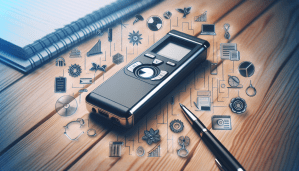
How to Use a Lecture Recorder
As an avid note-taker and someone who loves to keep track of all the information shared during lectures, I was excited to try out a lecture recorder. Not only does it relieve the stress of trying to jot down every single word, but it also gives me the opportunity to listen back to the lecture whenever I need to. If you’re new to using a lecture recorder or looking to improve your recording skills, you’ve come to the right place. Let’s dive into the world of lecture recording together!

Understanding Your Lecture Recorder
Before you dive into recording your lectures, it’s crucial to understand your lecture recorder’s features and functionalities. Take some time to read the user manual that usually comes with the recorder. Familiarize yourself with the buttons, settings, and how to navigate through the menu. This will help you make the most out of your recording experience.
When I first got my lecture recorder, I spent some time going through the user manual and experimenting with different settings. Understanding how to use the device effectively made a huge difference in the quality of my recordings.
Types of Lecture Recorders
There are generally two types of lecture recorders: digital and analog. Digital recorders are more common nowadays, offering better audio quality and storage options. Analog recorders, on the other hand, use tapes to record and are less popular due to their limited capacity.
I opted for a digital lecture recorder for its convenience and ease of use. I found that I could store more recordings without worrying about running out of space, unlike analog recorders.
Storage Capacity
One of the key features to consider when choosing a lecture recorder is its storage capacity. Digital recorders come with varying storage capacities, ranging from a few gigabytes to hundreds of gigabytes. Think about how often you’ll be recording lectures and how much storage space you’ll need.
I decided to go for a lecture recorder with ample storage capacity, as I knew I would be recording multiple lectures each week. Having enough storage space allowed me to keep all my recordings organized and easily accessible.
Tips for Effective Recording
Recording lectures may seem straightforward, but there are some tips and tricks that can help you make the most out of your recordings. Whether it’s adjusting the microphone settings or finding the perfect spot to place your recorder, these tips will enhance your recording experience.
Microphone Placement
Proper microphone placement is crucial for capturing clear and high-quality audio during lectures. If your recorder has an external microphone input, consider investing in a high-quality external microphone for better sound capture. Experiment with different microphone placements to find the one that works best for you.
I found that placing my lecture recorder close to the lecturer or on a desk in front of me resulted in the clearest audio. I also invested in an external microphone for enhanced sound quality, especially during larger lecture halls.
Adjusting Recording Settings
Most lecture recorders come with adjustable recording settings such as audio quality, sensitivity, and format. Experiment with these settings to find the best combination for your recording needs. Higher audio quality settings will capture more details but may require more storage space.
I played around with the recording settings on my lecture recorder until I found the perfect balance between audio quality and storage space. Adjusting the sensitivity settings also helped me capture clear audio without any background noise distractions.
Test Your Equipment
Before you start recording a lecture, always test your equipment to ensure everything is working correctly. Check the battery life, storage capacity, microphone sensitivity, and audio levels. Running a quick test recording will help you identify any issues before the actual lecture begins.
Testing my equipment became a routine before every lecture recording session. It gave me peace of mind knowing that everything was set up correctly and ready to capture the lecture without any hiccups.
Best Practices for Lecture Recording
Now that you’ve familiarized yourself with your lecture recorder and learned some recording tips, let’s dive into the best practices for lecture recording. These practices will help you maximize the benefits of using a lecture recorder and ensure you have a seamless recording experience.
Arrive Early and Find a Good Spot
Arriving early to the lecture hall or classroom allows you to find the perfect spot to place your recorder. Look for a spot that’s close to the front of the room and away from any distractions or background noise. Testing different spots before the lecture starts will help you find the optimal recording location.
I always made it a point to arrive early to my lectures to secure a good recording spot. Being close to the lecturer helped me capture clear audio without any interference from other students or external noises.
Stay Engaged During the Lecture
While the lecture recorder captures all the information shared during the lecture, it’s essential to stay engaged and take notes if needed. Listen actively to the lecturer and ask questions when necessary. Taking notes alongside recording will help you retain the information better and have a comprehensive study resource.
Even though I had my lecture recorder running during the lecture, I made sure to stay engaged and take notes. This dual approach of recording and note-taking helped me stay focused and actively participate in the lecture.
Organize and Label Your Recordings
After each lecture recording, take some time to organize and label your recordings for easy access later on. Create folders or categories based on subjects or dates to keep your recordings organized. Adding labels to each recording will help you quickly locate specific lectures when revisiting them.
I made it a habit to organize my lecture recordings into folders and label them accordingly. This made it incredibly easy to find specific lectures when studying for exams or reviewing course materials.
Reviewing and Revisiting Lecture Recordings
Once you’ve recorded several lectures and have them organized, it’s time to review and revisit your recordings. Whether it’s for exam preparation, clarifying concepts, or revisiting a particular lecture, your recordings serve as valuable study resources. Here are some tips on how to effectively review and maximize your lecture recordings.
Reviewing for Exam Preparation
One of the primary reasons for recording lectures is to use them as study materials for exams. When preparing for exams, go through your lecture recordings and take notes on key concepts, insights, and explanations. Listening to the recordings alongside your notes will reinforce your understanding of the materials.
I found that reviewing my lecture recordings before exams helped me consolidate my knowledge and prepare more effectively. It allowed me to revisit complex topics and clarify any doubts I had while studying.
Clarifying Concepts and Revisiting Lectures
If there’s a particular concept or topic you’re struggling to understand, go back to the relevant lecture recording. Listen to the explanations, examples, and discussions provided by the lecturer. Pausing, rewinding, and replaying sections will help you grasp the concept better and fill in any missing gaps in your understanding.
Whenever I found myself struggling with a particular concept, I would revisit the corresponding lecture recording. Being able to listen to the explanations multiple times and at my own pace helped me clarify any confusion and deepen my understanding.
Troubleshooting Common Issues
Despite your best efforts, you may encounter some common issues while using your lecture recorder. From distorted audio to low battery life, these issues can disrupt your recording experience. Here are some common problems you may face and how to troubleshoot them effectively.
Distorted or Low-Quality Audio
If you’re experiencing distorted or low-quality audio in your recordings, it could be due to several factors. Check the microphone placement and sensitivity settings to ensure the audio is captured clearly. Also, make sure there are no obstructions blocking the microphone and that the recording environment is free from background noise.
I encountered distorted audio issues in some of my recordings due to improper microphone placement. After adjusting the microphone position and sensitivity settings, I was able to improve the audio quality significantly.
Low Battery Life
Running out of battery life during a lecture recording can be frustrating and may result in incomplete recordings. Always check the battery status before starting a recording session and carry spare batteries or a charger with you. Charging your lecture recorder regularly will ensure that you have enough battery life for extended recording sessions.
I learned the hard way about low battery issues when my lecture recorder died halfway through a lecture. Since then, I made it a point to check the battery status before every recording session and carry spare batteries with me just in case.
Final Thoughts
Using a lecture recorder has been a game-changer for me in terms of retaining information, studying effectively, and enhancing my overall learning experience. By understanding your lecture recorder, following recording tips, adopting best practices, and troubleshooting common issues, you can make the most out of your recording sessions. Whether you’re a student looking to improve your study habits or someone passionate about lifelong learning, a lecture recorder is a valuable tool to have in your educational arsenal. Happy recording!