
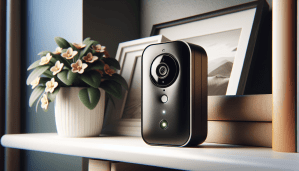
Have you ever wondered how to find the best wireless hidden camera with night vision? Whether you’re looking to keep an eye on your property, monitor a baby, or enhance your home security, there are several factors to consider when choosing the right device. The market is flooded with various options, and it can be overwhelming to make the best choice. Let’s break it down together and make the selection process easier for you!

Understanding Wireless Hidden Cameras
Before you jump into purchasing a camera, it’s essential to understand what exactly a wireless hidden camera is. Unlike traditional cameras that require physical connections, wireless hidden cameras use Wi-Fi to transmit video and audio to your mobile devices or cloud services. Their discreet nature allows them to be placed almost anywhere without drawing attention.
Benefits of Wireless Hidden Cameras
- Discretion: Their small size allows for placement in various locations without being obvious.
- Ease of Installation: Most wireless cameras are easy to set up and require minimal installation steps.
- Remote Access: You can monitor your property in real-time from anywhere using your smartphone or computer.
- Cost-Effective: They can often be more affordable than traditional wired systems, especially when considering installation costs.
Night Vision
When considering the best wireless hidden camera, night vision capability is a game changer. It allows you to capture clear images even in low-light conditions, ensuring you don’t miss any action after the sun sets.
Types of Night Vision
There are generally two types of night vision:
-
Infrared (IR) Night Vision: This technology uses infrared light, making it invisible to the human eye. You can see in complete darkness while the camera remains undetectable.
-
Low-Light Night Vision: This type amplifies existing light (like street lamps or moonlight) to produce clearer images in darkness. This technology may not perform well in complete darkness but does give a better color image.
Important Features to Consider
When you’re shopping for a wireless hidden camera with night vision, there are several features that you should keep an eye on (no pun intended!).
1. Resolution
The resolution of the camera determines the clarity and sharpness of the images. Higher resolution models provide clearer, more detailed footage. Here’s a breakdown:
| Resolution | Description |
|---|---|
| 720p | Standard HD; suitable for basic needs |
| 1080p | Full HD; most common for residential use |
| 1440p | QHD; offers more details for critical areas |
| 4K | Ultra HD; best for professional surveillance |
2. Field of View
The field of view (FOV) is the extent of the observable area that a camera can cover. A wider field of view means you’ll capture more of the surroundings. Look for cameras with a 120° angle or more for comprehensive coverage.
3. Motion Detection
Many modern wireless hidden cameras come equipped with motion detection features, which can send alerts to your phone when movement is detected. This allows you to keep an eye on things even when you’re not actively monitoring the camera.
4. Storage Options
Consider how the camera stores its footage. There are generally two types of storage:
- Local Storage: This could be through an SD card directly in the camera.
- Cloud Storage: This option allows for remote access to recordings over the internet, usually requiring a subscription fee.
Both have their pros and cons, so think about what’s most convenient for you.
5. Power Source
Wireless hidden cameras can generally be powered in one of two ways:
-
Battery-Powered: These models are versatile but require regular charging or battery changes.
-
Plugged-In: These cameras are more reliable for long-term monitoring, provided you have access to an outlet.
Types of Wireless Hidden Cameras
Understanding the types of cameras available can significantly narrow your options. Here are some common types:
1. Nanny Cameras
Designed primarily for monitoring children, nanny cameras are typically small and easy to hide. Many have two-way audio, allowing you to communicate with your child or caregiver.
2. USB Charger Cameras
These cameras are designed to look like ordinary USB chargers. They can blend in easily with your other electronics while providing covert monitoring.
3. Smoke Detector Cameras
These cameras can be disguised as smoke detectors, making them perfect for discreet surveillance in homes or offices.
4. Wall Clock Cameras
This type of camera is built into a standard wall clock, ensuring that it can go unnoticed in most living rooms or offices.
Popular Brands to Consider
There are several well-known brands that you might want to consider when searching for a wireless hidden camera. Let’s take a closer look at a few trusted options.
1. Arlo
Arlo cameras are known for their excellent video quality and user-friendly apps. They often come with features like a wide field of view, smart alerts, and cloud storage options.
2. Wyze
Wyze offers cameras at a budget-friendly price without compromising on quality. Many models come with 1080p resolution and intelligent features like motion tracking.
3. Ring
Most recognized for their doorbell cameras, Ring also offers indoor cameras that provide a seamless integration with other smart home devices. They have options for both wired and battery-operated models.
4. Blink
Blink cameras are designed for easy setup and come with long battery life. They are a good choice for users looking for a no-fuss surveillance system.
Setting Up Your Wireless Hidden Camera
After you’ve selected the perfect camera, it’s time to set it up! Below are some general steps to guide you through the setup process.
1. Choose the Right Location
Think carefully about where you’ll place your camera. Consider areas that might need monitoring, like entryways, nurseries, or common living spaces. Aim for heights that allow for a wide view without being easily noticeable.
2. Download the Camera App
Once the camera is in place, download the corresponding app on your smartphone or tablet. Most brands will have extensive instructions within the app to assist with setup.
3. Connect to Wi-Fi
Follow the app’s instructions to connect your camera to your Wi-Fi network. Make sure your Wi-Fi signal is strong in the camera’s intended location to avoid connection issues.
4. Configure Settings
Use the app to configure settings like motion detection sensitivity, alert notifications, and recording schedules. This is where you can tailor the camera’s functionality to suit your needs.
5. Test the Camera
Once everything is set up, take some time to test the camera’s features. Check video quality, motion detection alerts, and night vision performance in low-light settings.
Maintaining Your Wireless Hidden Camera
To keep your hidden camera functioning effectively, regular maintenance is key. Here are some tips to ensure longevity:
1. Regularly Check Battery Levels
If you chose a battery-powered camera, set a reminder to check the battery levels regularly. You wouldn’t want it to run out of power when you need it most.
2. Update Firmware
Keep your device secure by regularly checking for firmware updates provided by the manufacturer. This can improve security and enhance performance.
3. Clean the Lens
Occasionally, wipe the lens gently with a microfiber cloth. Dust and smudges can impact image quality, so keeping it clean helps maintain sharp imagery.
4. Monitor Connectivity
If you notice any buffering or inconsistent performance, check the Wi-Fi connectivity. Sometimes adjusting the router’s position or using Wi-Fi extenders can help.
Legal Considerations
When it comes to using hidden cameras, it’s important to know your legal rights and responsibilities. Consider the following:
1. Consent Laws
Different regions have varying laws about video and audio recording. In some places, you might need consent from individuals being recorded, especially if they are in private settings. Always do your research to ensure you’re in compliance with local laws.
2. Privacy Concerns
Respecting individuals’ privacy is not just a legal obligation; it’s also an ethical one. Make sure to avoid placing cameras in areas where people have a reasonable expectation of privacy, like bathrooms or bedrooms.
Troubleshooting Common Issues
If your wireless hidden camera isn’t functioning as expected, it can be frustrating. Here are some common issues and solving steps:
1. Poor Video Quality
If you notice grainy video, check your camera’s resolution settings in the app. Also, make sure that the camera lens is clean and that it is receiving a strong Wi-Fi signal.
2. Connection Issues
If the connection drops frequently, it might be due to Wi-Fi interference or distance from your router. Consider moving the camera closer to the router or using a range extender.
3. Notification Delays
If you’re experiencing delayed notifications, check motion sensitivity settings. Adjusting the settings may yield quicker alerts.
Conclusion
Finding the best wireless hidden camera with night vision may seem daunting, but with understanding and informed decision-making, you can make the right choice. By focusing on features like resolution, field of view, and night vision capabilities, you can select a model that fits your needs perfectly.
Stay proactive about maintaining your camera and keeping informed about the legal aspects of surveillance. With the right camera, you can enhance your security and peace of mind without compromising on privacy or legality. Now that you’re armed with all this information, you’re ready to make a confident choice!
If you have any further questions or need assistance with specific models or features, feel free to ask. Happy camera shopping!