Do you ever find yourself frustrated by the presence of unwanted background noise in your audio recordings? Maybe you have recorded an important interview, lecture, or podcast, only to realize that there is a distracting hum or hiss in the background. In this article, we will discuss some of the top techniques for noise reduction in audio recordings. Whether you are a seasoned audio engineer or a beginner in the world of recording, these tips can help you achieve cleaner and more professional-sounding audio.

Understanding Noise in Audio Recordings
Noise in audio recordings can come in many forms, including electrical interference, ambient room noise, microphone self-noise, and more. It is important to understand the different types of noise that may be present in your recordings in order to effectively reduce or eliminate them. By identifying the source of the noise, you can choose the most appropriate technique for noise reduction.
Electrical Interference
Electrical interference is a common source of noise in audio recordings, especially when recording in environments with a lot of electronic equipment. This type of noise can manifest as a buzzing or humming sound and is often caused by poor grounding or shielding of cables and equipment. One way to reduce electrical interference is to use high-quality cables and balanced connections. Additionally, keeping audio cables away from power cables and other sources of electromagnetic interference can help minimize noise.
Ambient Room Noise
Ambient room noise is another common culprit when it comes to unwanted noise in audio recordings. This type of noise includes sounds such as air conditioning units, computer fans, traffic, and other environmental sounds. To reduce ambient room noise, try recording in a quiet space with good acoustics. You can also use soundproofing materials such as acoustic panels or foam to minimize the reflection of sound waves in the room.
Microphone Self-Noise
Microphone self-noise refers to the inherent noise produced by a microphone itself, independent of any external sources. This noise is typically more noticeable with condenser microphones, which are known for their high sensitivity. Choosing a microphone with a low self-noise rating can help minimize this type of noise. Additionally, using a shock mount or windscreen can reduce vibrations and plosives that contribute to microphone self-noise.
Pre-Recording Techniques for Noise Reduction
Before you hit the record button, there are several techniques you can employ to reduce noise in your audio recordings. By taking the time to prepare and set up your recording environment properly, you can minimize the risk of capturing unwanted noise during the recording process.
Choose the Right Microphone
Selecting the right microphone for your recording needs is essential for achieving clean and noise-free audio. Different microphones have different polar patterns, frequency responses, and self-noise levels, which can impact the overall sound quality of your recording. Consider the characteristics of the sound source you are recording and choose a microphone that best suits your needs.
Optimize Mic Placement
Proper microphone placement is crucial for capturing clear and natural-sounding audio while minimizing background noise. Experiment with the distance and angle of the microphone relative to the sound source to find the sweet spot where the desired sound is prominent and the unwanted noise is minimized. Keep in mind that proximity effect can influence the bass response of the recording, so adjust the microphone placement accordingly.
Use a Pop Filter or Windscreen
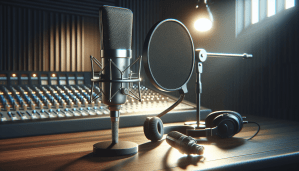
Plosives and wind noise can add unwanted artifacts to your recordings, especially when capturing vocal performances. Using a pop filter or windscreen can help reduce these distractions by dispersing the force of plosives and blocking wind gusts from reaching the microphone. This simple accessory can make a significant difference in the quality of your recordings, particularly when recording vocals or spoken-word content.
In-Post Techniques for Noise Reduction
Even with careful planning and preparation, it is not uncommon to encounter noise in your recordings that needs to be addressed during the post-production process. Fortunately, there are several tools and techniques available to help reduce or eliminate noise from your audio recordings using digital audio workstations (DAWs) and audio editing software.
High-Pass Filter
A high-pass filter is a simple but effective tool for removing low-frequency noise from your recordings, such as rumble or hum. By attenuating frequencies below a certain cutoff point, you can clean up the low end of your audio signal without affecting the clarity of the desired audio content. Experiment with different cutoff frequencies to find the optimal balance between noise reduction and signal integrity.
Noise Gate
A noise gate is a dynamic processor that helps eliminate background noise by attenuating or muting audio signals below a specified threshold. When properly set up, a noise gate can effectively silence unwanted noise during quiet passages or pauses in the audio, allowing the desired audio content to come through cleanly. Adjust the threshold, attack, and release parameters to tailor the noise gate to the specific characteristics of your recording.
Audio Restoration Plugins
Audio restoration plugins are powerful tools that can help rescue recordings that have been compromised by noise, clicks, crackles, or other imperfections. These plugins use algorithms to analyze the audio signal and selectively remove unwanted noise while preserving the integrity of the desired audio content. Experiment with denoising, declicking, and decrackling plugins to see which combination works best for your recordings.
Real-Time Techniques for Noise Reduction
In some cases, it may be necessary to apply noise reduction techniques in real time, such as during live sound reinforcement or streaming broadcasts. While it is ideal to address noise issues before the audio signal reaches the listener, real-time processing can be a valuable tool for minimizing noise in situations where post-production editing is not an option.
Noise Suppression Hardware
Noise suppression hardware, such as a noise gate or real-time noise reduction processor, can be inserted into the signal chain to remove unwanted noise before it reaches the final output. These devices analyze the audio signal in real time and apply processing to reduce noise levels without affecting the desired audio content. Consider incorporating noise suppression hardware into your audio setup for live performance or broadcast applications.
Dynamic Range Processing
Dynamic range processing, such as compression or limiting, can help control the overall level of your audio signal and minimize the impact of noise during live sound reinforcement. By compressing the dynamic range of the audio signal, you can bring up quieter sounds while keeping louder sounds in check, resulting in a more consistent and noise-free audio experience for your audience. Experiment with different compression ratios and thresholds to find the right balance for your specific application.
Soundproofing and Acoustic Treatment
When dealing with noise issues in a live sound environment, it is important to address the root cause of the problem by implementing soundproofing and acoustic treatment measures. By minimizing sound leakage and controlling reverberation in the space, you can create a more controlled acoustic environment that reduces the impact of external noise sources on your audio signal. Consider using acoustic panels, bass traps, and diffusers to optimize the sound quality of your live performances.
Conclusion
Noise reduction is a critical aspect of audio recording that can significantly impact the quality and clarity of your recordings. By understanding the different types of noise, employing pre-recording techniques, and utilizing in-post and real-time noise reduction tools, you can achieve cleaner and more professional-sounding audio. Experiment with these techniques and find the combination that works best for your specific recording needs. Remember, a little bit of noise reduction can go a long way in improving the overall listening experience for your audience.