?Thinking about a solar-powered, AI-driven security camera kit that keeps your footage private and doesn’t tether you to the cloud?


Overview: What this product promises
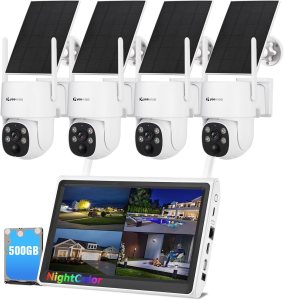
You’re looking at the “AOSU 4K Solar Security Cameras Wireless Outdoor, Expandable to 16TB (32GB Built-in) HomeCortex Home Security System + 4 Extra Solar Panel, AI Face Recognition & Behavior Detection, 4-Cam Kit”. This system positions itself as a private, on-device AI security hub with solar-powered cameras and advanced behavior analysis. It promises 4K clarity, local processing, family face recognition, event summarization, and expandable local storage without mandatory cloud subscriptions.
What’s included in the box
You’ll get a 4-camera kit plus 4 extra solar panels, a HomeCortex hub, and built-in storage. The kit’s extras are designed to minimize maintenance and give you extended runtime out of the box. Everything required for a basic installation is included, but there are optional add-ons if you want more cameras or larger storage.

Key selling points summarized
You’ll find several standout features: on-device AI processing (no cloud required), solar-powered cameras with efficient charging, 4K/8MP video, behavior detection and face recognition, expandable storage up to 16TB, and a mobile app for monitoring. These features together aim to reduce ongoing costs while increasing privacy and intelligence.
Quick spec table
Below is a simple breakdown to help you compare the most important specs at a glance. This helps you focus on the technical details when deciding whether the system meets your needs.
| Feature | Detail |
|---|---|
| Cameras in kit | 4 (wireless, outdoor) |
| Camera resolution | 4K (3840×2160), 8MP |
| Built-in storage | 32GB |
| Expandable storage | Up to 16TB (local) |
| Solar panels | 4 extra included (SolarBoost tech) |
| AI features | On-device AI, face recognition, behavior detection, person/object/event sorting |
| Max cameras supported | Up to 6 |
| Night vision | Yes (color night vision depending on conditions) |
| Connectivity | Wireless to HomeCortex hub (local network) |
| Power | Integrated solar panel charging; batteries in cameras |
| Operating temperature for panels | Works in low light, shade, and down to -10°C/14°F |
| Cloud | Optional — not required; local processing preferred |
Design and build quality
The cameras look modern and are built for outdoor use, with a focus on weather resistance and easy mounting. You’ll notice a compact, sturdy housing that aims to balance durability and a non-intrusive aesthetic. The included solar panels are slim but robust, and the mounts allow flexible placement for optimal sun exposure.
Camera housing and mounts
Each camera’s housing is designed to withstand outdoor elements and keep wiring minimal. You’ll be able to install them with basic tools and mount them on walls or eaves fairly quickly. The adjustable brackets allow you to aim each camera precisely.
Solar panels and cables
The solar panels are lightweight but solid enough to be left outside year-round. You’ll receive cable runs long enough for typical installations, and the SolarBoost technology is tuned for charging even in less-than-ideal light. The panels have mounting hardware that lets you tilt and orient them toward the sun.

Image and video quality
You’ll get a genuine 4K resolution with 8MP detail, which translates to crisp images, clearer faces, and better license plate readability than lower-resolution systems. Daytime footage looks sharp, and the system gives you more detail per frame than 1080p systems, which is especially helpful when monitoring larger areas.
Low-light and night performance
Night-time performance is important for a security system, and the combination of 4K sensors and on-camera processing gives you usable night footage. The cameras support color night vision in many scenarios, and IR illumination supplements detail in deeper darkness. You’ll still see some grain in very low light, but faces and movement remain identifiable in most cases.
Motion capture and frame rate
Motion-triggered recording captures events smoothly and the system’s AI filters out many false positives. You’ll get configurable sensitivity levels and clip lengths so you can balance event granularity with storage needs. Frame rates are solid enough to capture moving people without excessive motion blur.
On-device AI features and privacy
The HomeCortex hub handles AI locally, meaning your private data can stay on-site and not be uploaded to third-party servers automatically. You’ll benefit from faster alerts and lower privacy risk because analysis—like face recognition and behavior evaluation—occurs within your home network.
Face recognition and family tagging
The system can learn faces you mark as family members, which reduces unnecessary alerts and helps you quickly find footage of visitors versus strangers. You’ll be able to add multiple family profiles, and the system flags unfamiliar faces with risk levels when behavior is suspicious.
Behavior detection and smart alerts
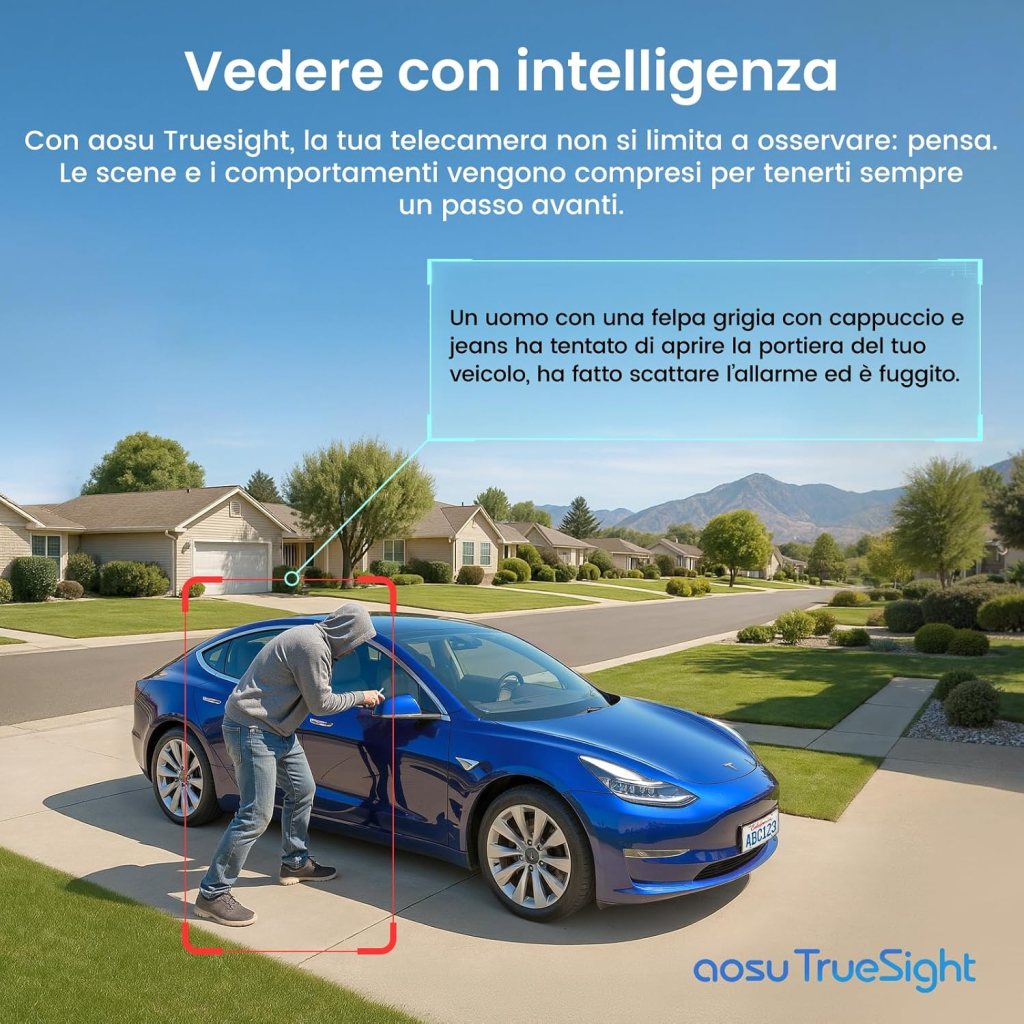
Behavior detection goes beyond basic motion: the AI analyzes patterns and recognizes repeated appearances, loitering, unusual movement, and other behaviors that may precede criminal activity. You’ll get prioritized alerts with risk scoring, letting you decide whether to act on a notification or ignore a routine event.
Smart video search and sorting
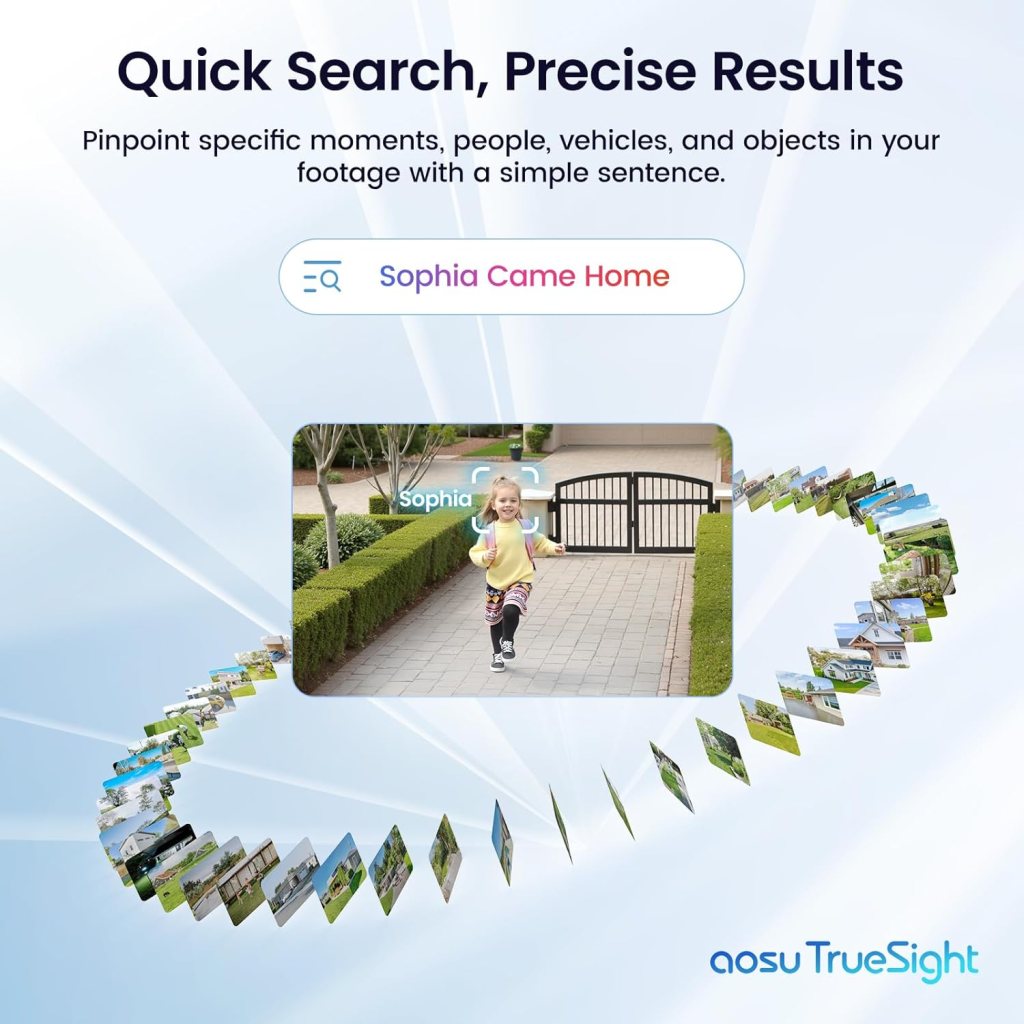
All footage is automatically grouped by people, objects, or events, so you can search by criteria instead of scrolling through hours of footage. You’ll save time finding relevant clips and can filter by person, time, or detected behavior for fast review.
Storage and expandability
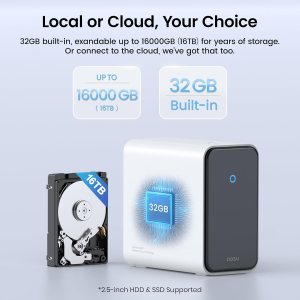
Local storage is a core benefit. You’ll have 32GB built-in and the option to expand up to 16TB locally. This flexibility means no mandatory cloud subscription if you prefer keeping everything on-site.
Built-in 32GB and how much it holds
The 32GB of internal storage will hold a limited amount of 4K footage — enough for recent events and local AI models. You’ll find it useful as a buffer and for quick access, but for longer retention you’ll likely add larger local storage. The exact retention time depends on recording settings, number of cameras, and motion frequency.
Expanding to 16TB
Expanding to 16TB is ideal if you want months of retention or to archive high-resolution footage. You’ll be able to attach larger external drives or compatible NAS storage to the HomeCortex hub to store video locally. Make sure you verify compatible drive formats and power requirements when adding large-capacity storage.
Installation and setup experience
You’ll find setup straightforward if you’re comfortable with basic DIY. The system is wireless between cameras and the hub, and solar panels remove the need for power wires, so you avoid calling an electrician for typical installations.
Step-by-step installation notes
You’ll mount the cameras in desired locations, attach the solar panels for each camera, and position the HomeCortex hub near your router for a stable network connection. The app walks you through pairing each camera and training face recognition. Allow time for solar panels to charge initial battery levels and for the AI to complete its on-device model training.
Common installation pitfalls and how to avoid them
You’ll want to verify camera placement for optimal field of view and solar panel orientation for consistent charging. Avoid placing cameras too low or behind obstacles that block sightlines. Also, make sure your HomeCortex hub is centrally located to maintain strong connections with all cameras.
Mobile app and user interface
The mobile app is the primary control point for monitoring, settings, and alerts. You’ll enjoy a clean interface for live view, playback, event review, and AI dataset management. The app prioritizes privacy by giving you direct local access to footage when connected to your network.
Live view and multi-camera playback
You’ll be able to view up to multiple cameras in real time and switch between feeds smoothly. Playback is organized by AI tags so you can jump directly to important events or specific faces. The multi-camera live grid helps you keep track of different zones simultaneously.
Alert management and customization
You’ll control how and when alerts arrive, with options to mute, schedule, or set sensitivity for each camera. You can prioritize known-family alerts lower and unfamiliar person behavior higher. The app allows you to mark events, add notes, and export clips.
Performance in real-world scenarios
The system performs well in both residential and small business contexts. You’ll get high-resolution images for large yards, driveway monitoring, and entry points. Solar panels reduce maintenance, and AI reduces false alarms, making daily use less noisy and more actionable.
Typical use cases
You’ll find it suitable for front-door monitoring, driveway surveillance, backyard coverage, and small business storefronts. The 4K clarity helps with identifying faces and details at distance, and the behavior analysis helps flag suspicious patterns that simple motion sensors might miss.
Weather and temperature resilience
SolarBoost panels are designed to operate in low light and down to -10°C/14°F, so you’ll still get charging in colder climates or shaded areas. Rain and wind resistance are good, but extreme storms can temporarily affect performance. Regularly check mounting points after heavy weather.

Battery life and power management
Because cameras are solar-assisted, battery life is extended significantly versus battery-only systems. You’ll benefit from near-continuous operation during sunny periods and reasonable operation in less light thanks to efficient charging.
How long batteries last off-sun
You’ll generally get several days of operation on stored battery power depending on motion frequency and camera settings. Most typical setups with decent solar exposure will stay charged indefinitely, with the cameras cycling between active and low-power modes to conserve energy.
Power-saving tips
You’ll extend runtime by optimizing motion sensitivity, reducing non-essential recording, and scheduling lower-power periods during predictable quiet hours. Position solar panels to capture the best sunlight and keep panels free of debris for maximum efficiency.
Networking and connectivity
The cameras connect wirelessly to the HomeCortex hub, which then interfaces with your local router. You’ll use your home network for remote access and app notifications, but the heavy processing stays local on the hub.
Router and bandwidth considerations
4K footage is bandwidth-intensive; you’ll want a robust home internet connection if you stream multiple cameras remotely. However, because most analysis happens locally, the system minimizes continuous cloud uploads, reducing bandwidth consumption. For remote live viewing, a faster upload speed on your home internet will improve live stream responsiveness.
Range and placement of the hub
You’ll place the hub centrally and clear of thick walls for best camera connectivity. If distances are large or construction materials are dense, consider placing the hub closer or adding cameras within the stated range limits to maintain reliable connections.
Pros and cons
You’ll appreciate the privacy-focused AI, solar charging, and 4K clarity. On the downside, 4K storage needs are significant, and initial 32GB is only a short-term buffer — you’ll likely want to expand storage for long-term retention. The system supports up to 6 cameras, so it’s not ideal if you plan to scale beyond that.
Pros
- Local AI processing keeps data private and speeds up alerts.
- Solar panels minimize maintenance and eliminate power wiring.
- 4K resolution delivers superior detail for identification.
- Smart sorting and behavior analysis reduce false alerts.
- Expandable local storage up to 16TB.
Cons
- 32GB built-in storage is limited for long-term 4K retention.
- Up to 6 camera support may limit larger installations.
- 4K footage requires careful storage planning to avoid running out of space.
- Remote live streaming in high resolution requires good upload speeds.
Comparisons to other systems
If you’re comparing to cloud-centric brands, you’ll find key differences in privacy and ongoing costs. The on-device AI and local storage compare favorably for people who don’t want monthly cloud fees. Compared to lower-resolution solar kits, the AOSU 4K system clearly edges ahead in image quality.
How it stacks up against cloud-only systems
You’ll pay less in monthly fees with local storage but may have higher upfront costs for additional storage and the HomeCortex hub. You’ll also benefit from faster, private AI processing without data leaving your premises.
How it compares to other solar kits
You’ll likely see better charging performance and more consistent operation in varied lighting conditions thanks to SolarBoost, plus higher video quality at 4K compared to many 1080p solar cameras. The trade-off is larger storage and more careful management of footage.
Maintenance, updates, and support
You’ll keep the system running well with occasional checks: clean solar panels, verify mounts after storms, and update firmware through the app. The onboard AI model can be updated locally, and the vendor provides firmware and software updates to improve features or fix bugs.
Firmware updates and security
You’ll receive firmware updates via the HomeCortex hub and app. Because many functions are local, the update process focuses on model improvements and security patches. Occasionally check update notes and apply them promptly to maintain performance and safety.
Camera upkeep
You’ll want to clean lenses periodically and clear snow or debris from solar panels. Mounting hardware may need tightening over time. Replace or upgrade storage drives as needed, and periodically verify your backup/export procedures if you store important footage.
Troubleshooting common issues
You’ll encounter typical issues like weak signal, charging interruptions, and occasional false alerts. Most problems have straightforward fixes: reposition the hub, move solar panels to a sunnier spot, or adjust AI sensitivity settings.
Signal and connectivity problems
If a camera loses connection, check hub proximity, interference, and physical barriers. Rebooting the hub often resolves transient issues, and re-pairing a camera is a clear next step if problems persist.
Charging and battery issues
If batteries aren’t holding charge, inspect panel orientation and cleanliness. Winter or heavy shade will reduce performance; consider repositioning or adding panels to those cameras to maintain consistent charging.
Privacy, legal, and ethical considerations
You’ll need to be mindful of where cameras point to avoid recording private spaces of neighbors or public areas where local laws restrict recording. The local AI and face recognition give you tools to manage privacy, but you remain responsible for legal compliance and ethical use.
Face recognition responsibilities
You’ll store face data locally, but you should inform household members and visitors if you plan to use face recognition extensively. Use family tagging responsibly and comply with local regulations about biometric data and surveillance.
Price and value proposition
The kit’s price reflects hardware, the HomeCortex hub, and the included solar panels — plus the benefit of local AI and 4K quality. You’ll pay more upfront than basic cameras, but you’ll likely pay less over time due to the lack of mandatory cloud subscriptions and low maintenance from solar charging.
Who should buy this kit
If you value privacy, want high-resolution footage, and prefer a low-maintenance solar solution, you’ll find this kit compelling. It’s great for homeowners and small-business owners who want professional-level video clarity without ongoing monthly costs.
Who might look elsewhere
If you want limitless camera expansion, a fully cloud-native experience, or you need more than 6 cameras, you’ll want to consider other platforms. Also, if you don’t want to manage storage and prefer subscription-based cloud backup, a cloud-first brand may be simpler.
Tips to get the most from your system
Small tweaks will maximize performance and longevity. You’ll get better results by optimizing camera placement, keeping solar panels clean, fine-tuning AI sensitivity, and planning your storage strategy.
- Place cameras at 8–12 feet high for ideal facial capture and reduced tampering.
- Angle solar panels to capture peak sunlight and avoid shadows from trees or roofs.
- Train the face recognition with multiple images of family members under different lighting.
- Consider adding external storage early if you plan to keep 4K footage for long periods.
Frequently asked questions
You’ll likely have questions about storage, cloud options, and installation. Below are succinct answers to common concerns.
- Q: Can I use cloud backup?
- A: Cloud backup is optional. Local processing and storage are the default, preserving privacy.
- Q: How many cameras can I add?
- A: The hub supports up to 6 connected cameras.
- Q: How long does 32GB hold?
- A: That depends on motion frequency and settings; expect limited retention at 4K — add local storage for long-term needs.
- Q: Do the cameras work in winter?
- A: Yes, SolarBoost supports charging down to -10°C/14°F, but performance will vary with sun exposure.
Final verdict
You’ll get a strong package if you prioritize privacy, 4K clarity, and less hands-on power maintenance. The HomeCortex’s local AI, solar charging, and expandable storage make this kit a compelling, long-term solution for secure, private surveillance. If you plan your storage and network setup carefully, you’ll enjoy a responsive, capable system that keeps your footage local and your alerts meaningful.
Short checklist before you buy
You’ll find the decision easier if you run through this quick checklist:
- Do you want local AI and minimized cloud usage?
- Are 4K videos important for identification in your use case?
- Can you commit to expanding storage if you want long-term retention?
- Do you have reasonably sunny locations for solar panels?
- Is a 6-camera limit acceptable for your property coverage?
If you answer yes to most of these, this kit should serve you well. If you need help planning placement, storage size, or installation, reach out and you’ll get practical suggestions tailored to your property and needs.
Disclosure: As an Amazon Associate, I earn from qualifying purchases.