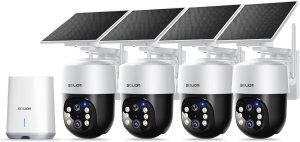
Are you trying to decide if the SOLIOM Security Cameras Wireless Outdoor,8MP Ultra HD for Day and Night, No Subscription,Built in Radar,Solar Powered Cameras for Home Security, 360° Pan Tilt Auto Tracking,5G & 2.4G WiFi, 4-Cam Kit is the right fit for your home?


Product overview
You’re looking at a feature-packed solar-powered camera kit that promises 8MP 4K clarity, radar-assisted motion detection, local encrypted storage with no monthly fee, and 360° pan/tilt auto-tracking across four cameras. The system centers on a Homebase that stores footage locally, and each camera pairs to it wirelessly while using a detachable solar panel to keep batteries charged. This makes it attractive if you want robust features without recurring subscription costs.
What’s included in the package
You’ll receive four 8MP solar cameras, four detachable solar panels, a Homebase with pre-installed 32GB storage, mounting hardware, power cables, and quick-start guides. Everything you need to get started is included, so you don’t have to hunt for extra accessories for a typical installation.
Key features at a glance
You should know the headline specs before you commit: native 3840 x 2160 resolution, 450-lumen spotlight, radar tech to reduce false alarms, cross-camera 360° auto tracking, dual-band Wi‑Fi support (2.4G & 5G), and solar charging that claims good performance with only a few hours of daily sunlight. The system’s no-subscription model means recordings remain in your control.
Feature breakdown table
This table summarizes the main specs and why they matter, so you can quickly compare and decide.
| Feature | What it is | Why it matters to you |
|---|---|---|
| Resolution | 8MP (3840 x 2160) | Crisp details for faces and license plates up to ~35 ft (10 m). |
| Night Vision | 450-lumen spotlight + color night mode | Color night video up to ~26 ft (8 m) and clear black/white beyond that. |
| Storage | Homebase with 32GB pre-installed, expandable to 128GB | Local encrypted recordings with no monthly fees; keeps your footage safe if a camera is stolen. |
| Power | Detachable solar panels + rechargeable batteries | Minimal wiring; continuous operation with about 3 hours sunlight/day. |
| Motion Tech | Built-in radar | Reduces false alerts by detecting real moving objects vs. shadows/pet movement. |
| Tracking | 360° pan/tilt + cross-camera auto-tracking | Cameras share event feeds; you can follow a person across multiple views. |
| Connectivity | 5G & 2.4G Wi‑Fi to Homebase | More stable connections and compatibility with modern routers. |
| Spotlight & Siren | 450-lumen spotlight + built-in alarm | Active deterrence to scare off intruders and illuminate events. |

Design and build quality
You’ll notice these cameras have a modern, sturdy look with a built-in solar panel mount and tidy wiring options. The plastic housing feels solid and weather-resistant, and the solar panels are slim but robust enough for outdoor mounting.
Mounting and physical footprint
The cameras have compact bodies that don’t draw too much attention but still look like functional security devices, which can itself be a deterrent. Mounting hardware is straightforward, and you’ll find the swivel joint gives a wide range of adjustment for precise placement.
Installation and setup
You can expect a mostly tool-based installation for mounting cameras and then a simple app-guided pairing to the Homebase. If you’re comfortable with basic drills and following on-screen prompts, setup normally takes under an hour for all four cameras.
Step-by-step setup experience
You’ll mount the Homebase indoors near your router, place cameras where you need coverage, attach the solar panels, and follow the app to connect cameras to the Homebase. The app prompts you to scan QR codes and confirms each camera; the process is designed to be user-friendly and aimed at non-technical users.
Solar panel and power performance
If you want wire-free convenience, the solar functionality is central. The detachable solar panel reportedly increases charging efficiency by up to 80% compared to using USB alone, and three hours of sunlight per day is often enough to keep the cameras running through various weather conditions.
Real-world charging expectations
You’ll need to position panels where they get direct sunlight for a few hours. In shaded yards or heavily overcast regions, battery drain will be higher, but the system still manages moderate performance on cloudy days. For very dark winter months, you may want to supplement with occasional USB charging.
Video quality: day and night
You’ll get detailed daytime video at 4K clarity, with the magnifier feature helping to read license plates around 35 ft (10 m). At night, the bright spotlight lets you see color out to about 26 ft (8 m) while standard IR night vision covers further distances in monochrome.
What to expect from 8MP footage
When you zoom in on recordings, faces and small details remain reasonably sharp at typical porch and driveway distances. You’ll want to avoid over-zooming in post-capture to prevent pixelation, but the baseline resolution is excellent for identifying important details.

Radar technology and motion detection
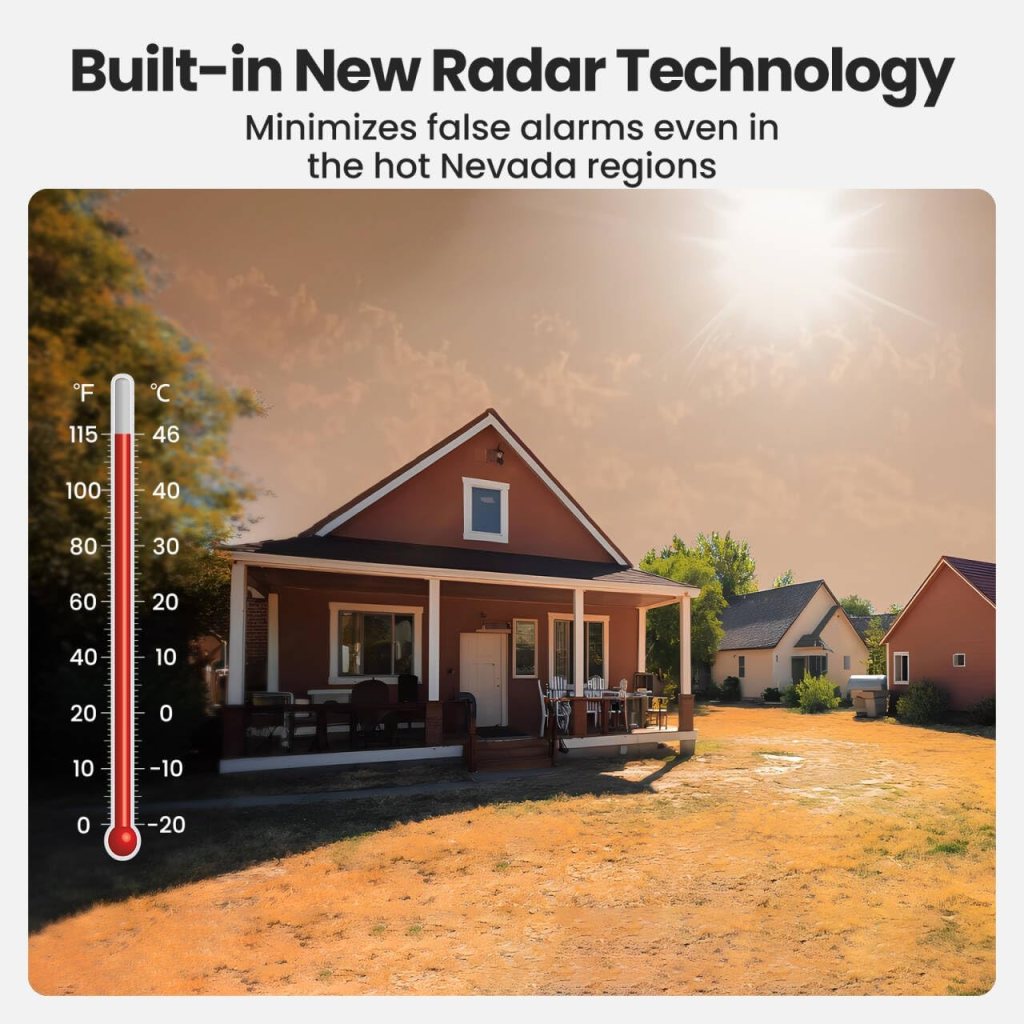
The built-in radar sensor is designed to reduce false alarms caused by wind-blown branches, lighting changes, or small animals. This tech reportedly reduces false positives significantly in regions with lots of environmental triggers.
How radar changes alert quality
You’ll notice fewer meaningless alerts compared to basic PIR-only systems because the radar cross-checks moving objects. That means your phone won’t light up as often, and the notifications you do get are more likely to be relevant.
Auto tracking and 360° coverage
Cross-camera 360° auto-tracking links footage from multiple cameras during a single event, allowing you to follow a person or vehicle across different angles from one screen. Each camera’s pan and tilt feature reduces blind spots for a more complete view.
Using auto-tracking in daily life
You’ll be able to tap any event in the app and see auto-tracked clips stitched together, making it faster to understand what happened during an incident. For multi-angle coverage, this saves you time compared to manually opening each camera feed.
Homebase and local storage
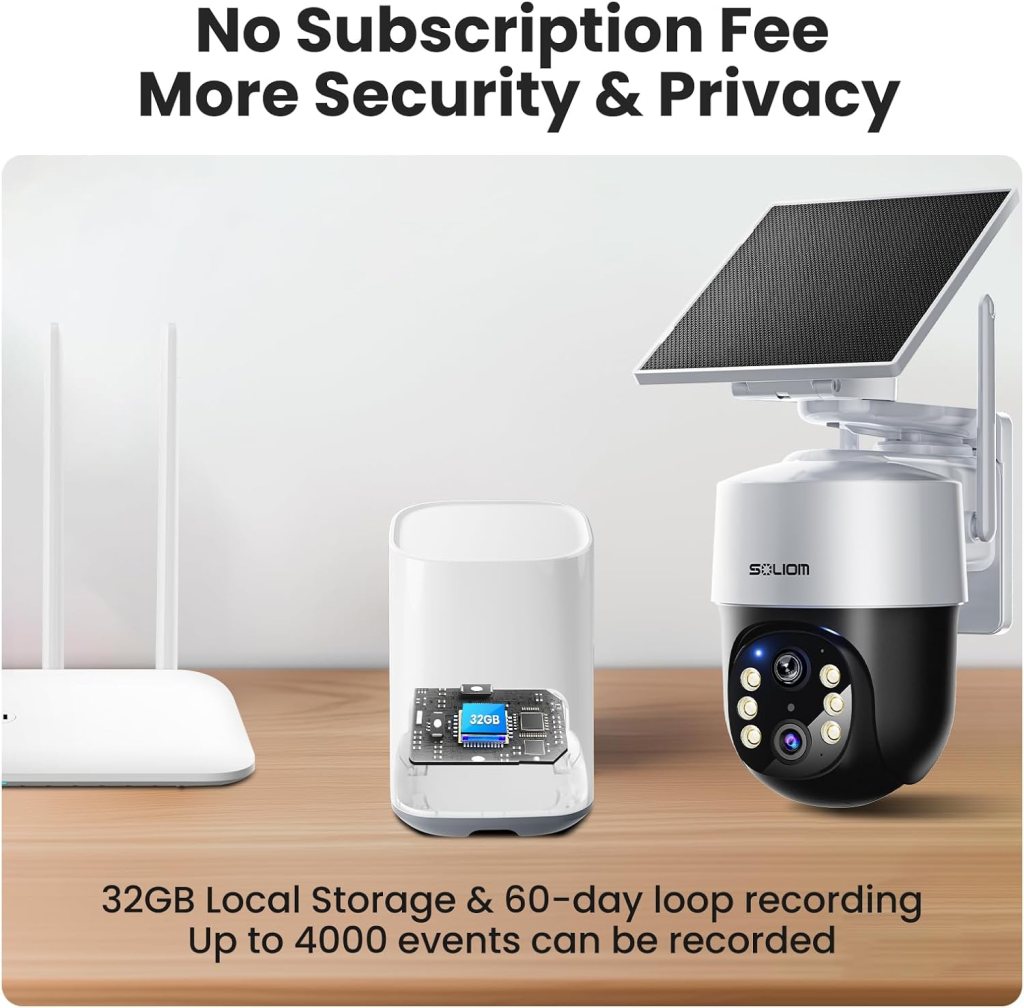
The Homebase stores encrypted footage locally on its pre-installed 32GB card and supports expansion up to 128GB. This removes the need for cloud subscriptions, and your footage remains safe even if a camera is damaged or stolen.
Security and reliability of local storage
You’ll appreciate that the base handles encryption locally, keeping your video secure from casual access. With local storage, there’s no cloud reliance, meaning your footage is preserved even if internet connectivity is lost.
Connectivity and app experience
The app manages camera settings, live view, and notifications. Connection is via the Homebase, which links to your router using 2.4G or 5G depending on your setup. If you have a modern dual-band router, you’ll get stable connectivity and faster transfers.
Ease of use and app responsiveness
You’ll find most common controls easy to navigate—live view, playback, motion zones, and scheduling are straightforward. Occasional hiccups in responsiveness may occur during network congestion, but overall the app offers intuitive control for day-to-day tasks.
Notifications and false alarms
Because the system uses radar to verify motion, you can expect fewer false notifications. You’ll still receive alerts for people, vehicles, or pets depending on sensitivity settings, and you can fine-tune motion zones to reduce nuisance alarms.
How to tune alerts for your needs
You’ll want to set up custom motion zones (e.g., walkway vs. street) and sensitivity levels in the app to focus alerts where they matter most. Combining radar with motion zone settings gives you a strong control to reduce alert fatigue.
Battery life and charging time
Battery life varies with usage, spotlight activity, and network load, but with regular sunlight exposure and moderate motion events you should expect several weeks of operation between supplemental charges. Solar panels will help maintain charge, and the base battery design supports typical seasonal use.
Tips to maximize battery life
You’ll prolong battery life by keeping spotlight and continuous recording off unless needed, setting reasonable motion sensitivity, and placing solar panels for maximum sun exposure. Over time, you’ll learn which settings provide the best balance between battery life and security coverage.
Durability and weather resistance
These cameras are intended for outdoor use and are built to withstand rain and varying temperatures. The solar panels and camera housings resist typical elements, so you won’t have to worry about replacing devices after normal weather events.
Long-term reliability considerations
You’ll have to ensure seals and mounting points are secure to prevent water intrusion and to avoid loosening over time. While most components are durable, consider periodic checks to maintain performance through harsh seasons.
Privacy and data security
Because recordings are stored locally on an encrypted base, you control access to your footage. The use of encryption on the Homebase reduces the risk of unauthorized access, and not relying on a cloud subscription limits exposure from third-party servers.
Managing access and permissions
You’ll be able to control who has app access and view permissions, and you can physically secure the Homebase indoors for additional protection. Always use strong passwords and enable any available account security features.
Practical use cases
You’ll find this kit helpful for monitored driveways, yard surveillance, front porches, and areas with limited power access. The solar capability makes it a good option for remote or detached buildings, and the auto-tracking helps when you want continuous event context across multiple angles.
Example scenarios where it shines
If you want to monitor package deliveries, the 4K resolution helps you confirm package presence and identify faces approaching your door. For driveway surveillance, the magnifier feature can aid in reading a license plate when combined with good placement and lighting.
Pros and cons
You’ll want a clear list to weigh advantages and trade-offs before buying.
Pros:
- Excellent 8MP 4K resolution for clear daytime footage.
- Solar panel support reduces wiring and ongoing power concerns.
- Radar motion detection significantly reduces false positives.
- Local encrypted storage with no monthly subscription required.
- Cross-camera auto-tracking and 360° coverage minimize blind spots.
- Dual-band Wi‑Fi compatibility for stronger connections.
Cons:
- Real-world solar performance depends on panel placement and sunlight exposure.
- Spotlight and frequent motion can reduce battery life.
- Initial setup of four cameras takes time and some basic DIY skills.
- App and firmware updates may occasionally require troubleshooting.
- 32GB base storage is fine for shorter retention; you’ll need expansion for extensive continuous recording.
How this compares to other systems
When you compare this kit to subscription-based cloud systems, the major advantage is long-term cost savings through local storage. Compared to other solar camera kits, SOLIOM’s 8MP and radar combo is strong for image quality and false alarm reduction. You’ll find many competing options, but few pair 4K resolution with built-in radar and cross-camera tracking in a single consumer kit.
Choosing between local storage and cloud services
If you prefer full control and lower ongoing costs, you’ll value Homebase local storage. If you want always-online cloud backups with longer retention and remote cloud access, you might consider competing systems that offer optional subscriptions—though that comes with monthly fees.
Who should buy this
You should consider this SOLIOM 4-Cam Kit if you want high-resolution footage without ongoing subscription costs, prefer solar-powered wireless cameras, and need reliable motion detection with minimal false alerts. It’s ideal for homeowners, rental properties, or remote structures where wiring is impractical.
Who might want to look elsewhere
You might look at alternate solutions if you need continuous cloud backup, guaranteed professional monitoring, or if your property lacks sufficient sunlight for solar charging during long dark seasons without supplemental power.
Installation tips and best practices
You’ll get better results by planning camera placement before drilling. Aim cameras at typical ingress/egress points, position solar panels with unobstructed sun exposure, and mount the Homebase near your router for strong signals.
Specific setup recommendations
- Mount cameras 7–9 feet high for a balance of perspective and tamper resistance.
- Angle cameras slightly downward to reduce sky/vegetation triggers.
- Place Homebase within Wi‑Fi range of all cameras; test before final mounting.
- Use the magnifier feature sparingly—zooming while live is fine, but rely on native 4K resolution for recorded evidence.
Maintenance and firmware updates
You’ll want to keep the app and device firmware updated to access new features and security patches. Periodic cleaning of the solar panel surface and camera lens will help maintain optimal performance.
Routine checks to keep everything running
Check mounts, clean lenses, and verify app connectivity every few months. Look for firmware updates in the app and apply them when prompted. These small steps keep your system reliable long-term.
Troubleshooting common issues
You’ll sometimes face connection hiccups, reduced battery life, or false alerts. Usually rebooting the Homebase, checking cable connections, adjusting motion sensitivity, or repositioning solar panels resolves common problems.
Quick fixes for typical problems
- No live view: reboot Homebase and check router connection.
- Excessive alerts: lower sensitivity and refine motion zones.
- Low battery: reposition panel for more sun or temporarily recharge via USB.
- Lost pairing: re-scan camera QR and follow app pairing steps.
Legal and neighbor considerations
You’ll want to check local regulations about camera placement and audio recording. Respect neighbor privacy by avoiding direct pointing into windows or private areas beyond your property lines.
Best practices for respectful monitoring
You’ll keep good relations by directing cameras at public-facing areas and informing tenants or regular visitors that surveillance is active. Visible signage can act as an additional deterrent and transparency tool.
Final verdict
You’ll find the SOLIOM Security Cameras Wireless Outdoor,8MP Ultra HD for Day and Night, No Subscription,Built in Radar,Solar Powered Cameras for Home Security, 360° Pan Tilt Auto Tracking,5G & 2.4G WiFi, 4-Cam Kit delivers a compelling mix of high-resolution video, local encrypted storage, and smart motion detection. If you prioritize no-subscription local storage, solar power flexibility, and reduced false alerts, this system is a strong choice.
Who will get the most value
You’ll get the most value if you want a relatively hands-off, cost-effective solution for multi-angle property coverage with excellent image clarity. Its benefits are especially clear for yards, driveways, and remote spots with consistent sunlight.
Final tips before you buy
You’ll get the best experience if you place panels for optimal sunlight, plan camera locations ahead of installation, expand Homebase storage if you want longer retention, and take time to customize motion zones. These steps will ensure your SOLIOM kit performs reliably and gives you the peace of mind you’re after.
If you want, I can help you plan optimal camera locations for your property—just tell me about the layout and where you want coverage.
Disclosure: As an Amazon Associate, I earn from qualifying purchases.