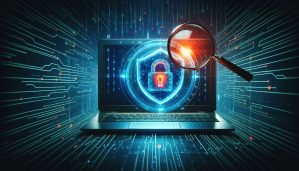
Have you ever wondered if your computer is safe from prying eyes? With the digital world becoming increasingly interconnected, the risk of spyware infiltrating your device has never been higher. Understanding how to detect and remove this malicious software is crucial to protecting your personal information.

Understanding Spyware
Before we dive into software solutions, it’s important to understand what spyware is. Spyware is a type of malicious software designed to gather information about you without your consent. This can include tracking your keystrokes, stealing passwords, and even accessing your personal files.
Spyware can infiltrate your system in various ways, such as through suspicious downloads, email attachments, or even malicious websites. Once it’s on your computer, it can be challenging to detect without the right tools.
Types of Spyware
Knowing the different types of spyware can help you better understand what you are up against. Here’s a brief overview:
| Type | Description |
|---|---|
| Adware | Displays unwanted advertisements; can track user behavior to serve targeted ads. |
| Keyloggers | Records keystrokes to capture sensitive information like passwords and credit cards. |
| Trojans | Disguised as legitimate software, these can take control of your system and access personal data. |
| Trackers | Monitors your online activity and browsing habits, often for marketing purposes. |
By being aware of these types, you can take more effective measures to protect yourself from their effects.
Signs of Spyware Infection
Recognizing the signs of spyware can empower you to take action before things escalate. Here are some common indicators that your computer might be infected:
Sluggish Performance
If your computer suddenly becomes unusually slow, it could indicate that spyware is consuming your system resources. When spyware runs in the background, it can significantly degrade performance.
Unwanted Advertisements
Frequent pop-ups or ads that seem to appear out of nowhere can suggest adware on your device. This is not just annoying; it’s a strong indication that your system might be compromised.
Unexpected Crashes
If your applications are crashing or your system is restarting without warning, this could be a sign of serious malware infection, including spyware.
Changes in Browser Settings
Spyware can modify your web browser settings without your permission. If your homepage has changed and you didn’t do it yourself, or if new toolbars have appeared, take that as a warning.
Increased Data Usage
Keeping track of your data usage can provide clues about spyware. If you notice an unexplained spike in your data usage, it might be due to spyware transmitting data from your device.
Finding Spyware Detection Software
Once you suspect that your computer is infected, the next step is to find effective spyware detection software. Fortunately, there are many options available, each with its pros and cons. Below, I’ve compiled a list of popular software solutions that have been well-reviewed for their effectiveness.
| Software Name | Features | Pros | Cons |
|---|---|---|---|
| Malwarebytes | Real-time protection, scheduled scans | Excellent for ransomware | Can be resource-intensive |
| Norton 360 | Comprehensive security, VPN included | All-in-one solution | Subscription-based |
| Spybot Search & Destroy | Advanced detection and removal options | Great for beginners | User interface can be confusing |
| Bitdefender Antivirus | Multi-layer ransomware protection | Lightweight, fast scans | Limited free version |
| Kaspersky Anti-Virus | Robust spyware detection, privacy tools | High detection rates | Could slow down older machines |
When selecting software, consider what features will best serve your needs and the potential impact on system performance.
Installing Spyware Detection Software
Once you’ve chosen your preferred software, the next step is installation. Here’s a simple guide to help you through the process:
Step 1: Download the Software
Visit the official website of the spyware detection tool you’ve chosen. Make sure to download only from reputable sources to avoid inadvertently introducing more malware.
Step 2: Run the Installer
Locate the downloaded file, usually in your Downloads folder, and double-click to run the installer. Follow the on-screen instructions, which typically include accepting license agreements and choosing installation options.
Step 3: Update the Software
After installation, open the software and check for updates. This ensures that you have the latest definitions and features to effectively detect and remove spyware.
Step 4: Perform a Full System Scan
Once everything is set up, run a full system scan. This may take some time, depending on the size of your hard drive and the number of files. Make sure to close any unnecessary applications to enhance scanning speed.
Step 5: Review Scan Results
After the scan completes, carefully review the results. The software will usually provide a list of detected threats and options to quarantine or remove them. Follow the recommended actions to clean your system.
Maintaining a Healthy Computer
Detecting and removing spyware is just one part of maintaining a secure computer. Here are some additional tips to keep your system safe:
Keep Your Software Updated
Regularly updating your operating system and installed software ensures you have the latest security patches. Hackers often exploit vulnerabilities in outdated software to introduce spyware.
Use a Firewall
A good firewall can help block unauthorized access to your computer. Many antivirus programs come with built-in firewalls, but you can also opt for dedicated software solutions.
Practice Safe Browsing
Be cautious about the websites you visit and avoid clicking on suspicious links. Always verify the source before downloading any files, especially from unknown sites.
Educate Yourself
Staying informed about recent cybersecurity threats can make a significant difference. Familiarize yourself with new types of malware and techniques, as knowledge is a powerful tool in keeping your computer secure.
Utilizing Additional Tools for Security
Beyond spyware detection software, consider using other security tools to enhance your computer’s protection. Here are some options that might interest you:
Anti-Virus Software
Investing in a comprehensive anti-virus solution can help protect against various types of malware, including spyware, viruses, and trojans. Many anti-virus programs offer real-time protection, which can actively monitor your system for any suspicious activity.
Password Managers
Using a password manager can help safeguard your sensitive information. These tools not only store your passwords securely but also can generate strong, unique passwords for every site you visit. This practice makes it harder for spyware to capture your login details.
VPN Services
A Virtual Private Network (VPN) encrypts your internet connection, making it more challenging for spyware to intercept your data. This is particularly useful when connecting to public Wi-Fi networks, which are often less secure.
Backup Your Data
Regularly backing up your data can be a lifesaver if you do fall victim to spyware or any other type of malware. Use external drives or cloud storage to secure a backup of your important files.
What to Do If You Suspect an Infection
If you suspect that spyware has infiltrated your system, don’t panic. Follow these steps to regain control:
Disconnect from the Internet
Disconnecting your computer from the internet can prevent spyware from transmitting data or receiving further instructions from its server.
Boot into Safe Mode
Restart your computer and boot into Safe Mode. This limits the number of programs running, making it easier for your detection software to remove the spyware.
Run Spyware Scans
Use your spyware detection software to perform thorough scans in Safe Mode. With fewer processes running, the software might have better luck detecting and removing threats.
Monitor Your Activities
Keep an eye on your accounts and activities after removing spyware. This is crucial to ensure that no lingering damage or data breaches occur.
Consider Professional Help
If the spyware persists or your system exhibits unusual behavior despite your best efforts, seeking professional help may be necessary. Tech support specialists can provide deeper insight and sophisticated removal techniques.
Conclusion
Understanding and detecting spyware is essential to maintaining the security of your computer and personal data. Through a combination of antivirus software, safe browsing habits, and regular updates, you can significantly reduce your likelihood of falling victim to these malicious programs.
By implementing a proactive approach, you empower yourself to safeguard your digital experiences. Remember, staying informed and vigilant is your best defense against spyware and other online threats. Keep your software updated, employ security tools, and always remain cautious while navigating the web. Protecting your information is not just a task; it’s an ongoing commitment to yourself.