Looking for a truly wireless solar security system that gives you 2K footage, no monthly fees, and a 10″ monitor ready out of the box?

Overview of CAMCAMP Solar Security Cameras Wireless Outdoor with 10″ Monitor, 10CH NVR 2K Solar Home Security Camera System with 360° Color Night Vision,2-Way Audio,500GB Local Storage,No Monthly Fee,No Need WiFi
This system is designed so you can set up a multi-camera security network without running cables or subscribing to cloud plans. You’ll get a combination of solar-powered PTZ cameras and a pre-configured NVR monitor that aims to simplify installation and ongoing operation.
What you get in the box
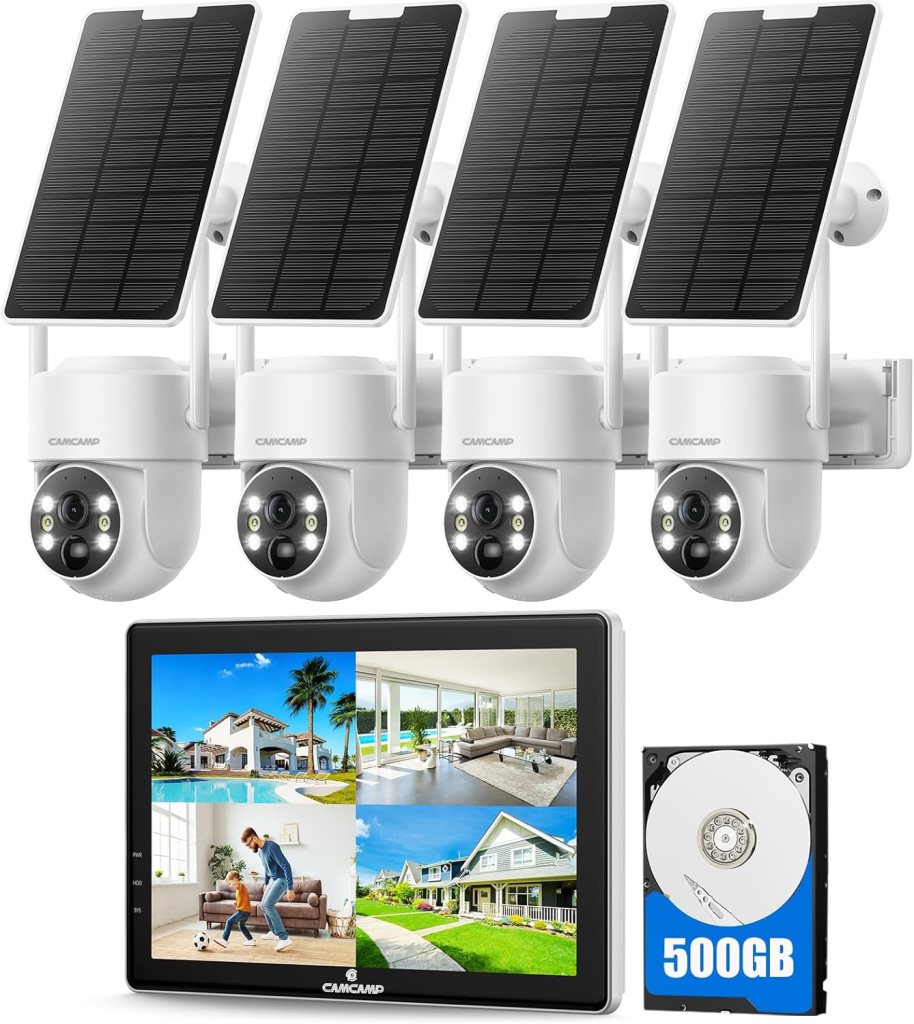
You receive solar-powered PTZ cameras (number depends on the bundle), a 10.1″ NVR monitor with a pre-installed 500 GB HDD, solar panels for each camera, and mounting hardware to get everything up and running. The cameras are factory-paired to the NVR so you don’t need to manually sync each camera during initial setup.
Key features at a glance
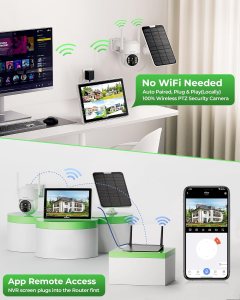
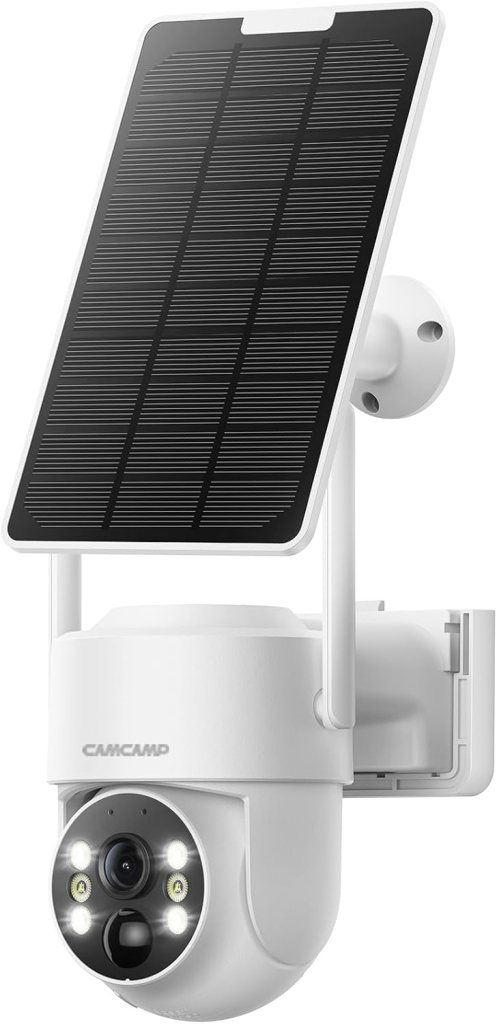
This CAMCAMP system brings several strong selling points: 100% wireless solar power, no requirement for WiFi for local recording, 4 MP (2560×1440) color night vision with spotlight, 340° pan and 90° tilt for near-360° coverage, two-way audio, and a pre-installed 500 GB HDD for local storage. You’ll also notice H.265+ compression to save space, a 10.1″ monitor with HDMI output for larger screens, and up to 10 camera channels to expand coverage.
Technical specifications (quick reference)
Below is a compact table to help you review the most important specs at a glance. This lets you compare features quickly when planning installation or expansion.
| Feature | Specification |
|---|---|
| Camera resolution | 4 MP (2560 x 1440) |
| Night vision | Color night vision with spotlight |
| PTZ range | Pan 340° / Tilt 90° / 5x Digital Zoom |
| Power | Rechargeable battery + solar panel (100% wireless) |
| Antenna | Built-in 5dBi antenna |
| NVR monitor | 10.1″ (NOT touchscreen) with HDMI output |
| Storage | 500 GB HDD (pre-installed) |
| Channels | Up to 10 channels |
| Compression | H.265+ |
| Recording mode | Motion-triggered (not continuous 24/7) |
| Connectivity | Wireless to NVR; remote via CloudEye 365 when NVR is connected to router |
| Weather rating | IP66 (-13°F to 122°F / -10°C to 50°C) |
| App | CloudEye 365 (supports sharing and multi-user viewing) |
| Warranty | 12 months replacement |

Installation and setup
Installation is one of the areas where this system tries to make things straightforward for you, because the cameras are wireless and factory-paired. You’ll still need to choose mounting spots carefully, make sure the solar panels get consistent sunlight, and plug the NVR monitor into power (and into your router if you want remote access).
Physical installation of cameras and solar panels
Mount the camera where it has a clear field of view and the attached solar panel can receive direct sunlight for most of the day. You’ll want to avoid shaded angles, glass reflections, and obstructions that could block the solar panel or the camera’s PIR sensor.
Setting up the NVR monitor and pairing
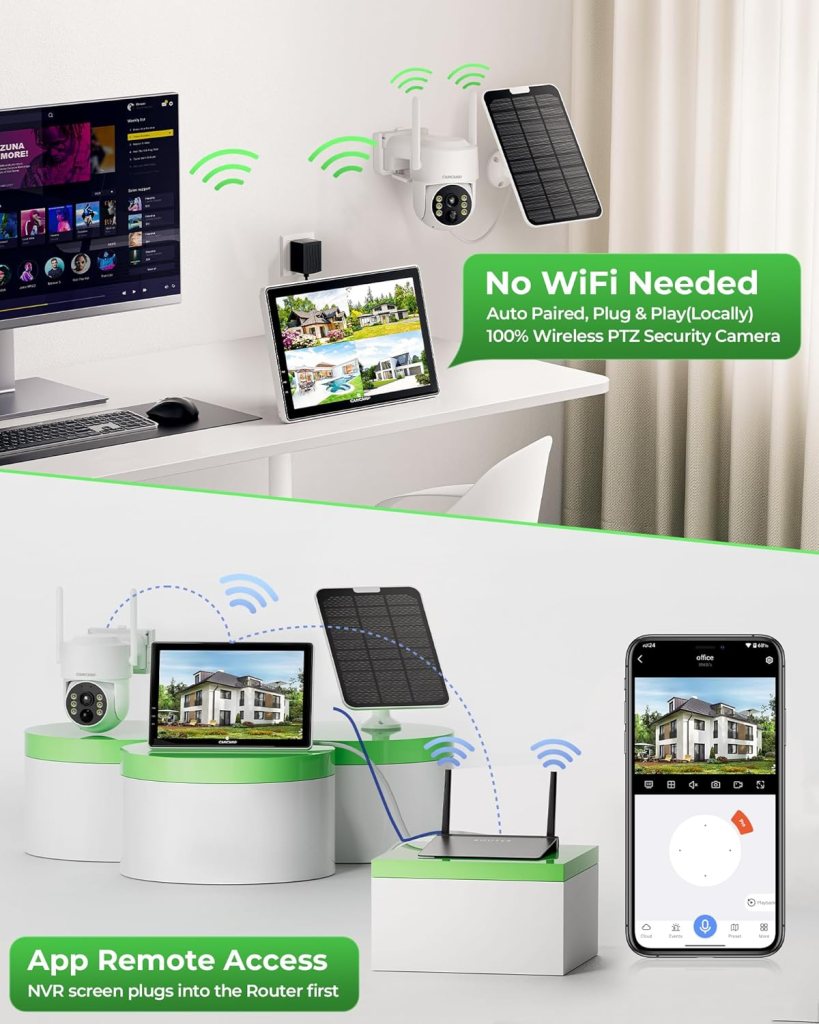
The NVR monitor comes pre-paired with the cameras at the factory, so you simply plug the monitor into power and it should display the cameras automatically. Keep the NVR within range of the cameras and place it in a central indoor spot to get the most reliable signal.
Connecting for remote access (App)
Local operation and recording do not require internet, but if you want to view the cameras remotely on your phone you’ll need to plug the NVR screen into your home router. Once the NVR is on the network, you can use the CloudEye 365 app to view live feeds, receive push alerts, and share access with family members.
Performance: Video, motion detection, and audio
Performance covers several key areas you’ll care about: image quality, sensitivity of alerts, and how useful the two-way audio and PTZ controls are. Overall the CAMCAMP system aims to be practical rather than premium, giving strong daytime and improved night performance when the spotlight is activated.
Video quality and 4MP color night vision
The 4 MP resolution (2560 x 1440) produces noticeably clearer images than standard 1080p, which helps with identifying faces and license plates at a moderate distance. The dedicated spotlight combined with a CMOS sensor yields full-color night footage that is much more informative than monochrome IR at close to medium ranges.
Motion detection and smart alerts
The cameras use PIR-based detection to reduce false alarms caused by shadows, leaves, or passing cars, which means you’ll get more relevant alerts. The system will start recording when motion is detected, and you’ll receive alerts on the NVR monitor and through the app or email if you’ve enabled those features.
Two-way audio and PTZ control
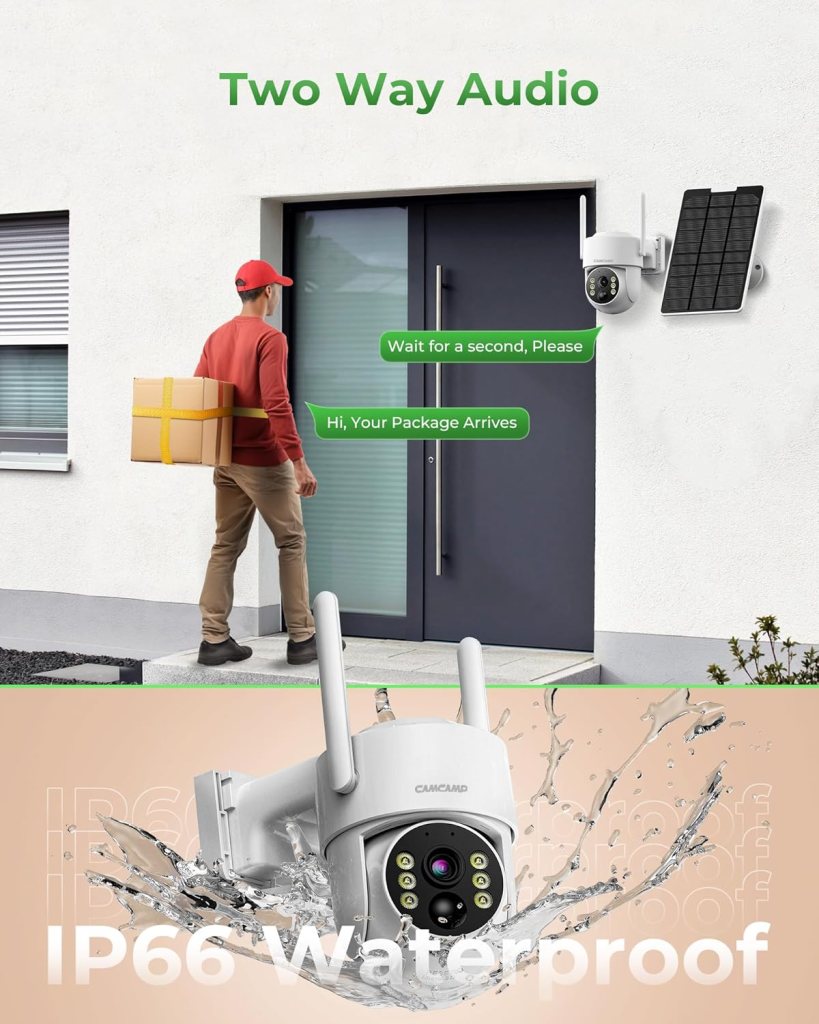
Two-way audio is handy for brief interactions, whether you want to speak with a guest or deter someone from approaching a doorway. The PTZ functionality (340° pan and 90° tilt) plus 5x digital zoom lets you cover a large area with a single camera, which reduces blind spots and allows you to zoom in for a closer look when needed.
Wireless range and signal stability
A built-in 5dBi antenna helps the cameras maintain a stronger connection to the NVR, improving stability compared to weak internal antennas. Real-world range depends on obstructions and building materials, so place the NVR centrally and avoid thick concrete or metal obstacles between it and the cameras.
Storage, recording modes, and battery life
The system uses motion-triggered recording to conserve power, so it’s not designed for continuous 24/7 recording. The 500 GB HDD is pre-installed and H.265+ compression helps you store more events. Battery life is supported by the solar panels, and CAMCAMP states the system can operate continuously for a year with solar charging—keep in mind that actual uptime depends on sunlight, camera frequency of activation, and local weather.
Durability and weather resistance
These cameras are built to be used outdoors with an IP66 rating, meaning they can handle heavy rain and dust. They’re rated to operate from about -13°F to 122°F (-10°C to 50°C), so you can rely on them across a wide range of climates.
Mounting and material considerations
The housing and mounting hardware appear to be designed for typical outdoor use, but you’ll still want to check the mount screws and cabling points periodically for corrosion or loosening. Properly sealed cable entries for the solar panel and camera will extend the life of the system.
Software and app experience
The CloudEye 365 app enables remote viewing, alerts, and multi-user sharing, which is good for families or multi-resident properties. Keep in mind that app features and stability can vary by OS and firmware version, so look for firmware updates and test remote access during your initial setup.
Multi-user sharing and Alexa compatibility
You can share access rights with family members so multiple people can view live feeds at the same time. The monitor supports linking to Alexa so you can voice-display a live camera feed on compatible Echo Show or Fire TV devices when the NVR is connected to the network.
Expandability and compatibility
If you need more coverage, the NVR supports up to 10 channels, so you can add cameras later without replacing the main unit. The cameras are designed to work together on the CAMCAMP NVR ecosystem, and HDMI output lets you view the system on larger screens if needed.
Adding more cameras and larger displays
Expanding up to 10 cameras is straightforward because the system is built for multi-channel monitoring. Use the HDMI port to connect to a TV or monitor for larger, more accessible viewing, which can be useful in a central monitoring area.
Pros and cons
This section gives you a clear list of strengths and limitations so you can decide how well the system fits your needs. Each point below is based on the product’s design choices and typical real-world use.
| Pros | Cons |
|---|---|
| 100% wireless solar operation reduces wiring and power hassles | Motion-triggered recording only; not ideal if you need continuous 24/7 footage |
| Pre-installed 500 GB HDD with no monthly cloud fee | Remote access requires NVR to be connected to router; not purely offline for app features |
| 4 MP color night vision and spotlight improve low-light visibility | Digital zoom only (no optical zoom), which loses some detail at max zoom |
| Expandable up to 10 channels and HDMI output for large displays | NVR monitor is not a touchscreen; some users may prefer a touchscreen UI |
| IP66 weatherproof and wide operating temperature range | Solar reliability depends on local sunlight exposure and placement |
| Built-in 5dBi antenna for improved wireless link to NVR | Real wireless range can vary significantly with obstacles and distance |
| Two-way audio for basic communication | Two-way audio may not match the fidelity of wired solutions in high-noise environments |
Real-world use cases
This system is particularly suitable for properties where running power or network cables is difficult, like remote cabins, construction sites, rural properties, or temporary setups. If you want a low-maintenance setup with no recurring fees and the option to view remotely, this system provides a balanced solution.
Best-fit scenarios
You’ll get the most value if you need perimeter coverage, entry-point monitoring, or a multi-camera setup without the hassle of wires. It’s also a good match if you prefer local storage over paying for cloud subscriptions.
Tips to get the best from your system
These practical tips will help you maximize uptime, reduce false alerts, and get the best image quality from the CAMCAMP system.
- Place solar panels in full sun and avoid mounting them on surfaces that reflect or shade them during key daylight hours.
- Keep the NVR monitor in a central indoor spot to improve wireless signal stability to each camera.
- Adjust PIR sensitivity and test it during different times of day to balance missed events and false positives.
- Use the spotlight and position the cameras to avoid shining directly into reflective surfaces such as windows.
- Regularly check for firmware updates on the NVR and the app to improve features and stability.
Troubleshooting common issues
Some problems you may encounter are predictable with wireless solar cameras, and most tend to have straightforward fixes. Below are common symptoms and suggested steps.
Cameras dropping connection
If a camera drops connection, reposition the NVR closer or reduce obstructions between the camera and the NVR. Reboot the NVR and camera (if possible) and verify antenna orientation.
Poor night footage or dim images
Ensure the spotlight is enabled and the camera isn’t obstructed by dirt or insects on the lens. Clean the lens and check the spotlight settings in the app or NVR.
Insufficient solar charging or battery drain
Re-evaluate the solar panel tilt and orientation to maximize sun exposure, and consider if tree cover or seasonal changes affect charging. Check recording frequency—excessive motion-triggered recordings will drain batteries faster.
App connectivity problems
Make sure the NVR is connected to your router and the router has an active internet connection. Confirm the CloudEye 365 app credentials, and try power-cycling the NVR and router.
Comparisons and alternatives
If you’re evaluating this CAMCAMP system against similar solar or battery camera systems, consider what matters most to you: local storage vs cloud, continuous recording vs motion-only, and multi-camera NVR solutions vs individual cloud cameras.
How it compares to cloud-based options
Cloud systems (like some Arlo or Ring setups) often offer convenient cloud storage and continuous recording plans but require subscriptions. CAMCAMP focuses on local storage and no monthly fees, which is better for privacy and long-term cost, but you lose the benefits of cloud redundancy and seamless mobile history without local NVR connectivity.
How it compares to other solar battery systems
Brands like Reolink and others offer solar-powered cameras with local storage. CAMCAMP’s advantage is a pre-installed 500 GB HDD and a bundled NVR monitor for instant local playback. Compare camera resolution, battery capacity, and app ecosystem when deciding which brand fits your workflow.
Privacy, legal, and placement considerations
When installing cameras, you need to consider local laws and privacy norms, as camera placement can impact others’ privacy. Avoid pointing cameras into neighbors’ yards or windows, and check local regulations about recording audio and video.
Audio recording and legalities
Two-way audio makes it more important to know local statutes regarding recorded conversations or surveillance. In some jurisdictions you must inform visitors or obtain consent before you record audio.
Warranty and support
CAMCAMP offers a 12-month replacement policy, and they state they’ll respond with solutions within 48 hours if you have issues. Keep your purchase receipt and product serial numbers handy in case you need warranty support.
Frequently asked questions (FAQs)
Below are a few common questions you may have along with friendly, practical answers to guide you through common decision points.
Do these cameras require WiFi to work?
No, the system does not require WiFi for local recording because each camera communicates wirelessly with the included NVR monitor. However, if you want remote viewing through the CloudEye 365 app, you must plug the NVR into your router and provide internet access.
How long will the cameras run on solar power?
CAMCAMP claims the solar panel and rechargeable battery can keep the cameras running continuously for up to 365 days, but real-world performance depends on sunlight availability, weather, and the number of motion-activated recordings. In areas with limited sunlight or heavy motion events, you may see faster battery depletion.
Can I use continuous 24/7 recording with the system?
No, the cameras are primarily motion-triggered to conserve power and storage. Continuous recording is not supported as a default mode because it would drain batteries rapidly.
How many users can view the camera at once?
Multiple users can view the camera simultaneously through CloudEye 365 once the NVR is connected to your network. You can share access rights with family members so several people can receive alerts and check live feeds.
Can the system work with other brands of cameras?
The system is designed for CAMCAMP cameras paired to the included NVR, and cross-brand compatibility is generally limited. If you need third-party compatibility, research ONVIF or RTSP support, but do not assume full interoperability.
Final verdict
If you want a genuinely wireless camera system that minimizes wiring, avoids ongoing cloud fees, and comes ready to use with a pre-installed 500 GB HDD, this CAMCAMP Solar Security Camera System is a strong contender. You’ll appreciate the 4 MP color night vision, PTZ coverage, two-way audio, and the simplicity of factory pairing.
Who should buy this
Choose this system if you need an off-grid-capable, expandable multi-camera setup that emphasizes local storage and cost-free operation over time. It’s especially useful for properties where running cables is expensive or impossible, and for users who prefer to avoid monthly subscriptions.
Who might consider other options
If you need 24/7 continuous recording, deeper cloud redundancy, or higher-end analytics and optical zoom, you might prefer wired NVR systems or premium cloud cameras from other brands. Also consider alternatives if you need guaranteed continuous monitoring irrespective of solar conditions.
If you want, I can summarize this into a quick checklist for buying, set-up, and what to test on day one after installation.
Disclosure: As an Amazon Associate, I earn from qualifying purchases.