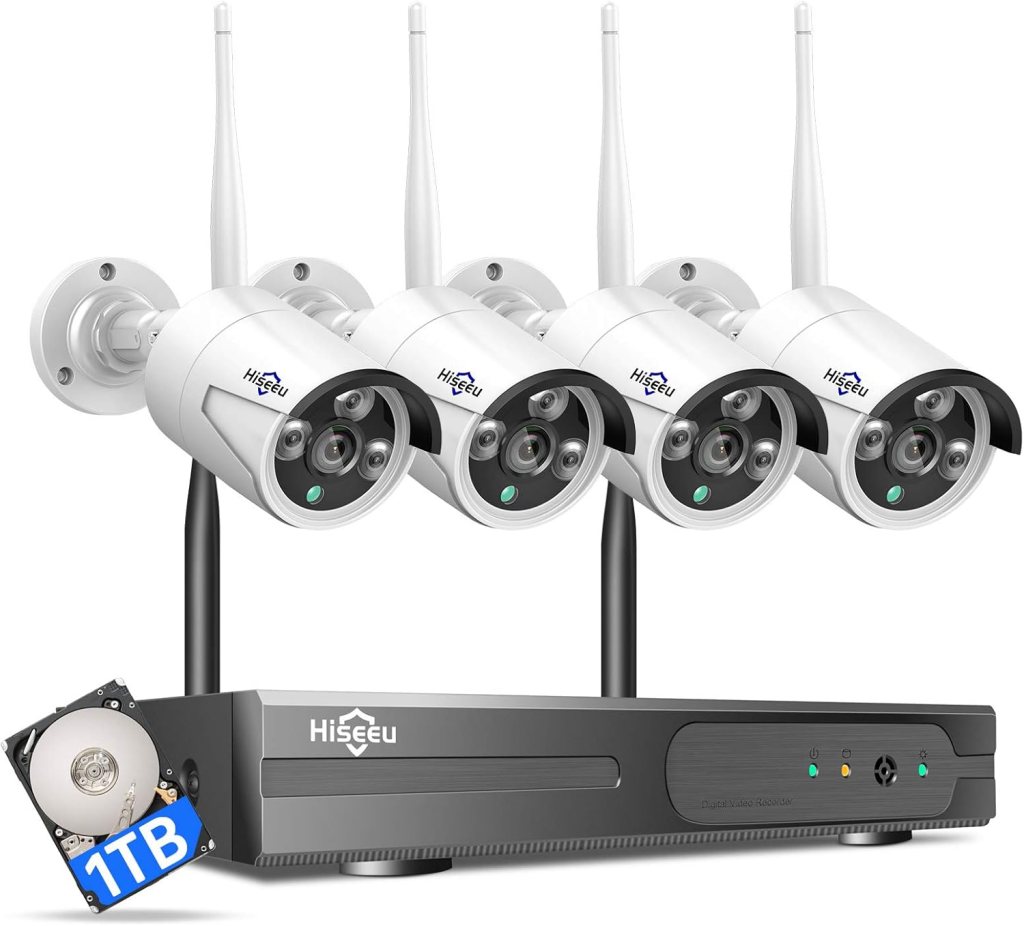
Are you thinking about upgrading your home or business security with the Hiseeu Wireless Pro WiFi Security Camera System, 16CH 4K NVR Kit, 8Pcs 5MP CCTV Home Security Camera System for Indoor/Outdoor Use, Night Vision, Waterproof, Motion Detection, 3TB Hard Drive?

Quick product snapshot
You’ll get an 8-camera kit paired with a 4K NVR that supports up to 16 channels, which makes it scalable for larger properties. The system ships with a pre-installed 3TB hard drive for local storage and uses wired power for 24/7 uptime while leveraging wireless data connectivity between cameras and the NVR.
What this means for you
This setup eliminates battery management and gives you continuous recording options, so you don’t need to worry about missing footage due to drained batteries. At the same time, the wireless data link simplifies camera placement compared to fully wired PoE systems, as long as you provide power to each camera.
Key specifications table
You’ll find this table useful for quick reference; it lists the main hardware and feature specs so you can compare at a glance.
| Feature | Specification | Notes |
|---|---|---|
| Cameras included | 8 × 5MP | Indoor/outdoor rated; IP66 waterproof |
| NVR | 4K NVR, 16CH expandable | Supports up to 16 channels total |
| Storage | 3TB pre-installed HDD | Over 45 days of continuous 24/7 recording (H.265+ optimized) |
| Recording modes | 24/7, motion-triggered, custom | Flexible scheduling and retention |
| Connection | Local view (no WiFi required); Remote via 2.4GHz & 5GHz WiFi | “WiFi Pro” ~100 ft data range (environment dependent) |
| Power | Corded (wired) power for cameras and NVR | No batteries — constant power, no dropouts |
| Compression | H.265+ | Up to 50% bandwidth reduction vs H.264 at equivalent resolution |
| Weatherproof rating | IP66 | Works in heavy snow, wind, sub-zero temps |
| AI features | Human detection | Reduces false alarms from pets/shadows |
| Audio | One-way audio (listen in real-time) | No two-way talkback |
| Warranty & support | 1-year warranty; 3-month hassle-free returns | Email support with ~12-hour response time |
What’s in the box
You’ll receive 8 weatherproof 5MP cameras and a 4K NVR with a pre-installed 3TB hard drive, along with necessary power adapters and cabling for each camera. The package typically includes mounting hardware and quick-start guides so you can get the system running without hunting for extra parts.
Why that matters
The fact that the HDD is already installed saves you a step during setup and means you’re ready to record immediately. Having cabling and power supplies included also reduces the chance of extra purchases needed during installation.


Local and remote control
You can view and control the system locally without connecting to your home WiFi, which is useful for privacy-conscious setups or when your internet is unstable. For remote access and push notifications, the system connects to your network via dual-band WiFi (2.4GHz and 5GHz).
Practical implications for you
Local-only capability means the system will continue working even if your internet is down, since recording is on the NVR. Remote access gives you convenience for live view and alerts on your phone, but the quality of that experience depends on your internet bandwidth and router configuration.
Wired power and 24/7 recording
Every camera uses a corded power source, and the NVR stays powered continuously to enable round-the-clock recording. That translates to reliable uptime — no battery swaps, no sudden dropouts caused by depleted batteries.
What to plan for
You’ll need to place each camera near a power outlet or plan for running power wiring to the camera locations. If you prefer plug-and-play simplicity, that’s straightforward; if you want a hidden or long-run installation, you’ll need to consider cable routing or hire professional installation.
Storage capacity and no monthly fee
The 3TB hard drive provides massive local storage, and the manufacturer claims over 45 days of continuous 24/7 recording with H.265+ compression, which reduces bandwidth and storage needs. There’s no mandatory cloud subscription required to store and review footage.
Benefits and trade-offs
Local storage keeps your data under your control and avoids monthly fees, but you should consider off-site backup if you want redundancy against theft or a physical failure of the NVR. If you value cloud storage for remote archiving, you’ll need to set up a separate solution.

Video compression and bandwidth optimization
H.265+ compression is used to reduce bandwidth and storage requirements by roughly 50% compared to H.264 while maintaining high-resolution video quality. This helps maintain stable streams even on lower bandwidth internet or when many cameras are active.
Why this helps you
With efficient compression, you’ll get clearer footage without saturating your home network or consuming storage at the same rate as older codecs. That’s particularly useful if you use remote viewing frequently or retain weeks of continuous recordings.
Expandability and weather resistance
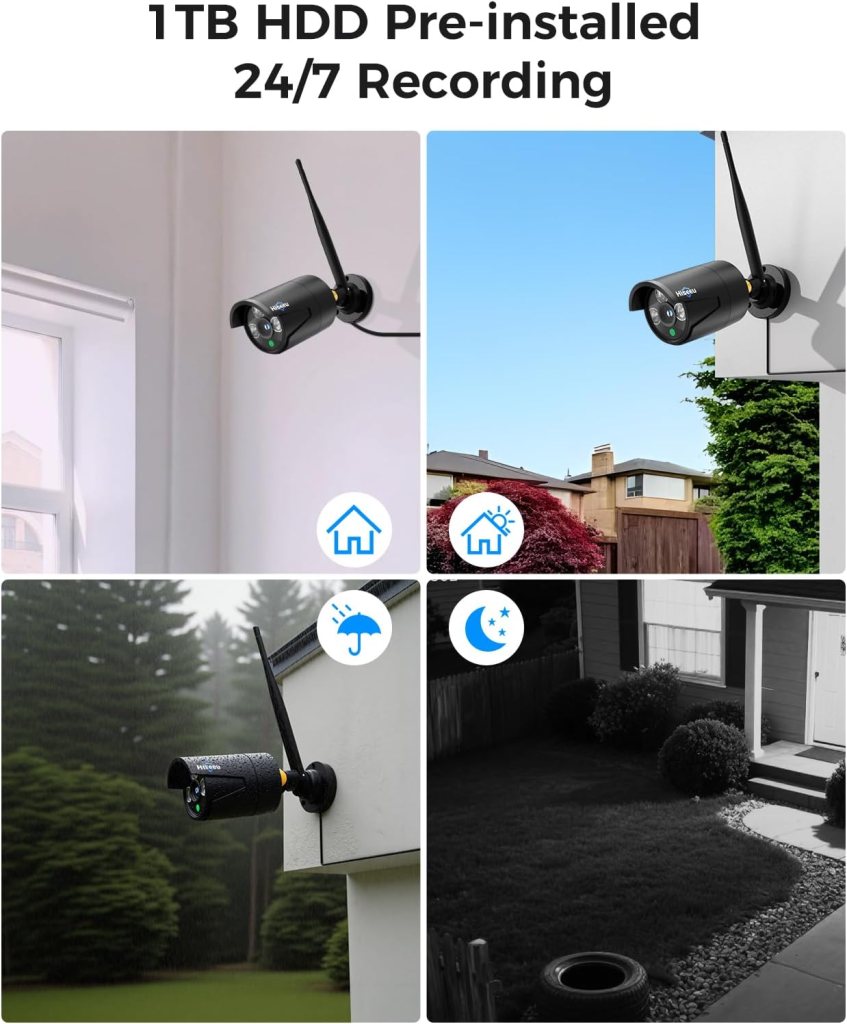
The NVR supports expansion up to 16 channels, so you can add cameras later as your needs grow. The cameras are IP66-rated, meaning they’re designed to withstand heavy snow, strong winds, and sub-zero temperatures for reliable outdoor use.
How to use this
If you think you’ll extend coverage later for a detached garage, backyard, or a business perimeter, the ability to add up to 16 cameras gives flexibility. The IP66 rating means you don’t have to worry about typical weather exposure shortening camera life.
Motion sensing and AI human detection
Motion detection is built into the system, and AI-enabled human detection reduces false alarms by distinguishing people from pets, shadows, or moving foliage. This should give you smarter notifications and less noise in your security alerts.
Practical expectations
AI detection lowers false positives, but it isn’t infallible — unusual lighting, overlapping movement, or camera placement can still produce incorrect alerts. You should still test sensitivity and notification settings to match your environment.

Night vision and one-way audio
The cameras are designed to capture sharp details even in low light, eliminating common blind spots. You’ll also be able to listen in on the camera feed in real-time using one-way audio, which lets you hear what’s happening without the camera broadcasting sound back.
What you’ll experience
Night vision clarity typically depends on factors like ambient light and distance; generally, these cameras will give you usable footage at night for identification and monitoring. One-way audio is good for passive listening, but if you need two-way talk to interact with visitors, this system won’t provide that feature.
Installation and setup — what to expect
Setting up the system involves mounting the cameras, connecting each camera to its power adapter, placing the NVR near your router (if you want remote access), and following the on-screen or app-based setup to pair cameras and configure recording. Expect to spend a few hours for a typical 8-camera install if you’re doing the wiring and mounting yourself.
Tips for a smoother install
Plan camera locations and route power in advance to avoid surprises, use a ladder safely or hire a professional for high placements, and label power adapters to keep track of which camera is connected where. If you plan to use remote viewing, ensure your router and firewall settings allow the NVR to communicate with the cloud service or app.
Mobile app and remote access
You’ll get instant notifications to your phone and the ability to view live or recorded video via a mobile app. The system supports both 2.4GHz and 5GHz WiFi for remote connectivity, making it easier to get a stable connection when you’re away from home.
How to get the most out of remote features
Set push notification preferences, configure motion zones if available, and test remote viewing on different networks (cellular and different WiFi) to confirm reliable access. If you have spotty internet, 2.4GHz may have wider range while 5GHz gives faster throughput up close.
Performance: video quality and usability
The combination of 4K NVR and 5MP cameras offers clear footage that’s sufficient for identifying faces and license plates if cameras are positioned well. H.265+ compression keeps data usage reasonable while preserving usable detail.
Common real-world considerations
Distance, lens angle, and mounting height greatly affect whether you can clearly see small details such as license plates. You’ll want to test the camera view and adjust angles to avoid glare, backlighting, or overly wide fields that make distant objects too small.
Night and low-light performance
The cameras are built to capture sharp details in darkness with infrared night vision and low-light image processing. Night performance usually holds up well for general monitoring and identification at typical yard and driveway distances.
How to optimize night shots
Avoid pointing cameras directly at bright lights or reflective surfaces, and consider using external lighting to improve clarity if you need finer details at night. Keep lenses clean and periodically check for obstructions like tree branches or spider webs that can degrade night images.
Motion detection accuracy and alert management
AI human detection helps flag real threats and reduce false alarms from pets, moving branches, or shadows. You can typically control motion sensitivity and alert timing to fine-tune which events trigger notifications.
Fine-tuning tips
Create motion zones if the app supports them so you don’t get alerts from busy streets or swaying trees. Lower sensitivity for low-traffic areas and test alerts at different times to ensure you’re notified when it matters.
Audio: limitations and use cases
You’ll be able to listen to what’s happening at camera locations using one-way audio, which is useful for monitoring. Because the cameras do not offer two-way talk, you won’t be able to speak back through the cameras to deter intruders or communicate with visitors.
When this is sufficient
One-way audio is perfect for checking sounds like alarms, glass breaks, or noisy machinery. If you need to interact with delivery personnel, two-way audio systems would be better suited.
Storage management and retention
Pre-installed 3TB gives you a lot of local capacity and the option to overwrite old recordings based on your chosen retention settings. With H.265+ compression, you’ll get an efficient balance of retention time and video quality.
Backup and redundancy recommendations
If the NVR is stolen or the HDD fails, local-only storage has a single point of failure, so consider periodic off-site backups or exporting critical clips to cloud storage or an external drive for added protection.
Security and privacy considerations
Local storage improves privacy by keeping footage on-site, and local view without WiFi reduces exposure to cloud vulnerabilities. For remote access, secure your router, use strong unique passwords for the NVR and app, and enable any available two-factor authentication.
Steps to secure your system
Change default device passwords immediately, keep the NVR firmware and app updated, isolate the NVR on a guest or IoT VLAN if your router supports it, and disable any unnecessary services to reduce attack surface.
Support and warranty
You’ll have a one-year warranty and a three-month hassle-free return window, plus customer support that aims to reply via email within about 12 hours. That gives you a reasonable support safety net if you encounter defects or setup issues.
How to get help fast
Document serial numbers and take photos during setup if you need warranty service, keep purchase receipts, and contact support promptly with clear descriptions and logs if you have connectivity issues. Email response times are usually adequate for routine questions.
Pros — what you’ll like
You’ll appreciate continuous wired power for reliability, the large pre-installed 3TB HDD without monthly cloud fees, AI human detection for smarter alerts, and the option to expand to 16 channels later. The IP66 weatherproof rating and H.265+ compression are useful for outdoor longevity and efficient storage.
Why those pros matter
These strengths combine to make a system that’s practical for long-term surveillance without recurring costs, easy to grow as needs change, and resilient against normal weather and network constraints.
Cons — potential drawbacks to consider
You’ll need to power each camera with a power cord, which may complicate placements compared with battery cameras. The wireless data range (about 100 ft) is environment dependent and may be limited by walls or interference. Audio is one-way only, and local-only storage is a single point of failure unless you add backups.
Balancing trade-offs
If you want a pure wireless battery setup or built-in two-way talk, this system isn’t ideal. For those who prioritize uptime, long retention, and avoiding subscriptions, this kit is a strong value despite those trade-offs.
Use cases where the system fits best
You’ll find this kit ideal for larger homes, small businesses, multi-building properties, and anyone who prefers local storage and continuous recording without subscription fees. It’s also suitable for outdoor perimeter monitoring thanks to the IP66 rating and scalable NVR.
Scenarios to consider
For a multi-car driveway, farm entrance, or retail storefront, the ability to add cameras and retain weeks of footage locally makes this system especially useful. If you need two-way audio or off-grid battery operation, consider additional products for those specific needs.
Troubleshooting and practical tips
If a camera won’t connect, check power first and then verify signal strength between the camera and NVR; obstacles can reduce the effective 100 ft range. For weak remote access, try switching between 2.4GHz and 5GHz WiFi on the NVR or relocate the router/NVR to reduce interference.
Common fixes that help
Make sure firmware is up to date, reduce competing wireless devices on the same bands, and test one camera at a time when diagnosing issues. Label power adapters and connections to avoid accidental swaps during maintenance.
Final verdict
You’ll get a robust, no-subscription-required security solution that balances continuous recording, expandability, and smarter alerts with the convenience of wireless data and wired power reliability. It’s a strong choice if you want a professional-feeling system without recurring cloud costs and with room to grow.
Who should buy this
Choose this kit if you need dependable 24/7 recording, want to avoid monthly fees, plan to expand coverage later, and can provide power at each camera location. If you need battery operation, two-way audio, or guaranteed cloud redundancy out of the box, look at other specific solutions or pair this system with additional services.
Frequently asked questions
You should consider a few typical questions: How far can cameras be from the NVR? The advertised wireless data range is around 100 ft but will vary with walls and interference. Do cameras work without WiFi? Yes, local view and control are supported without internet, but remote access requires network connectivity.
Additional quick answers
How long does the 3TB keep video? With H.265+ compression, the vendor states over 45 days of continuous 24/7 recording, though exact retention depends on motion levels and recording settings. Is audio two-way? No — the system offers one-way listen-in audio only.
If you want, I can create a quick checklist for installation, a suggested camera-placement diagram based on common property layouts, or a step-by-step app setup guide to help you get the most from this Hiseeu system. Which would help you next?
Disclosure: As an Amazon Associate, I earn from qualifying purchases.