
Looking for a reliable wire-free 4K security system that doesn’t lock you into monthly fees?


Quick verdict
You get a powerful, largely self-contained security package with the REOLINK 4K Security Cameras Wireless Outdoor System, Encrypted 1 Year Local Storage, Color Night Vision, 2.4/5GHz Wi-Fi, AI Detection, No Monthly Fee, Home Hub with 4X Eco Ultra+Solar Panel. It’s aimed at people who want crisp 4K footage, flexible wireless placement, and the option to run things locally without ongoing subscription costs.
What this system is best for
You’ll find this system most useful if you want a mostly wire-free outdoor camera setup with strong image quality and local storage that continues to record during short network outages. You won’t have to worry about monthly cloud fees, and the included solar panel helps keep cameras charged so you’ll spend less time maintaining batteries.

Specs at a glance
Below is a compact table to help you quickly compare the core specs. You can use this to confirm whether the features match your needs before digging deeper into each area.
| Feature | Details |
|---|---|
| Camera resolution | 4K (3840×2160) 8MP |
| Night vision | Color spotlight night vision; up to 10m IR night vision with spotlights off |
| Connectivity | 2.4/5GHz Wi‑Fi |
| Power | Battery-powered; includes 4X Eco Ultra+Solar Panel with 360° rotatable mount and 4m cable |
| Local storage | 1 year local storage encrypted (128GB microSD included; expandable to 2×512GB = 1TB) |
| Included storage note | Data based on 20 motion events/day × 15s each per camera |
| AI detection | Person, vehicle, animal recognition |
| Alerts | Push notifications, email with screenshots, siren, spotlights |
| Two-way audio | Yes |
| Maximum cameras per system | Manage up to 8 battery Wi‑Fi cameras for 4K main streams |
| Other | RTSP and NAS supported when more cams added; no monthly fee required |
What’s in the box
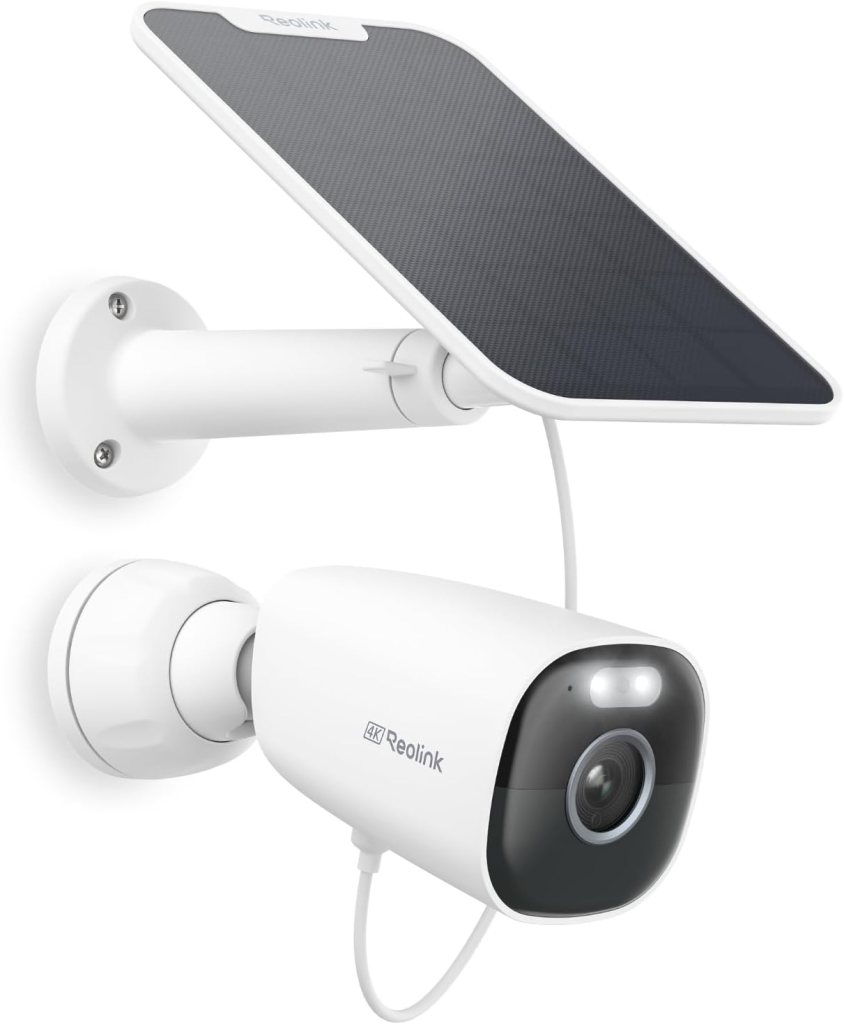
You’ll typically find the home hub, the cams included in the kit (number depends on the bundle you buy), a 128GB microSD card, and the 4X Eco Ultra+Solar Panel with its 4m cable and rotatable mount. There are also mounting kits, power accessories, and quick-start guides to help you get going. Check the exact box contents before purchase if you need an exact count of cameras or extra accessories.
Design and build quality
You’ll notice the cameras are designed for outdoor use with weather-resistant housings and a practical, modern look that blends into many yards and home exteriors. The solar panel and its 360° rotatable mount are especially useful because you can angle the panel for maximal sun exposure without needing to physically reposition the camera. Overall build is functional and intended for longevity in outdoor conditions.
Camera size and mounting
The cameras are compact enough for mounting under eaves, on walls, and poles without drawing too much attention. Mounting hardware is provided and straightforward; you’ll generally be able to complete a mount in under 30 minutes if you’re comfortable with basic tools. The supplied 4m solar cable gives you flexibility in where you place the panel relative to the camera.
Weatherproofing and durability
You should find the cameras robust against rain and most weather conditions; they’re marketed for outdoor use. If you live in an area with extreme temperatures or heavy storms, consider mounting the hub and solar panel in sheltered positions and routinely inspect seals and mounts.
Installation and setup
You’ll be able to set up the system via the Reolink app and the included hub for local storage and management. The process is designed to be user-friendly: you’ll connect the hub to your router (if the hub requires wired backhaul), add cameras via Wi‑Fi, and configure storage and alerts.
Step-by-step setup you can expect
- Charge or mount the cameras and place the solar panel to catch sunlight.
- Power up the Home Hub and connect it to your network if required.
- Open the Reolink app, create or sign into your account, and follow the add-device flow.
- Pair cameras with the hub using QR codes or in-app pairing steps.
- Update firmware if prompted and configure motion zones, AI sensitivity, and alert preferences.
You’ll appreciate the clear prompts in the app that guide you through each stage, and if you run into trouble, Reolink offers support articles and videos online.
Video quality and night vision
You’ll notice that the 4K 8MP sensors capture much more detail than 1080p systems, which helps with facial recognition and reading license plates at moderate distances. The color night vision is a standout feature because it preserves color information at night when the spotlight is enabled, making identification easier.
Daytime image quality
During the day, footage is sharp, vibrant, and filled with detail thanks to the 4K resolution. You’ll find that wide areas and small features (clothing details, signage) remain discernible, which is very helpful when reviewing events or evidence.
Nighttime (Color Night Vision and IR)
With the built-in spotlight engaged, you’ll get color night footage that is far more informative than standard monochrome IR at night. If you prefer stealth, you can switch off the spotlights and rely on the IR mode, which reaches up to ~10m. You’ll balance visibility with discretion depending on whether you want to illuminate the scene.
Field of view and framing
You’ll get a relatively wide field of view suitable for many doorways, driveways, and yard perimeters. The exact FOV varies by camera model; the wide angle keeps single-camera coverage efficient but remember that extreme wide angles can slightly distort edges, so position cameras to keep focal points near the center.
AI detection and alerts
You’ll benefit from AI-powered detection that classifies person, vehicle, and animal events to reduce nuisance alerts from wind, shadows, or foliage. The system sends push notifications and can attach screenshot previews by email, so you get a quick sense of what triggered the event.
How accurate is the AI?
In real-world use, the AI is generally effective at filtering out simple false positives and highlighting human or vehicle movement. You should still fine-tune sensitivity and motion zones based on your property layout, as areas with lots of motion (busy roads, tree lines) can still trigger alerts if not adjusted.
Alert options and customization
You can set which alert types you receive (push, email, siren, spotlight) and configure schedules. You’ll appreciate being able to send different alerts for different events—for example, sound the siren and illuminate spotlights only for person detections.
Audio, siren, and two-way talk
You’ll get decent two-way audio that lets you greet delivery people or warn off intruders through the camera’s speaker and microphone. The built-in siren and light alarm can be triggered remotely, which adds a deterrent layer to the camera’s capabilities.
Practical uses of two-way talk
Use two-way audio to tell a delivery driver where to leave a package or to ask a stranger to leave your property. Two-way talk is best for brief interactions; for longer conversations, app latency and audio quality can limit natural flow.
Alarm effectiveness
The siren and spotlight combination is effective for deterring casual trespassers and drawing attention to your property. You should test volume and light intensity in your specific environment to ensure it acts as the deterrent you expect.
Power: battery life and the solar panel
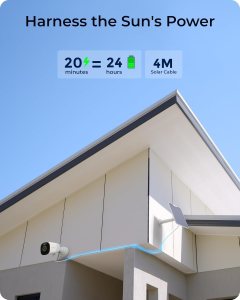
You’ll appreciate that the system is 100% wire-free in operation if you use the solar panel, meaning you can position cameras where wiring would be difficult. The included 4X Eco Ultra+Solar Panel helps maintain battery charge; the 360° mount and 4m cable give you placement flexibility.
Battery life you can expect
Battery life varies based on motion frequency, recording length, and whether the spotlight or two-way audio is used frequently. Reolink bases its local storage claim on 20 motion events/day with 15s event clips; your mileage will vary. In lower-activity settings and with good solar exposure, you can expect longer practical uptime between manual charges.
Solar panel considerations
You’ll want to mount the solar panel where it receives the most direct sunlight throughout the day. The panel’s rotatable mount helps you find the best angle, but consider seasonal sun angle changes. For shaded yards or north-facing walls, supplementary charging or more frequent battery attention may be necessary.

Connectivity and network performance
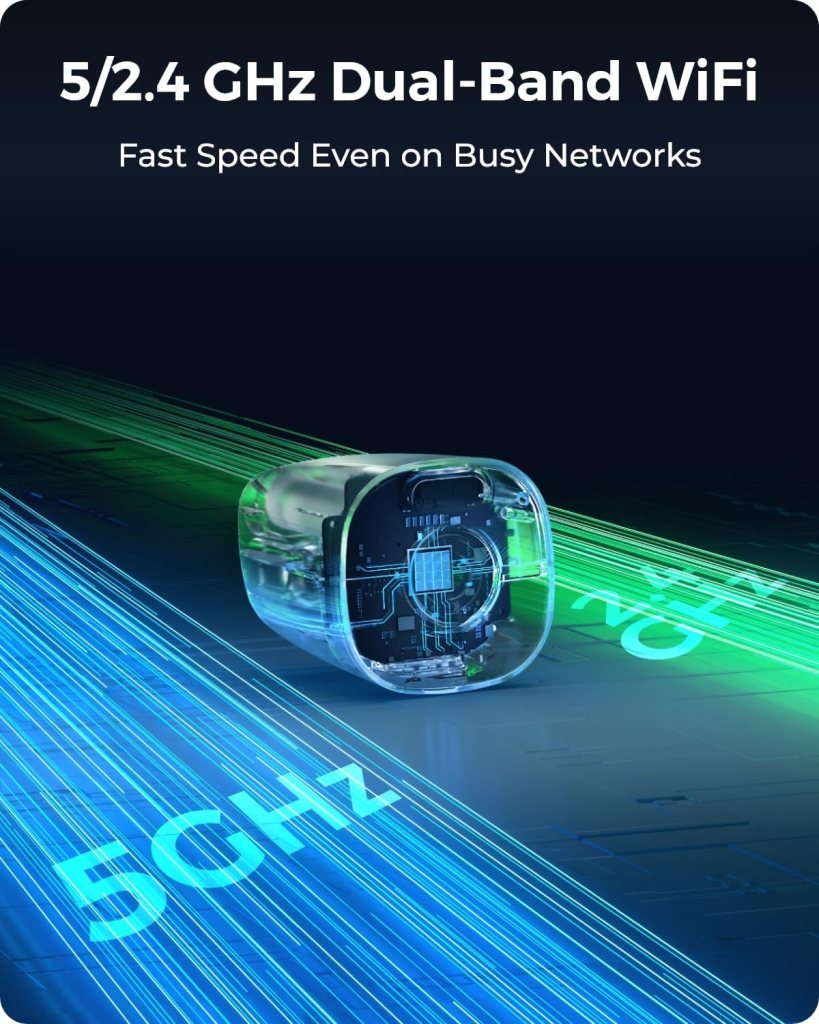
You’ll have the option to connect over 2.4GHz or 5GHz Wi‑Fi networks, which gives some flexibility depending on your home network layout and interference profile. 5GHz generally offers faster streams with less interference, though 2.4GHz reaches farther through obstacles.
Band selection and reliability
Use 5GHz for higher quality local streams when the camera and hub are relatively close and unobstructed. You’ll fall back to 2.4GHz if you need better range through walls or over longer distances. Reolink’s hub-based system also helps aggregate streams and manage bandwidth so individual cameras don’t overwhelm your router.
Performance under load
When multiple cameras stream at 4K simultaneously, you should ensure your home network and the hub can handle the throughput. The system is designed to manage up to 8 battery Wi‑Fi cameras, but real-world performance depends on network speed, interference, and router capability.
Storage, encryption, and privacy
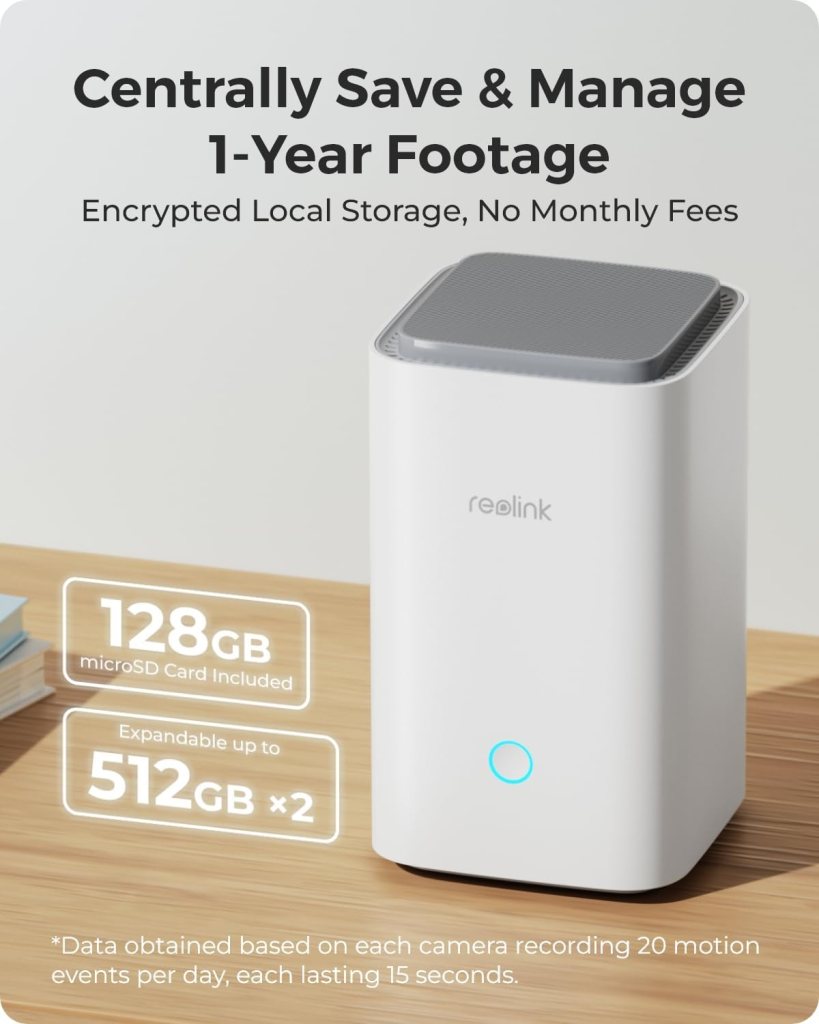
You’ll get a 128GB microSD card included and local storage with encryption and anti-theft features, plus the option to expand local storage to 2×512GB (1TB). Reolink emphasizes one year of local storage under their test conditions, and local encryption helps keep your videos secure even if a camera is physically tampered with.
How local storage is handled
Local footage is stored on the microSD inside the hub (or directly on cameras when supported). Because recordings are local, you avoid ongoing cloud subscription fees and keep control of your data. You’ll want to perform regular checks and backups if you have critical footage you may need to keep long-term.
Encryption and anti-theft measures
Your recordings are protected via encryption and anti-theft algorithms that prevent access to footage even if a camera is reset or removed. This helps ensure that footage remains accessible only to your account or devices authorized within the system.
App, user interface, and management
You’ll manage cameras primarily through the Reolink app, which provides live view, playback, alert management, and system settings. The app is designed to be approachable for non-technical users while still offering advanced settings for fine tuning.
Live view and playback
You can view live streams in 4K and access playback from recorded events. The app displays alarm counts, previews, and allows you to quickly jump to the moments you care about, which saves time when reviewing multiple events.
Advanced settings you can control
You’ll be able to set motion zones, AI sensitivity, alert types, recording schedules, and storage options. The app also supports RTSP and NAS when you add more cameras, enabling integration with third-party NVRs or home automation setups.
Expandability and multi-camera management
You’ll like that the system supports centralized management of up to 8 battery Wi‑Fi cameras for full 4K streaming and can expand storage and features as you add more cameras. This makes the system suitable for small to medium property coverage that you can scale over time.
Adding more cameras
As you add cameras, you can maintain centralized playback and consistent settings across devices. If you plan to cover larger properties, you’ll need to consider network layout and solar exposure so each camera remains reliable.
RTSP and NAS support
If you need to integrate with existing network video recorders or third-party software, RTSP and NAS support become valuable. You’ll use these features to centralize backups or integrate Reolink streams with broader home security or automation ecosystems.
Pros and cons
You’ll get a compact summary here to weigh the main strengths and trade-offs before deciding whether this system fits your needs.
Pros:
- High-resolution 4K footage for better detail and evidence quality.
- Color night vision with an IR fallback for flexible night monitoring.
- Wire-free operation with optional solar charging for low-maintenance placement.
- No monthly fees for local storage and management of up to 8 cameras.
- AI detection reduces false positives by identifying people, vehicles, and animals.
- Encrypted local storage and anti-theft protections to secure recordings.
Cons:
- Battery life is influenced by activity, spotlights, and audio use; high-activity sites may require closer attention.
- Performance of simultaneous 4K streams depends on the strength of your home network and the hub.
- Some advanced users may prefer cloud backup options for off-site redundancy (optional but may have fees).
- In heavily shaded locations, solar charging may not be sufficient on its own.
Who should buy this
You should consider this system if you want a wireless 4K security setup with strong local storage and encryption and you prefer avoiding monthly cloud fees. It fits homeowners, renters with permission for external mounts, and small business owners who need crisp footage and flexible placement without running cables.
Who might want something else
If you need continuous 24/7 recording to the cloud by default for off-site retention without local failover, you might lean toward a cloud-first solution. Also, if your property is extremely large or has very limited sun exposure for solar panels, you may want a wired solution or a system with more robust off-grid power options.
Alternatives to consider
You’ll want to compare this system to similar offerings before deciding. Here are a few general alternatives to weigh:
- Wired PoE 4K cameras with a dedicated NVR: better for constant high-throughput recording and very large properties.
- Cloud-first wireless cameras from other brands: easier off-site access and redundancy but often require subscriptions.
- Battery-only cameras without solar: simpler setup but more frequent manual charging.
Frequently asked questions
You’ll likely have a few follow-ups; here are answers to common concerns.
Q: How long will one camera retain recordings on the included 128GB card?
A: Reolink’s estimate assumes 20 motion events/day with 15s each; actual retention depends on event frequency, video quality, and settings. 128GB on 4K will fill faster than the equivalent on 1080p, so monitor usage and consider expanding to the supported 1TB if you need longer retention.
Q: Can the system record continuously 24/7?
A: Battery cameras typically focus on event-based recordings to conserve power, but the system’s hub and settings can support continuous recording in some configurations, especially if additional power sources or wired cams are used. Check the app settings and Reolink documentation for your exact model’s continuous recording capabilities.
Q: What happens if the network goes down?
A: Local recordings remain stored on the encrypted storage, so your events are protected even during short network outages. If you rely on cloud services (if you add them), those would be impacted by network downtime.
Q: Is the footage accessible by anyone else?
A: No—Reolink uses encryption and anti-theft features that prevent unauthorized access, even if a camera is reset. Always use strong app passwords and enable two-factor authentication if offered.
Q: Does the solar panel guarantee full battery charging?
A: Solar effectiveness depends on placement, sunlight hours, and environmental conditions. The rotational mount and 4m cable help you optimize placement, but heavy shading or very short daylight seasons will reduce charging efficiency.
Practical tips for getting the most out of your system
You’ll get the best results if you follow a few practical guidelines:
- Position cameras to keep main points of interest near the center of the frame for better facial and plate detail.
- Use motion zones to exclude busy sidewalks or tree lines and reduce false alerts.
- Angle the solar panel toward the sun’s path and check it seasonally for optimal exposure.
- Keep firmware up to date to benefit from improved AI, security patches, and stability enhancements.
- Back up critical footage to another local device or NAS if you need long-term retention beyond the camera’s storage.
Final thoughts
You’ll find the REOLINK 4K Wireless Outdoor System offers a strong mix of high-resolution video, flexible wireless placement, and privacy-respecting local storage without monthly fees. The color night vision and solar support are particularly useful for homeowners who want clear evidence and minimal maintenance. If you balance some attention to battery and network planning, this system can be an excellent choice for robust, self-managed outdoor security.
Disclosure: As an Amazon Associate, I earn from qualifying purchases.


