
Are you looking for a solar-powered security camera system that gives you solid video quality, true wireless convenience, and no monthly fees?

Overview of “WUUK 2K Solar Security Cameras Wireless Outdoor, 4 Cam-Kit Home Security System, Color Night Vision, Forever Power, No Subscription, 32G Local Storage, Compatible for Alexa, Google Home, 2.4G&5G WiFi”
You’ll find that this WUUK kit aims to combine solar power, high-resolution footage, and local storage into one package for a complete home monitoring setup. The promise is simple: install once, get ongoing recordings without subscription fees, and integrate with the smart devices you already use.
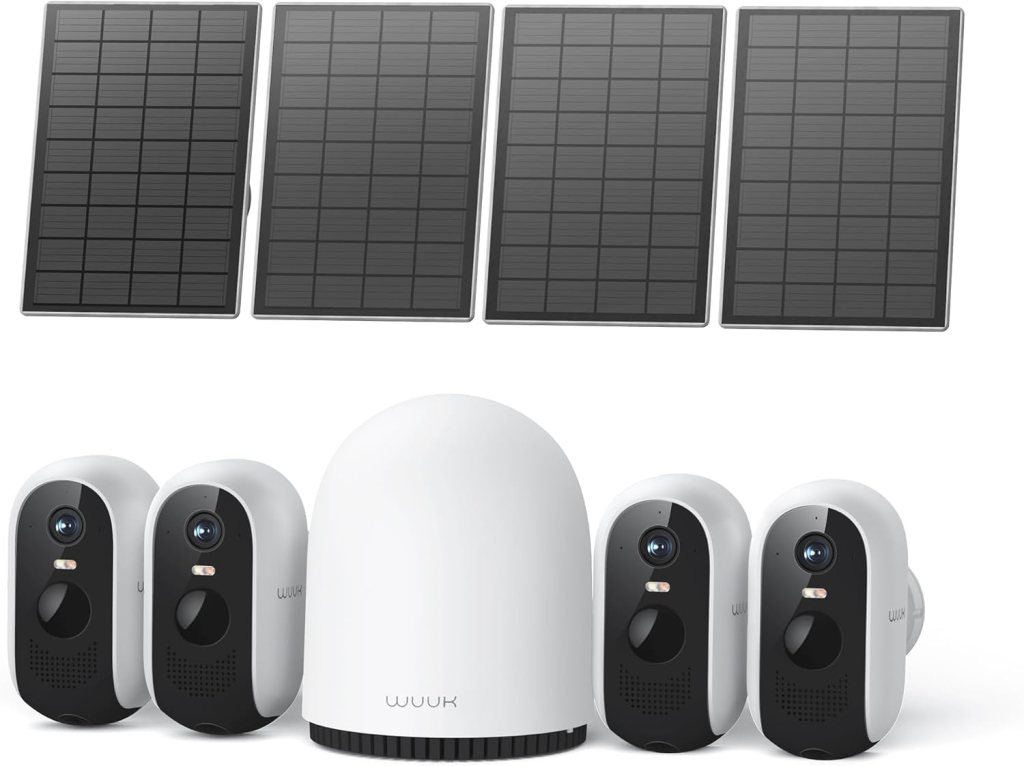
This 4-camera kit includes solar panels and a base station that connects to your router, supporting up to 8 cams and doorbells. It highlights 2K resolution, color night vision with an integrated spotlight, and a 32GB local storage option on the base station.
What’s included in the package?
You can expect four wireless cameras, four solar panels with mounting hardware, a single base station, power and Ethernet cables, mounting brackets, and a 32GB microSD preinstalled in the base station. Everything needed for basic installation is included, so you won’t be forced to buy extra parts unless you’re expanding the system.
There’s also a set of screws and anchors, quick start guides, and a USB cable for initial camera charging if needed. The packaging is organized so you can quickly identify components as you set the system up.
Key specifications
You’ll want the headline specs at a glance before making decisions, and this section gives you that quick summary. The table below breaks down the most important details for easier scanning.
| Feature | Details |
|---|---|
| Cameras in Kit | 4 wireless outdoor cameras |
| Resolution | 2K (approx. 2560 x 1440) |
| Night Vision | Color night vision + integrated spotlight |
| Power | Solar panels + built-in battery (Forever Power concept) |
| Base Station Storage | 32GB local storage (up to 365 days recording depending on settings) |
| Connectivity | Base station connects to router via Ethernet; supports 2.4 & 5 GHz; cameras link to base station |
| Smart Home | Compatible with Amazon Alexa, Google Home, IFTTT |
| Max Cameras Supported | Up to 8 cameras/add-on doorbells |
| Signal Coverage | Up to 200 ft from base station |
| App | WUUK app with no subscription required |
| Subscription | None required for features; local storage only |
You’ll notice the focus is on using the base station as the system hub, which improves reliability and offloads streaming traffic from your main WiFi. This setup also allows the cameras to be more power-efficient, relying on the base station for heavy lifting.
Design and Build
You’ll find the cameras to be compact but robust, with a design aimed at being unobtrusive on home exteriors. The solar panels are low-profile and the base station is small enough to tuck near your router.
The build quality feels good for the price point, with plastic housings that are solidly assembled and hardware that won’t rattle after installation. The cameras are weatherproof and intended for year-round outdoor use.
Camera physical design
You’ll appreciate that each camera is relatively lightweight and easy to handle, which makes mounting quicker. The look is functional rather than flashy, with a neutral matte finish that blends in with most home exteriors.
The tilt and swivel mounts give you a wide range of aiming options, and the cables for the solar panels route cleanly along your mounting points. The camera housing includes the lens, spotlight, mic, and PIR motion sensor in a compact arrangement.
Base station and solar panel design
You’ll rely on the base station as a small hub that connects to your router via Ethernet and holds the 32GB storage. It’s unobtrusive and doesn’t require a dedicated location other than somewhere ventilated and not outdoors.
The solar panels are integrated with straightforward mounting plates and a long cable to reach the camera. You can orient the panels for optimal sun exposure, and the build suggests they’ll withstand wind and light impact.

Setup and Installation
You’ll find setup reasonably straightforward if you follow the included guide and have a basic comfort level with home network gear. The WUUK app walks you through adding the base station, linking cameras, and placing panels.
Expect the initial camera pairing to take a few minutes per device, and have your router close enough to the base station for the Ethernet connection. If you plan to place cameras far away, check signal strength and plan mounting points accordingly before drilling.
Connecting the base station
You’ll plug the base station into power and connect it to your router with an Ethernet cable; this is required for system functionality. The base station is the central node that your cameras communicate with, so ensure it has a reliable wired connection.
The app will detect the base station after it’s powered and wired, then prompt you to create an account and secure the device. Be ready to update firmware if prompted; initial firmware updates can improve stability and features.
Mounting the cameras and solar panels
You’ll pick the camera locations first, then mount the camera brackets and panels using the included screws and anchors. Make sure the solar panel faces toward the sun for the bulk of the day and the camera has an unobstructed view.
When mounting, you’ll want to test viewing angles on the app before tightening screws fully; that prevents rework. Cable routing is simple, but use silicone or conduit if you need a cleaner or weatherproof installation.
Tips for placement
You’ll want to place cameras high enough to discourage tampering while staying within motion detection range for faces and vehicle license plates. For most homes, mounting between 8–10 feet gives a balance of field of view and detail.
Avoid pointing the cameras directly at reflective windows, facing bright lights at night, or positioning panels in deep shade. You’ll also want some overlap between cameras for full property coverage and redundancy.
Video Quality and Night Vision
You’ll see a noticeable step up from many 1080p systems with the 2K resolution, especially when zooming in on faces or license plates. The wider 135-degree field of view helps cover more area with fewer blind spots.
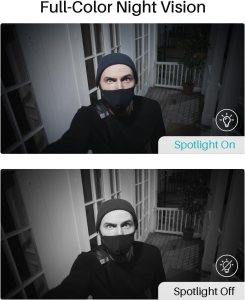
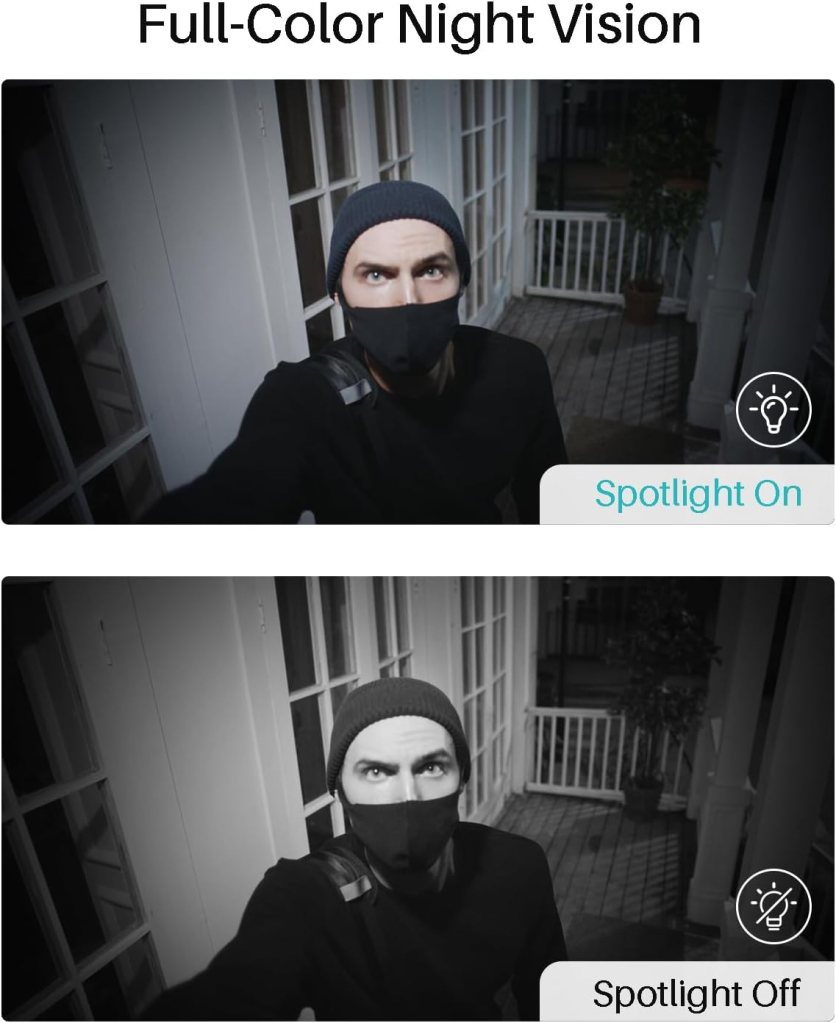
Color night vision is a major plus; instead of grainy monochrome footage, these cameras use an integrated spotlight to deliver colored night images when illumination is needed. You’ll get clearer situational awareness at night, though the spotlight will illuminate the scene and shouldn’t be expected to remain invisible.
2K resolution performance
You’ll notice sharper details, especially when you pinch-to-zoom in the app or playback footage. The extra pixels make it easier to identify people, clothing, or small items compared to 1080p systems.
In bright daylight, the camera handles contrast and color well, with good dynamic range for highlights and shadows. In low light without the spotlight, noise can still appear, but the 2K image retains usable detail.
Color night vision and spotlight
You’ll get color images during night conditions when the built-in spotlight activates, offering better context and color cues for identification. The spotlight is bright enough to illuminate a standard driveway or porch for clearer footage.
The system also uses infrared for totally dark scenes if you configure it to avoid spotlight activation, but color mode brings significantly more usable detail at night. You can customize when the spotlight triggers to balance privacy, battery use, and nuisance activation.
Field of view and zoom
You’ll benefit from a wide 135-degree field of view that covers broad areas, which reduces the number of cameras needed for many properties. The 10x digital zoom allows you to zoom into distant objects, but remember digital zoom won’t match the clarity of optical zoom.
At longer zoom levels you may see pixelation, but the initial levels of zoom will often be enough to identify vehicles and faces if your camera is positioned appropriately. For critical long-range identification, place cameras closer or supplement with focused cameras.

Power and Battery
You’ll appreciate the “Forever Power” concept, which pairs solar panels with larger internal batteries to minimize manual charging or battery swaps. That setup aims to keep cameras running continuously so you don’t have gaps in monitoring.
The combined solar + battery approach reduces maintenance and makes these cameras closer to truly wireless than many alternatives. However, performance will still depend on local sun exposure and weather patterns.
Solar performance and “Forever Power”
You’ll get decent keep-up from the solar panels in sunny to moderately cloudy conditions, and the battery stores energy to run overnight and on cloudy days. If you’re in areas with long, dark winters or heavy tree cover, you should plan for supplemental charging or less autonomous uptime.
The system’s power management is tuned to balance recording frequency and spotlight usage, which helps prolong uptime. You can also schedule recording or reduce motion sensibility if you need to conserve battery during stretching low-sun periods.
Battery capacity and cloudy conditions
You’ll find the factory-installed battery capacity is larger than many budget solar cameras, which gives you longer run times between solar recharges. On overcast days, expect the system to draw more from stored energy and to enter lower-power modes if energy is constrained.
If your location receives extended periods of limited sun, add panels or reposition for peak sunlight, and consider charging the cameras temporarily via USB if the app reports low battery alerts. The system gives clear battery telemetry so you can manage expectations.
Storage, Privacy, and No Subscription
You’ll likely appreciate that the WUUK base station includes 32GB of local storage and that the company promotes no subscription lock-ins for basic features. Local storage reduces recurring costs and keeps your footage under your control rather than held in a cloud provider’s servers.
The 32GB capacity can store a substantial amount of footage depending on resolution and recording settings, and the base station claims up to 365 days of recording in certain configurations. Real-world storage duration will vary with motion events, continuous recording settings, and video quality preferences.
Local storage details
You’ll find the 32GB base station stores footage locally and uses encryption so unauthorized users can’t access your recordings. The system overwrites the oldest recordings once storage is full, so you may want to manage retention if specific events need keeping longer.
If you’re concerned about long-term archival, you can manually export important clips via the WUUK app or add more storage if the base station supports it. The lack of mandatory cloud fees is a big draw if you want to keep costs predictable.
Data privacy and encryption
You’ll be reassured to know recordings are encrypted on the base station, and WUUK positions local storage as a privacy-preserving option. That means the footage stays physically at your location unless you explicitly share or upload it.
Make sure to use strong passwords and enable any available two-factor authentication for the app to reduce the risk of someone accessing your system remotely. Regularly check which devices are authorized to the account and change default credentials immediately upon setup.
Connectivity and Range
You’ll connect the base station to your home router via Ethernet, which helps the system avoid WiFi stability issues on the cameras themselves. Cameras then communicate wirelessly to the base station within the advertised range.
This hub model typically results in fewer dropouts and makes the cameras less dependent on your home WiFi strength at each mounting location. It also makes adding more cameras smoother since they don’t individually tie into the router.
Base station vs direct WiFi
You’ll likely see more consistent performance because only the base station needs to be wired to your router, and the cameras speak to that base. This reduces bandwidth strain on your home network and can improve response time when viewing live feeds through the app.
If you prefer cameras that connect directly to your router without a hub, this system isn’t that type, but the tradeoff is improved stability and simplified multi-camera management. The hub-based design is often preferred for larger setups or homes with spotty WiFi coverage.
Multi-camera support and signal coverage
You’ll be able to pair up to 8 cameras or compatible doorbells to a single base station, which simplifies expansion without adding new hubs. The quoted 200-foot signal coverage is reasonable for many properties but will be influenced by walls, trees, and other obstructions.
If you plan to distribute cameras across larger properties or detached structures, test signal strength first and consider adding extenders or reorienting the base station for better coverage. The app helps confirm connection quality for each camera.
Smart Home Integration and App
You’ll get support for Amazon Alexa, Google Home, and IFTTT, which lets you bring the WUUK system into routines and voice control ecosystems you already use. That compatibility helps if you want live views on a smart display or voice commands to check status.
The WUUK app is the main control surface for notifications, playback, and camera settings, and it’s free with the product. Expect standard features like live view, playback, motion alerts, and settings for motion zones and detection sensitivity.
Alexa, Google Home, IFTTT compatibility
You’ll be able to view camera feeds on Alexa-enabled screens or Google Nest displays and trigger automations with IFTTT if supported. Voice commands can be practical for a quick check, especially when your hands are busy.
Integration steps vary by platform and usually require linking the WUUK account to the smart assistant app. After linking, you can launch live views and sometimes use voice routines to react to motion or other triggers.
WUUK app experience
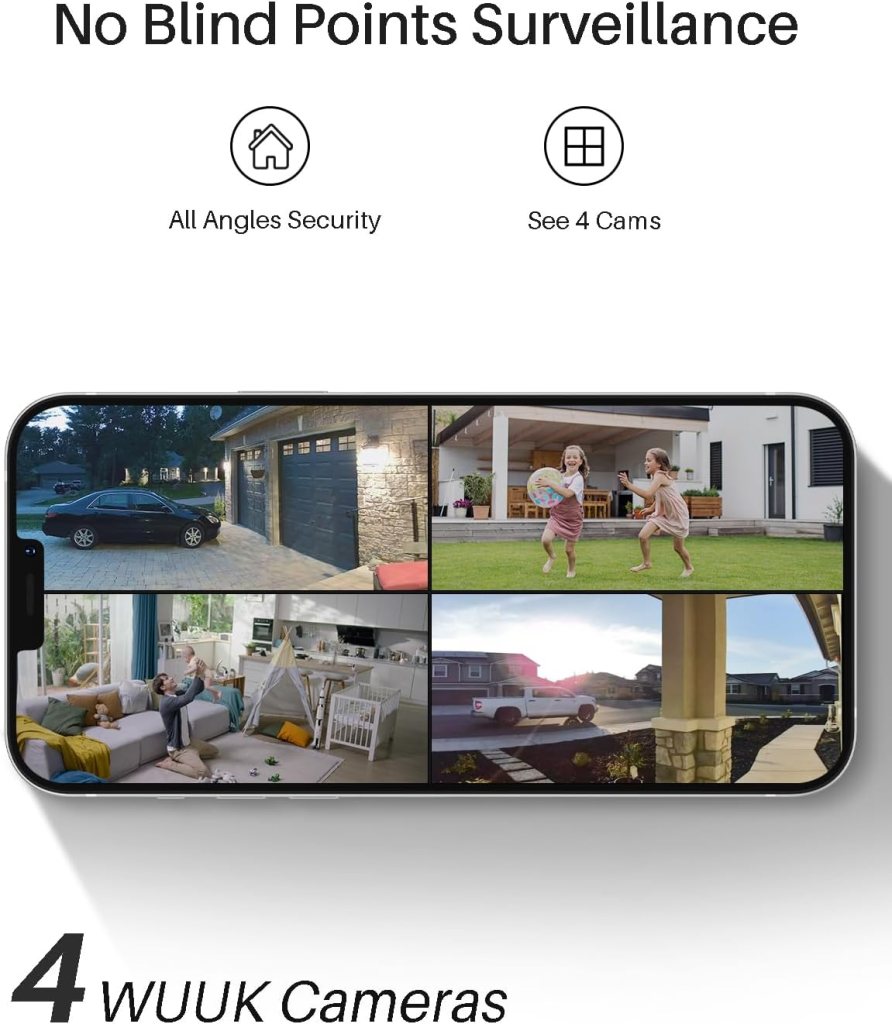
You’ll find the app generally intuitive, with a tiled camera view, notification center, and playback timeline. Some users report occasional glitches or minor UI oddities, but the main functions—live view, clip download, and settings—work reliably for everyday use.
Push notifications are timely, and the app gives you battery and signal statistics to manage your devices. If you plan to use multiple phones, family accounts or shared access is available so others in your household can monitor the system.
Motion Detection and Alerts
You’ll get PIR-based motion detection combined with video analytics to reduce false alarms and prioritize human detections. That combination helps avoid constant triggers from tree branches or passing shadows while focusing on people or vehicles.
Alert speed depends on your network and the base station, but in most cases you’ll receive near-instant push notifications for motion events. The system allows you to fine-tune sensitivity and set detection zones to minimize nuisance alerts.
Sensitivity and false alarms
You’ll want to experiment with sensitivity settings initially to find the balance between catching real events and ignoring harmless motion. In busy yards, lowering sensitivity or creating detection zones for walkways and driveways reduces repeated alerts.
The PIR sensor adds another layer of filtering because it detects heat signatures rather than just pixel changes. This typically reduces false positives from insects, moving shadows, or light changes compared to video-only detection.
Human detection and customizable zones
You’ll benefit from human detection to focus alerts on the presence of a person, which is useful if you want fewer irrelevant notifications. Customizable zones allow you to block out areas like busy streets or neighboring lawns.
Set up zones carefully to ensure critical entry points are covered while avoiding areas that will trigger repeatedly. You can also schedule active hours to further refine when notifications are sent.
Weather Resistance and Durability
You’ll expect all-weather performance since these cameras are marketed for outdoor use, and they generally live up to that expectation under normal conditions. The housings are built to resist rain, dust, and moderate temperature swings.
Long-term durability depends on local climate and exposure; salty coastal air or extreme temperatures may require more frequent checks. Routine maintenance like cleaning the lens and periodically inspecting seals will prolong reliable operation.
IP rating and real-world performance
You’ll find the cameras rated for outdoor use with a weatherproof build suitable for typical rain and wind exposure. In heavy storms or submersion scenarios, no consumer outdoor camera can be guaranteed, but day-to-day exposure is within spec.
If you live in extreme climates, consider additional protection like sheltered mounts or weather shields to prevent direct rain and debris from hitting the camera and panel surfaces. Overall, the system is designed for the usual range of outdoor conditions.
Longevity and maintenance
You’ll want to clean the solar panels occasionally so dirt and bird droppings don’t reduce charging efficiency. Inspect mounting hardware for corrosion and make sure cables remain secured and sealed.
Firmware updates and occasional reboots of the base station can help maintain software stability over years of use. With regular care, these cameras should provide a multi-year service life.
Pros and Cons
You’ll find several strengths in this WUUK kit, like solar capability, no subscription requirement, 2K video, and smart home compatibility. There are trade-offs too, which you’ll want to consider against your priorities.
Pros
You’ll appreciate the no-subscription local storage and solar-powered aim for continuous operation without ongoing costs. The 2K resolution and color night vision provide high-quality footage, and the base station model improves reliability over direct-WiFi cameras.
Other perks include compatibility with Alexa and Google Home, easy expansion to up to 8 cameras, and a user-friendly app with motion alerts. The included solar panels reduce maintenance, and the base station’s storage encryption helps protect your privacy.
Cons
You’ll want to be aware that solar efficiency depends heavily on placement and local weather, so some locations may need extra attention. The 10x digital zoom is useful but can’t replace optical zoom for fine detail at a distance.
Also, 32GB local storage while adequate for many, may not meet those who want months of high-resolution, continuous footage without manual archiving. Occasional app quirks and the hub-based design might not suit users who prefer direct-to-cloud recording.
Comparison with competitors
You’ll find this WUUK kit compares favorably to budget cloud-based cameras because it removes subscription fees and adds solar charging. Compared to premium systems, it trades some manufacturer cloud conveniences for local control and lower long-term cost.
In terms of performance, 2K and color night vision are competitive features in the mid-range security market. Where it differs most is the Forever Power emphasis—this reduces hands-on maintenance for many users.
Alternatives to consider
You’ll want to compare systems from brands like Arlo, Eufy, and Reolink if you’re weighing options; each has strengths like richer cloud services, different storage choices, or advanced analytics. Eufy and Reolink often compete in the local storage/no-subscription space, with different trade-offs in app and hardware polish.
If you prioritize a robust cloud backup and advanced AI, Arlo might be a better fit although it usually carries subscription fees for best features. If you want completely wire-free battery-only solutions, check whether those models meet your solar uptime needs.
Installation and Troubleshooting FAQ
You’ll likely have a few common questions during setup, such as network issues, pairing failures, or solar charging concerns, and many can be resolved with simple steps. Keep the base station firmware up to date and the app installed to receive tips and diagnostic tools.
If a camera won’t pair, try power cycling both the camera and base station and ensure the base is within range for the initial pairing sequence. For solar issues, confirm panel orientation, check for shade during the day, and verify the panel cable is securely connected.
Common fixes for connectivity issues
You’ll often solve problems by rebooting the base station and router, checking Ethernet connections, and ensuring the app has the latest updates. Interference from other wireless devices can affect range, so test different locations.
If a camera shows poor signal, reposition the base station closer or add extenders, and verify there are no dense obstructions between devices. WUUK support and community forums can also provide targeted steps for stubborn cases.
How to maximize storage and battery life
You’ll manage storage by adjusting recording quality, event-triggered recording only, and setting sensible retention policies. For battery life, reduce spotlight usage, schedule recording windows, and ensure solar panels are unobstructed.
Export important clips to external storage if you need long-term archiving beyond the base station’s capacity. Regularly check battery stats in the app to preempt low-power conditions.
Final Verdict
You’ll find the WUUK 2K Solar Security Cameras kit to be an attractive option if you want a mid-range, solar-assisted, hub-based security system without recurring subscription fees. It balances good 2K video quality, color night vision, and local encrypted storage with practical ease of installation and smart home compatibility.
If you value local control, lower long-term costs, and solar-powered convenience, this kit is worth serious consideration; just be mindful of solar limitations and the finite 32GB local storage. For many homeowners, it’s a dependable, cost-effective way to upgrade property monitoring.
Who should buy this?
You’ll benefit from this system if you want low-maintenance outdoor cameras that reduce subscription costs and integrate with Alexa or Google Home. It’s ideal for driveways, porches, and yard coverage where solar exposure is reasonable and you prefer local storage privacy.
This kit also suits people who plan to expand to 6–8 cameras later and want a single base station to manage them all without stressing their home WiFi. If you want color night vision and higher-than-1080p resolution without recurring fees, this is a solid pick.
Who might want something else?
You’ll want to consider other systems if you need extensive cloud backup with long-term retention, advanced AI detection bundled in the cloud, or optical zoom for long-range identification. If your property has poor sun exposure or you require cameras far from the base station (beyond obstructions), alternative architectures could be better.
Also, if you prefer direct-to-cloud instant access from every camera or a brand ecosystem you already own, compare those alternatives before committing.
If you’d like, I can summarize installation steps tailored to your property layout or compare this WUUK kit directly against a specific competitor you’re considering.
Disclosure: As an Amazon Associate, I earn from qualifying purchases.