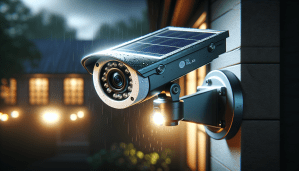
?Thinking about a solar-powered camera system that keeps an eye on your property day and night without monthly fees?

Product Overview
You’re looking at the Kittyhok 2K Solar Security Camera System Wireless Outdoor, 4pcs ColorPura 360° PT Camera for Home Surveillance, Pro Color Night Vision, AI Detection, 10CH NVR, 60-Day Local Storage, No Subscription. This system is designed to give continuous protection through solar power, 2K video, and a 10-channel NVR so you can connect multiple cameras. You’ll get a combination of color night vision, pan-and-tilt control, and AI-based alerts that aim to cut down on false alarms.
What this product promises you
The system is promoted for its ColorPura technology, solar-powered operation, and long-range wireless connectivity with Kittyhok Net 2.0. You’ll be able to control the cameras from the Kittyhok App, choose from multiple storage options, and use the system with or without internet access. The vendor highlights that you won’t need a subscription to keep local recordings, and that solar charging requires as little as three hours of direct sunlight per day.
Key Features
You’ll find several capabilities that make this system stand out from basic battery cameras. Those include Pro Color Night Vision, pan-and-tilt 360° horizontal coverage, AI detection for people and vehicles, and a multi-channel NVR for local storage up to 60 days. The product also emphasizes flexible installation thanks to a standalone solar panel design and a 360° adjustable wall mount bracket.
Notable restrictions and notes
There are a few important limitations you should be aware of. Auto tracking is not supported, so the camera won’t follow moving subjects automatically. The Motion Spotlight feature cannot be turned off, and motion spotlight behavior may produce visible flashes of light when motion is detected. Also, while the system works without internet, remote access and push notifications require an internet connection.
Quick Specifications Table
This table breaks down the main specs so you can scan the essentials quickly. It’s an easy snapshot to compare or reference when deciding where to place cameras and what to expect from operation.
| Feature | Details |
|---|---|
| Model | Kittyhok 2K Solar Security Camera System Wireless Outdoor |
| Cameras | 4 ColorPura 360° PT cameras (Pan 360° / Tilt 100°) |
| Resolution | 2K (approx. 2,000p) |
| Night Vision | Pro Color Night Vision (ColorPura technology) |
| Power | Solar-powered with built-in battery; 3 hours direct sunlight/day recommended |
| Connectivity | Kittyhok Net 2.0 long-range WiFi |
| NVR | 10-channel NVR included |
| Storage | 60-Day Local Storage (supports HDD), Cloud, SD card options |
| AI Detection | People and vehicle recognition; smart push notifications |
| Motion Spotlight | Enabled by default (cannot be turned off) |
| Auto Tracking | Not supported |
| Internet Requirement | Optional for local use; internet required for remote viewing/notifications |
| Mount | 360° adjustable wall mount bracket |
| Weather | Designed for outdoor use (weather-resistant design) |
What’s in the Box
You’ll typically receive four solar-powered pan-and-tilt cameras, a 10-channel NVR, power and data cables for the NVR, mounting hardware, and a set of solar panels or integrated solar units depending on the specific pack. The cameras include the 360° adjustable wall mount brackets so you can fine-tune angles for solar exposure. Expect a quick-start guide and instructions in the package so you can begin setup right away.
Accessories and optional extras
You might want to add a compatible HDD for long-term local storage if the NVR ships without a drive installed. Optional extras include additional SD cards for local camera-level storage and extended mounting poles or conduit for higher or more remote camera placement. If you plan remote viewing, you’ll need reliable internet to unlock that functionality.
Installation and Setup
The setup process is meant to be approachable, but you should plan for some time to locate optimal solar exposure and position cameras for maximum coverage. The 360° pan plus 100° tilt means a single camera can cover a wide swath, but thoughtful placement still matters to avoid blind spots.
Physical Installation
You’ll mount the cameras using the included 360° adjustable brackets, making sure the solar panel has unobstructed sunlight for at least three hours daily in typical conditions. Position the camera high enough to reduce tampering, aim it so the motion-sensitive areas align with walkways or driveways, and make sure the solar panel is angled to match your roofline or mounting surface to maximize energy capture.
NVR Setup and Network
The NVR connects to your local network via Ethernet. If you plan to access recordings locally only, you can keep it offline; however, internet connectivity is needed for remote viewing and push notifications. You’ll want to install a hard drive into the NVR if you expect the full 60-day storage or plan continuous recording. The 10-channel NVR gives you headroom to expand beyond the four included cameras.
App Setup and Remote Access
Download the Kittyhok App and follow the onboarding steps to pair cameras and the NVR. The app controls pan/tilt functions, playback, and notification settings. If you connect the NVR to the internet, you’ll be able to view camera streams remotely and get motion alerts on your phone. Remember that Motion Spotlight is enabled by default and cannot be turned off, so prepare for lighting behavior when notifications arrive.
Video Quality and Night Vision
One of the system’s big selling points is its Pro Color Night Vision using ColorPura tech. You’ll notice significantly more color and detail in low-light scenes compared with many monochrome infrared systems.
Pro Color Night Vision (ColorPura)
ColorPura technology boosts color capture in dim conditions so you won’t necessarily rely on black-and-white IR footage. You’ll benefit from richer and truer color tones at night, which can help with identification of clothing, vehicle colors, and other visual cues often lost in traditional night vision.
2K Resolution and Field of View
The 2K resolution provides sharper images than standard 1080p cameras, giving you more detail when zooming and reviewing stored footage. Between the pan 360° and tilt 100° range, you can position each camera to cover a wide area, though you’ll still want to test angles to make sure nearby obstructions don’t create blind spots.
Low-Light Performance
In low-light situations, the system aims to maintain color and clarity rather than switching to grainy monochrome modes. If you live in areas with minimal ambient lighting, you’ll likely appreciate the color preservation, although extremely dark environments with no ambient light will still challenge any camera and may require supplemental lighting to capture full color details.
Motion Detection and Notifications
You’ll receive smarter alerts with AI detection that distinguishes people and vehicles so you don’t get spammed with every small motion. That said, some notification features require internet connectivity because push notifications are delivered through the cloud.
AI Detection (People and Vehicles)
The AI detection is tuned to reduce false alarms by filtering out non-relevant movements like foliage or small animals. You’ll get notifications categorized by people and vehicles, which helps you prioritize the most important events and saves you time when reviewing footage.
Motion Spotlight
Every time motion is detected, the Motion Spotlight will activate and provide a bright burst of light at the camera. This is helpful as a deterrent and to brighten subjects for better identification. Keep in mind the Motion Spotlight cannot be turned off, so you’ll always get that visible indicator whenever the system detects motion.
False Alarm Reduction
Between the AI detection and ability to set detection zones through the app, you can reduce unnecessary alerts by limiting the sensitive areas the camera monitors. You’ll still need to verify settings after installation because highly reflective surfaces, moving shadows, or busy roads can still trigger alerts in some conditions.
Power and Battery – Solar Features
The promise of “forever power” comes from the solar panels combined with a built-in battery that buffers through cloudy days and night. This design lets you place cameras in locations where running power would be impractical.
Solar Charging and Runtime
The cameras are designed to operate continuously with as little as three hours of direct sunlight per day. In practice, your location, seasonal sun angle, and weather patterns will influence real-world energy harvesting, so you should confirm that your chosen mounting spot receives adequate sun exposure.
Battery Reliability and Weatherproofing
A built-in battery stores solar energy for nighttime operation and cloudy days so the cameras keep functioning even during inclement weather. The units are meant for outdoor use with weather-resistant housings, but you should still avoid mounting where the camera or solar panel could be submerged or directly exposed to spray from sprinklers.
Connectivity and Range
Kittyhok Net 2.0 promises extended wireless coverage to support cameras placed farther from the NVR. This is especially useful if you have a larger property where running data cables would be inconvenient.
Kittyhok Net 2.0
The system uses a proprietary long-range WiFi protocol to maintain stable connections across greater distances. You’ll typically find this more reliable than a single consumer WiFi router alone, but distance, obstructions, and interference still affect performance.
Using the System Without Internet
If you prefer local-only operation for privacy, the system supports usage without internet. Your data can remain local to the NVR, and accessing recordings will require you to be on the same local network or physically connected to the recorder. Remember that remote viewing and push notifications need internet access, so decide upfront how you’ll balance privacy and convenience.
WiFi Stability and Tips
For best results, mount antennas properly on the NVR and keep cameras within the recommended range. If you encounter dropouts, try relocating the NVR to a more central spot or reducing obstacles like metal structures between the NVR and cameras. In some installations, adding a small WiFi extender or adjusting camera placement improves stability significantly.
Storage Options and NVR
The included 10-channel NVR gives you multiple storage routes and the flexibility to keep footage local for privacy. You’ll be able to choose continuous recording, scheduled recording, or event-triggered recording based on your needs.
10-Channel NVR and 60-Day Local Storage
The NVR supports up to 10 channels, so you can add more cameras later if needed. With a properly sized HDD and conservative recording settings (event-based or scheduled recording), you can maintain up to 60 days of local storage, though exact retention depends on resolution and recording mode.
Hard Drive, Cloud, and SD Card Options
You can install a reliable hard drive for bulk local storage, use cloud storage if you want off-site backup, or use SD cards for compact, camera-level storage. Each option has trade-offs: local HDD gives you full control and no monthly fees, cloud offers off-site redundancy, and SD cards are simple but limited in capacity.
Privacy and Security Considerations
Because the system can operate without internet, your footage can be kept entirely local, which is a plus for privacy-conscious users. If you enable remote viewing, ensure you use strong passwords, keep firmware up to date, and configure two-factor authentication if the app supports it to reduce the risk of unauthorized access.
Mobile App and User Experience
The Kittyhok App is the primary control hub for real-time viewing, pan/tilt control, playback, and notification management. You’ll interact with the app frequently, so its stability and intuitiveness matter.
App Controls (Pan/Tilt, Playback)
You can pan left/right and tilt up/down directly from the app to adjust the camera view in real time. Playback features let you scrub recorded footage and download clips to your phone for evidence or sharing, which is handy after an event.
Push Notifications and Event Management
If you connect the NVR to the internet, the app will push smart alerts for detected people or vehicles. You’ll be able to filter, review, and save events from within the app. Keep in mind that push notifications depend on an active internet connection and stable mobile data or WiFi.
Remote Viewing
Remote viewing works smoothly when your network upload speeds are sufficient and the NVR stays online. You should test remote connections from your phone over mobile data and different WiFi networks to confirm reliability before depending on it for urgent alerts.
Design, Build, and Mounting
The combination of a rugged camera body and an adjustable solar panel bracket gives you lots of flexibility in placement. The cameras are built to be visible enough for deterrence while remaining unobtrusive when mounted properly.
Camera Build and Weather Resistance
The cameras are designed for outdoor durability with housings that resist rain and dust. Even so, for longevity, avoid mounting under excessive vibration or areas prone to extreme conditions like persistent salt spray without additional protection.
Standalone Solar Panel Design and Mounting Flexibility
Because the cameras use a standalone solar panel design with a 360° adjustable wall mount bracket, you can place units in sun-friendly locations and still point the camera where you need coverage. The bracket lets you tilt panels to capture optimal sunlight angles, which is especially useful across changing seasons.
Pros and Cons
You’ll want to balance the system’s strengths against its limitations before buying. Below is a concise rundown so you can weigh what matters most to your situation.
-
Pros:
- Pro Color Night Vision for better low-light color footage.
- Solar-powered with built-in battery for continuous operation.
- 2K resolution and pan/tilt control for wide coverage.
- AI detection reduces irrelevant alerts.
- 10-channel NVR supports local storage without subscription.
- Flexible installation due to adjustable solar panel brackets.
-
Cons:
- Motion Spotlight cannot be turned off, which may be intrusive in some settings.
- No auto-tracking of moving subjects.
- Solar reliance means placement is limited by sunlight access.
- Remote viewing requires internet; local-only use limits remote features.
Quick pros/cons snapshot table
| Pros | Cons |
|---|---|
| ColorPura night color, 2K clarity | Motion Spotlight fixed (cannot be turned off) |
| Solar power + built-in battery | No auto-tracking |
| 10-channel NVR, no subscription required | Placement dependent on sunlight |
| AI detection for people/vehicles | Remote features require internet |
Who Should Buy This
If you want a largely hands-off security solution that avoids monthly recording fees and places a premium on color night imagery, this system could be a great fit. It’s particularly useful for people with moderate to large properties where running power cables would be difficult.
Best Use Cases
You’ll find this system ideal for suburban yards, rural properties, holiday homes, sheds, garages, and areas where solar exposure is sufficient. If you value local storage and privacy while still having the option for remote viewing, the mix of NVR storage and optional internet access matches those needs.
When to Consider Alternatives
If you need automated subject tracking, want to avoid any visible motion lighting, or have very little direct sunlight at your property, you may want to consider a hardwired or battery-based camera alternative with different features. Also, if you need guaranteed cloud-only backup without local hardware, other cloud-first systems may be simpler.
Maintenance and Troubleshooting Tips
To keep your system running optimally, perform seasonal checks and small maintenance tasks. You’ll reduce downtime and false alerts by staying proactive.
Regular Maintenance
Clean solar panels and camera lenses periodically to prevent reduced performance from dirt or debris. Check mounts and cabling annually for corrosion or loosening, and verify angles after storms or high winds.
Troubleshooting Connectivity
If cameras drop offline, verify the NVR’s location and antenna orientation, and move the NVR closer to the cameras if possible. Check for competing wireless signals, and if problems persist, reset the camera and re-pair it through the app following the manual’s instructions.
Firmware and App Updates
Keep firmware updated for both NVR and cameras, and keep the app current on your phone. Updates often fix bugs and improve performance, including detection and connectivity stability.

Security and Privacy Best Practices
You control how footage is stored and who can view it; use that control to protect both your privacy and your recordings. You’ll be safer if you take a few straightforward steps to lock things down.
Recommended Settings
Use strong, unique passwords for your NVR and app account, and change defaults immediately. If the app supports two-factor authentication, enable it. If you keep the system online, check user permissions and only grant access to trusted people.
Local-Only Option for Maximum Privacy
If you want to keep recordings completely private, you can use the system without internet access and only retrieve footage locally from the NVR. This prevents remote access by third-party services and keeps your recordings physically under your control.
Final Verdict
You’ll appreciate the Kittyhok 2K Solar Security Camera System if you want a solar-powered, subscription-free surveillance solution with good low-light color performance and flexible local storage. The combination of ColorPura night vision, 2K resolution, and a 10-channel NVR provides strong value, especially for users who need wide-area coverage and prefer keeping footage local.
You should confirm that your chosen camera locations receive adequate sunlight and that Motion Spotlight behavior fits your tolerance for visible alerts. If you can accept those limitations, the system gives you a robust, largely self-powered surveillance setup that reduces ongoing costs while providing useful AI-driven alerts and plenty of storage options.
Disclosure: As an Amazon Associate, I earn from qualifying purchases.