Looking for a reliable, solar-powered security system that keeps your home protected without monthly fees?
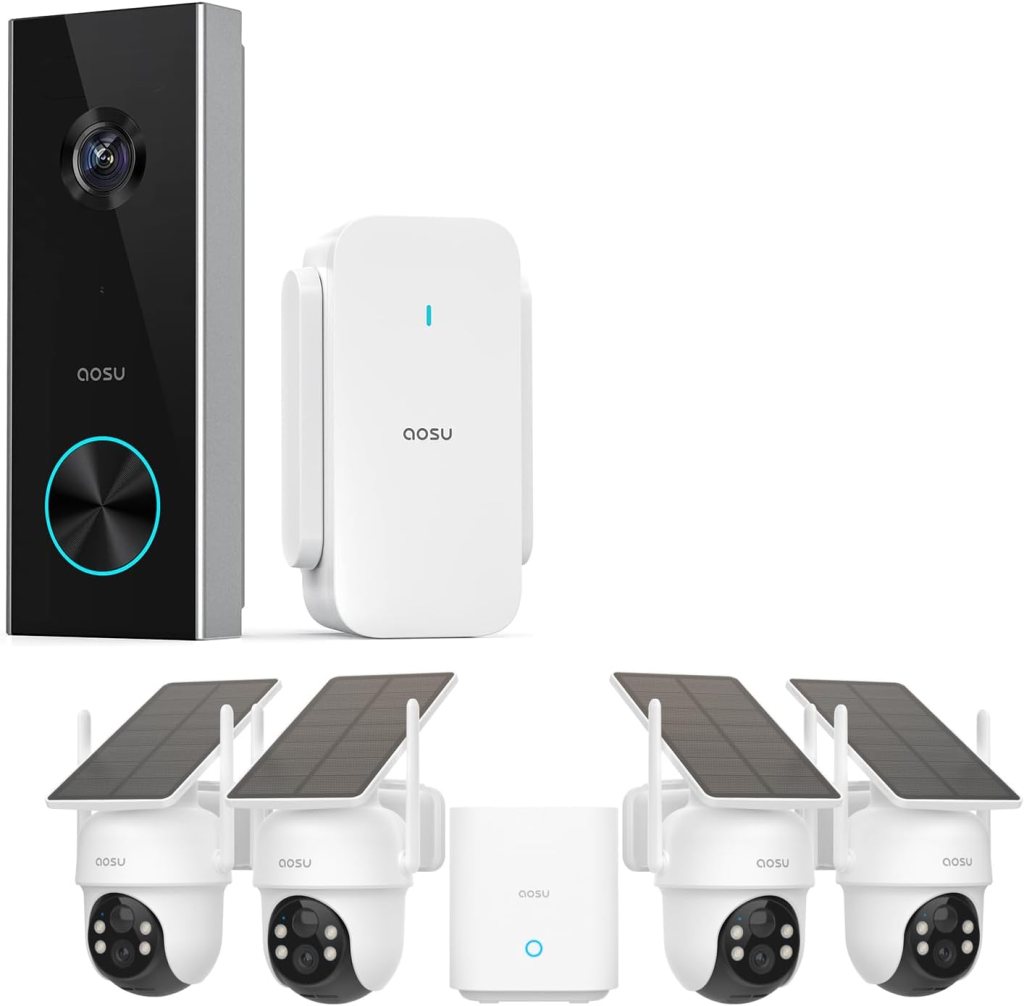

Product overview: AOSU Solar Security Cameras Wireless Outdoor, 4 Cam Kit 2K Doorbell Camera Wireless, No Subscription, No Monthly Fee
This AOSU bundle gives you a complete set of outdoor cameras plus a 2K doorbell camera designed to run on solar power and batteries. You’ll get a 4-camera kit with 360° pan & tilt functionality, automatic tracking, 2K color night vision, and a wireless 2K doorbell camera with a long battery life — all advertised as requiring no monthly subscription.
This section gives you a quick snapshot so you can see whether this system aligns with your needs for coverage, power options, video clarity, and budget-friendly ownership.
What’s included in the bundle
You’ll want to know exactly what arrives in the box so you can plan placement and installation before you start. This bundle includes the outdoor cameras with solar panels, mounting hardware, the doorbell camera, a chime for indoor notification, and the cables and screws needed for setup.
Below is a clear breakdown of the main items you’ll receive and their purpose so you can visualize how they’ll work together at your property.
| Item | Quantity | Purpose |
|---|---|---|
| Outdoor wireless camera (solar-capable) | 4 | Main surveillance units with pan/tilt, 2K video, and AI detection |
| Solar panels (for cameras) | 4 | Continuous trickle charge reduces need for manual recharging |
| Doorbell camera (battery-powered) | 1 | 2K resolution doorbell with chime and AI detection |
| Indoor chime | 1 | Wireless notification when the doorbell is triggered |
| Mounting brackets and screws | Multiple | For securing cameras and doorbell to walls or eaves |
| Quick start guides and manuals | 1 set | Step-by-step setup and app instructions |
Key features: What makes this system stand out
This system is designed around three core promises: solar and battery power to reduce maintenance, no monthly subscription for storage or AI features, and smart home compatibility. Those promises are appealing if you want lower ongoing costs and less wiring.
You’ll notice a strong focus on usability — 360° pan & tilt, auto-tracking, and a companion app that supports 5G and 2.4G Wi-Fi make installation and daily use easier than many consumer security kits.
2K video and color night vision
You’ll get 2K resolution on both the doorbell and outdoor cameras, which improves clarity for faces, license plates, and small details compared with 1080p systems. The cameras also advertise color night vision, which can be especially useful when you want more recognizable footage after dark.
In practice, color night vision depends on available ambient light and camera placement, but the system does a good job retaining detail and color when conditions allow.
360° pan & tilt with auto tracking
The outdoor cameras offer motorized pan and tilt, letting you cover a much wider area with a single camera than you could with a fixed lens. Auto tracking means the camera will follow a detected object or person within its field of view, which helps you capture a continuous sequence rather than fragmented clips.
You’ll appreciate these features if you need to monitor driveways, yards, or wide patios without buying a large number of fixed-point cameras.
Solar power and battery options
The inclusion of solar panels is a big plus if you don’t want frequent battery swaps or messy wiring. Each outdoor camera can be paired with a solar panel to keep the internal battery charged. The doorbell is battery-powered and promises up to 180 days per charge depending on usage patterns.
This setup reduces maintenance and gives you options: run fully solar-powered cameras outdoors while the doorbell uses long-life battery power.
No subscription, no monthly fee
This is a standout selling point: the system advertises that you don’t need to pay monthly fees to use the cameras’ core features. You’ll be able to save video locally (depending on your chosen storage options) and avoid ongoing cloud storage charges that many brands push.
Keep in mind that some advanced cloud features or additional backup options might still carry extra costs if you opt into them, but the base offering aims to be subscription-free.
Smart assistant compatibility
If you use Amazon Alexa or Google Assistant, the system supports basic integrations, like viewing live feeds on smart displays. This compatibility makes it easy to integrate the cameras into routines and to use voice commands for quick checks.
You’ll still rely on the AOSU app for most controls, but the smart assistant support helps if you want occasional voice-enabled access.

Technical specifications: detailed breakdown
You’ll want the specifics so you can compare this kit to other options. Below are the key specs summarized to make decision-making easier.
| Feature | Specification |
|---|---|
| Camera resolution | 2K (approx. 2560 x 1440) |
| Field of view (doorbell) | 166° ultra wide angle |
| Pan & tilt (outdoor cams) | 360° pan (horizontal) + tilt (vertical range varies) |
| Night vision | 2K color night vision |
| Power (outdoor cameras) | Solar panel + internal rechargeable battery |
| Power (doorbell) | Battery-powered, up to 180 days (usage dependent) |
| Connectivity | 2.4GHz and 5GHz Wi-Fi |
| AI detection | Person/vehicle detection and customizable alerts |
| Storage | Local storage options; no mandatory cloud subscription |
| Smart home | Works with Alexa & Google Assistant |
| Included chime | Yes (wireless) |
| Weatherproofing | Designed for outdoor use (verify IP rating in manual) |
| Warranty | Manufacturer warranty (check included documentation) |
Setup and installation
You’ll find setup generally straightforward if you follow the included quick start guide and use the companion app. The kit is designed for DIY installation without complicated wiring.
Plan your camera locations before drilling: solar panels need sunlight, doorbell needs easy access for battery changes, and the indoor chime should be placed where you’ll hear it. The system supports both 2.4GHz and 5GHz networks, which improves compatibility with modern routers.
Mounting the outdoor cameras
Each outdoor camera comes with mounting hardware and a bracket to secure it to walls or under eaves. Because of the pan/tilt mechanics, you’ll want to place cameras where they have clear, unobstructed ranges of motion.
When mounting, aim the camera slightly downwards for optimal human detection and to reduce false alerts from trees or distant objects. Also position the solar panel to receive consistent sunlight throughout the day.
Installing the solar panels
The solar panels are small and designed for easy attachment near the camera. You’ll either mount them directly above the camera or nearby with a short cable. You’ll see the best results when the panel faces south (in the northern hemisphere) and avoids shade from trees or rooflines.
If you live in a region with long periods of low light or heavy snow, you’ll want to plan for occasional manual charging or repositioning to maintain battery levels.
Installing the doorbell camera and chime
The doorbell mounts to your doorframe or wall with the included bracket. It’s battery-powered so you don’t need to connect existing doorbell wiring, but you can often hook it up to existing wiring if you prefer continuous power (check the manual). The indoor chime pairs wirelessly and is plug-and-play in most cases.
Charge the doorbell initially and test the chime placement so you can hear it from the areas where you’re most often at home.
Performance and video quality
You’ll notice sharper images than typical 1080p systems thanks to 2K resolution. This helps with identifying faces and reading smaller details. The doorbell’s 166° ultra-wide angle helps you capture the doorstep area without blind spots.
Color night vision offers better context after dark when ambient light is present. In full dark conditions, infrared may still be used, so expect monochrome images at very low light levels.
Daytime clarity and field coverage
In daylight, the cameras deliver clear, crisp footage with good color accuracy and enough detail for security needs. The wide field of view and pan/tilt range allow you to cover areas like driveways or large yards with fewer cameras.
If you want greater detail at distance, consider placement nearer to the target zones or using multiple cameras with overlapping fields of view.
Night-time performance
Color night vision works well when there’s a streetlight or porch light supplementing the scene. In very dark locations where there’s no light at all, the system resorts to infrared mode. Infrared gives good contrast and recognizable shapes, though without color.
You can improve night-time results by adding low-level ambient lighting near key areas to enable color night vision more consistently.
Auto tracking and AI detection
Auto tracking will follow movement across the camera’s field of view, producing continuous footage of a subject instead of separate clips. AI detection reduces false alarms by distinguishing people and vehicles from animals or moving foliage.
You’ll still want to tweak sensitivity and activity zones in the app to reduce unnecessary alerts, especially in busy outdoor areas.
Power management and battery life
Power management is where this system really aims to free you from frequent maintenance. The outdoor cameras pair with solar panels to keep internal batteries charged, while the doorbell boasts up to 180 days of battery life under typical conditions.
Battery life will vary by how often motion events trigger recording and how much active monitoring you use. If you routinely view live streams or have lots of motion, expect shorter intervals between recharges.
Solar performance and tips
Solar panels significantly reduce charging chores but require good placement. If you live in a region with long overcast seasons, plan for supplemental charging or occasional battery swaps.
Keep panels clean and angled correctly to get the best performance, and verify that nearby foliage won’t cast shadows for long stretches of the day.
Doorbell battery considerations
The doorbell’s up-to-180-day battery life is based on conservative usage patterns. If you have frequent visitors, many motion events, or use high-frequency live view, battery life will drop. You’ll be able to monitor battery percentage in the app and receive low-battery alerts.
If you prefer not to remove the battery for charging, check whether doorbell wiring or optional power accessories are supported to keep it continuously powered.
Connectivity, app, and user experience
You’ll use AOSU’s mobile app for initial setup, live view, playback, and device management. Support for both 2.4GHz and 5GHz Wi-Fi helps with connection reliability and bandwidth for 2K streams.
The app is generally user-friendly, offering live streams, playback, alert customization, and device settings. You’ll want to keep firmware updated through the app to benefit from performance improvements and bug fixes.
Network requirements and tips
A stable Wi-Fi connection is important, especially for 2K streams. If your cameras are far from the router, consider a Wi-Fi extender or mesh system to maintain strong signals. Ensure the cameras are on the same network band as recommended in the manual during setup.
If you have many cameras or frequent streaming, prioritize a network with sufficient upload capacity to avoid playback hiccups.
App features you’ll use daily
You’ll use live view for quick checks, alerts for motion notifications, and playback to review recorded clips. The app lets you create activity zones and adjust AI sensitivity to reduce false alarms. You can also link the system to Alexa or Google Assistant for voice-enabled viewing.
Spend a few minutes customizing alert thresholds and schedules so the app notifies you only when it’s meaningful.
Storage options and “no monthly fee” claim
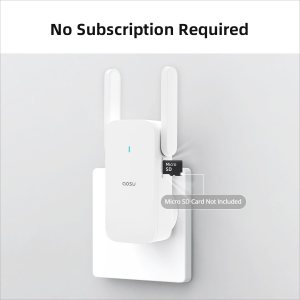
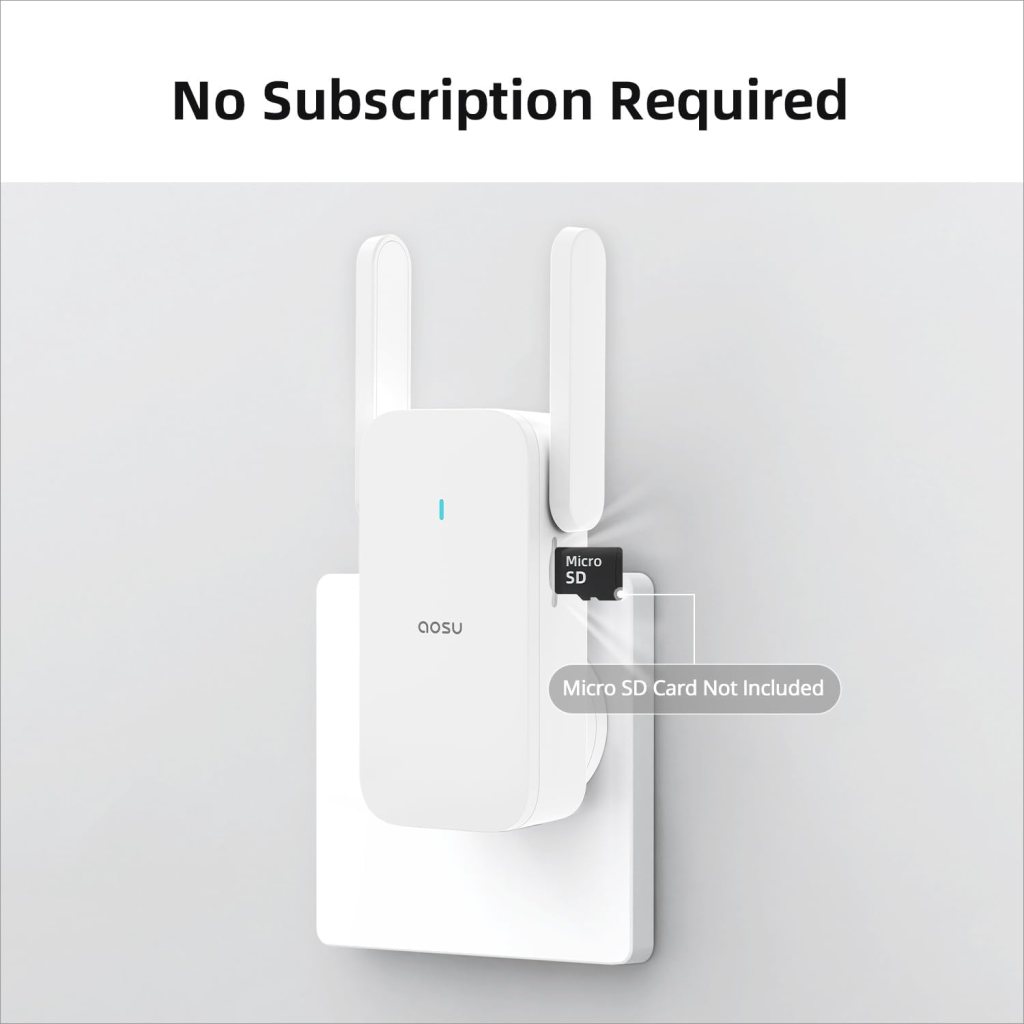
The kit’s biggest cost advantage is that it claims no mandatory monthly subscription. You’ll have local storage options — such as microSD cards or a networked device depending on model support — so you can keep footage without cloud fees.
That said, cloud storage may be offered as an option if you want off-site backups or advanced services. Those optional services would typically require a fee, but the core functionality works without one.
Local storage setup
You’ll insert a microSD card (if supported) into the camera or base unit to record locally. This keeps your footage accessible directly through the app without sending it to a third-party cloud. Local storage is good for privacy and savings, but remember that local cards can be damaged or stolen along with the camera.
If you choose local-only storage, regularly archive important clips to another device if you want long-term retention.
Optional cloud features
Some users prefer cloud backups for redundancy or easy access from multiple locations. If AOSU offers cloud plans, they may provide off-site storage and longer retention windows for a fee. You don’t have to buy cloud storage to use the system’s main features, but it’s available if you want that convenience.

Smart home integration
You’ll find useful compatibility with Alexa and Google Assistant so you can view camera feeds on smart displays and control some basic functions via voice. Integration improves convenience, especially when you want a quick glance at the front door.
The core functionality remains managed through the AOSU app, but smart assistant support adds value if your home already uses Echo or Nest devices.
What voice control can do
Typically, you’ll be able to say commands like “show front door camera” on a supported smart display to pull up the live feed. For more complex settings and playback, you’ll still use the app.
Voice control is great for quick checks when your hands are full or when you want to see who’s at the door without pulling up your phone.
Pros and cons
It helps to weigh the strengths and trade-offs to decide whether this bundle matches your priorities.
Pros:
- No mandatory monthly fees for basic operation, saving you long-term costs.
- Solar-powered outdoor cameras reduce the need for frequent battery changes.
- 2K resolution and color night vision provide clear, useful footage.
- 360° pan & tilt with auto tracking covers wide areas with fewer cameras.
- Doorbell with long battery life and ultra-wide angle helps capture doorstep activity.
- Works with Alexa and Google Assistant for convenient voice-enabled viewing.
Cons:
- Solar performance depends strongly on sun exposure — shady placements will reduce effectiveness.
- Local storage is great but can be vulnerable if a camera is stolen or damaged.
- Heavy streaming and frequent motion events will shorten battery life.
- Advanced cloud features (if offered) may require paid plans.
- Firmware and app experience vary by manufacturer; occasional bugs or update needs are possible.

Best use cases: where this kit shines
You’ll find this bundle especially good for homes where running power lines is difficult or where you want low-maintenance cameras. It’s ideal for larger yards, multi-entry properties, and renters who prefer wireless setup.
The doorbell camera is well-suited for front entrances and condos where a battery-powered option avoids rewiring. Outdoor cameras with pan/tilt do well for driveways, garages, and wide patios.
Ideal environments
Choose this kit if:
- You have sunny outdoor mounting locations for solar charging.
- You want to avoid monthly cloud storage fees.
- You prefer a wireless installation with minimal wiring.
- You need wider coverage and flexible viewing angles from pan/tilt cameras.
If you live in heavy shade, frequent storms, or extremely cold climates with limited solar input, test placements carefully or consider supplemental power options.
Common issues and troubleshooting tips
Even good systems can encounter hiccups. You’ll find common issues are often related to Wi-Fi, battery levels, app settings, or positioning.
If you experience frequent disconnections, check signal strength, move the router or add an extender, and ensure the firmware is current. For false alerts, adjust AI sensitivity and set up activity zones. If solar charging seems weak, check panel orientation and clean the panel surface.
Tips for reducing false positives
- Create activity zones in the camera app to exclude busy sidewalks or tree lines.
- Lower sensitivity and test the changes over a few days to ensure you still catch important events.
- Keep cameras angled downward to avoid sky or distant moving objects filling the frame.
Resolving power-related problems
- Verify solar panels are unobstructed and facing optimal sun direction.
- Keep panels clean of dust, pollen, and snow.
- Charge the battery fully via cable if solar is insufficient to confirm the battery health.
Maintenance and long-term care
You’ll prolong device life by maintaining solar panels, keeping firmware current, and inspecting mounts periodically. Check seals and connections after storms to ensure weatherproofing remains intact.
Back up important video clips regularly if you use local storage, and replace batteries when the app indicates degradation.
Seasonal checks
- Spring and fall are good times to reposition panels as sun angles shift.
- Before winter, clear gutters and branches that might cast shade in colder months.
- After storms, inspect mounts and housings for leaks or damage.
Final verdict
If you want a wireless, solar-ready system that reduces monthly costs and gives you flexible coverage, this AOSU bundle is a strong contender. You’ll like the 2K clarity, auto-tracking pan/tilt cameras, and long-lasting doorbell battery. The no-subscription promise is a major benefit if you prefer local control and lower lifetime costs.
Make sure your placement supports solar charging and that your Wi-Fi coverage is solid for reliable 2K streaming. With a little planning and sensible placement, this system can deliver effective, low-maintenance security for typical home applications.
Frequently asked questions (FAQ)
Q: Do you need a subscription to use these cameras? A: No, the core functions are designed to work without a monthly subscription. You’ll have local storage options, and any optional cloud services would typically be an extra paid choice.
Q: How long does the doorbell battery last? A: The doorbell advertises up to 180 days per charge under light-to-moderate usage. Heavy traffic or frequent live viewing will decrease battery life.
Q: Can you rely on the solar panels year-round? A: Solar panels reduce the need for manual charging but depend on sunlight. In areas with long periods of low sunlight or heavy shade, you’ll need to plan for supplemental charging or periodic battery swaps.
Q: Does the system work with Alexa or Google Assistant? A: Yes, it supports basic integrations for viewing live feeds on compatible smart displays and for voice-enabled checks.
Q: Is 2K noticeably better than 1080p? A: Yes, 2K provides finer detail for identifying faces and reading license plates at moderate distances. It’s particularly helpful for security-focused footage.
If you want, you can tell me the layout of your property and I’ll suggest optimal camera placement and power options so you get the most out of this AOSU Solar Security Cameras Wireless Outdoor, 4 Cam Kit 2K Doorbell Camera Wireless, No Subscription, No Monthly Fee system.
Disclosure: As an Amazon Associate, I earn from qualifying purchases.