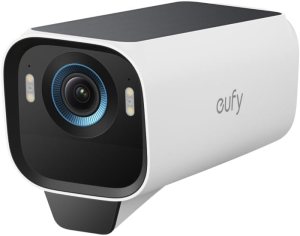
?Are you looking for a reliable, high-resolution outdoor camera system that runs on solar power and keeps your video local and private?

Quick impression
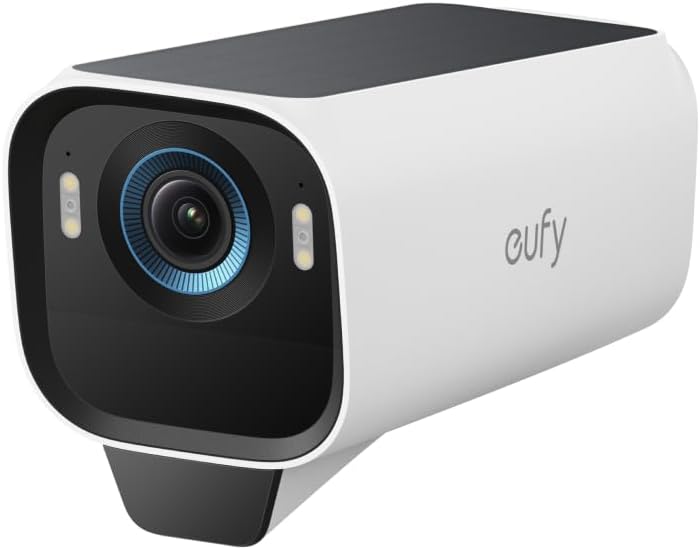
You’ll notice the first thing about the eufy Security eufyCam S3 Pro 3-Cam Kit, Solar Camera Outdoor Wireless, MaxColor Night Vision, 4K Security Camera with Solar Panel, Face Recognition AI, Expandable Local Storage, No Monthly Fee is its focus on detail and autonomy. The kit promises bright 4K footage even at night, a solar-backed power system, and local storage with no required subscription — all features designed to give you both clarity and control.
What’s included in the kit
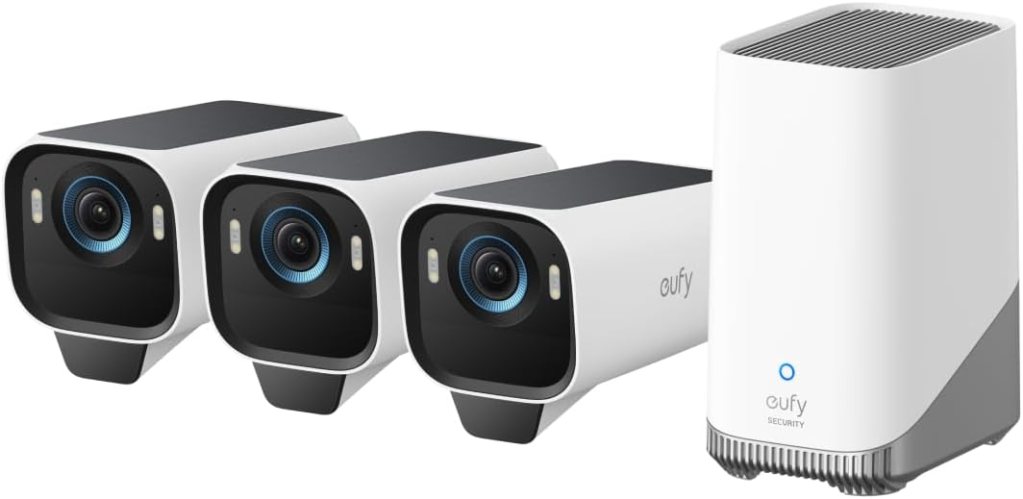
You’ll get three outdoor wireless cameras, a HomeBase S380 hub with built-in local storage, at least one solar panel (and often a backup panel included depending on the package), and mounting hardware. The combination is meant to be near-complete for a standard home setup, so you won’t need to buy many extras for basic installation.
Items and basic function
You can expect each camera to record up to 4K resolution (subject to some limitations when used with certain integrations), provide MaxColor Night Vision for bright nighttime images, and use Radar + PIR for motion detection. The HomeBase gives you local storage, AI features, and privacy controls.

Key features at a glance
You’ll appreciate how many of the important specs are focused on reducing ongoing costs and false alerts. The main selling points are high-resolution imaging, MaxColor Night Vision, SolarPlus 2.0 power, radar-powered detection, expandable local storage, face recognition AI, and compatibility with voice assistants and HomeKit.
Feature summary table
| Feature | What it means for you |
|---|---|
| 4K resolution | Very detailed images and wide field of view; better for identifying faces and license plates at distance |
| MaxColor Night Vision | Bright, color-like nighttime footage without the need for a separate spotlight |
| SolarPlus 2.0 | Built-in solar charging with option to add external panel for continuous operation and backup |
| Radar + PIR detection | Dual sensor system to reduce false alerts by ~99% and focus on human movement |
| Local storage (16GB onboard; expandable to 16TB) | No monthly subscription required; your footage stays on your HomeBase |
| Face Recognition AI | Helps you reduce unnecessary notifications and categorize known faces |
| HomeKit & Alexa compatible | Voice control and smart home integration (note: HomeKit streaming is limited to 1080p) |
| No monthly fee | You don’t pay recurring cloud storage fees unless you choose third-party options |
Detailed specifications
You’ll want a clear list of specs when comparing to other systems or planning coverage. Below is a practical snapshot.
Technical spec breakdown
| Spec | Detail |
|---|---|
| Camera resolution | 4K (when using eufy app and HomeBase; HomeKit streams at 1080p) |
| Night vision | MaxColor Vision technology (color-like night images in very low light) |
| Power | SolarPlus 2.0 with built-in panel and optional external panel; backup panel included with some kits |
| Motion detection | Radar + PIR dual sensors |
| Storage | 16GB onboard; expandable up to 16TB via HomeBase S380 |
| AI | Face Recognition self-learning AI on HomeBase |
| Connectivity | Wireless camera to HomeBase; voice assistant compatibility (Alexa, HomeKit) |
| Weather rating | Outdoor-rated (check the exact IP rating in your package) |
| No monthly fee | Local-only storage option keeps you subscription-free |

Video quality and MaxColor Night Vision
You’ll find that the 4K sensor combined with MaxColor Vision produces very sharp daytime footage and remarkably bright nighttime images without using a spotlight. That’s particularly helpful if you prefer surveillance that doesn’t flood your yard with white light.
Daytime performance
During daytime you’ll notice crisp details and strong dynamic range. You can read license plates at short to moderate distances and faces are distinguishable. The higher pixel count gives you the flexibility to crop or zoom without losing as much detail compared to 1080p cameras.
Nighttime performance
The standout promise here is “Nighttime That’s as Bright as Day.” In many low-light scenarios MaxColor Night Vision delivers color-like images rather than the typical monochrome night footage you see with other systems. You’ll still get clearer identification at night, but performance depends on ambient light and scene conditions. In zero ambient light the camera will still manage impressive results, though color fidelity can be slightly muted compared to daytime.
Power and SolarPlus 2.0
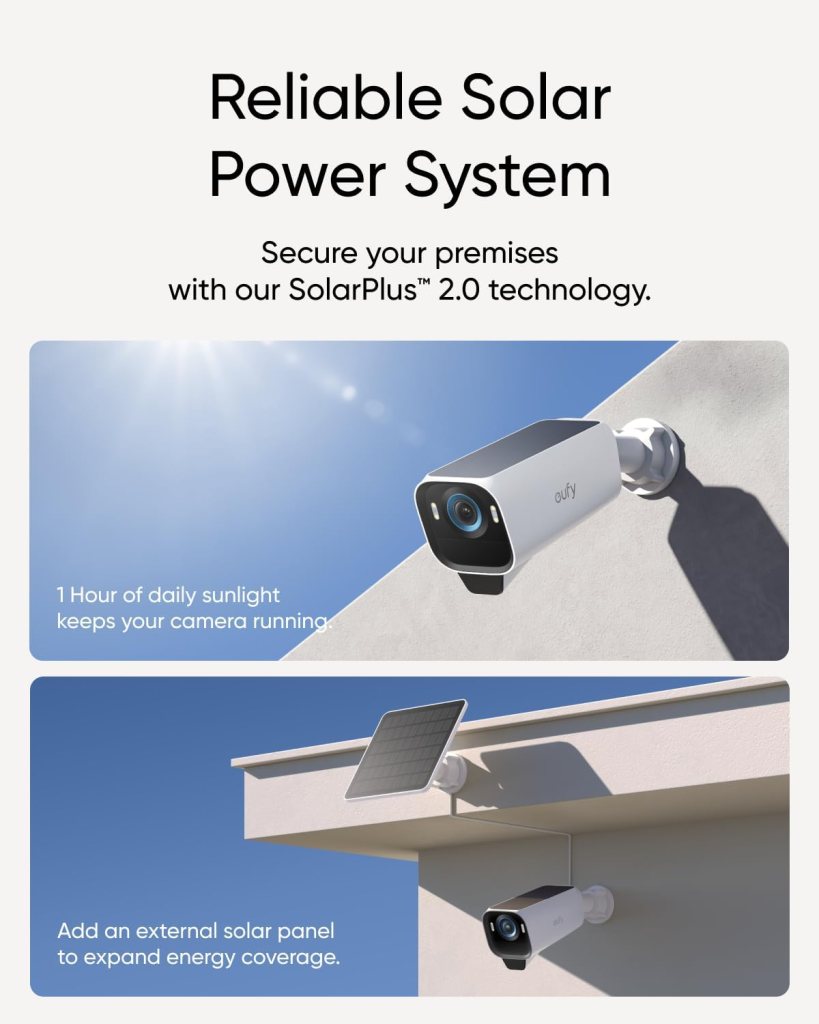
If you want a camera system that avoids frequent battery charging or wiring, SolarPlus 2.0 is a central attraction. You’ll appreciate the flexibility of using a built-in solar panel and the option to expand energy coverage with an external panel.
How the solar system helps you
You’ll get continuous power during daylight hours and a buffer for overcast days thanks to the upgraded solar management. The kit often includes a backup solar panel for redundancy, which reduces the chance of a drained battery during long low-sun periods.
Mounting and placement tips for solar
Place the camera where the built-in solar panel receives maximum direct sunlight for most of the day. If the included panel won’t get enough sun, add the external panel and route it to a sunny spot. Proper placement increases uptime and reduces the need to manually intervene.
Motion detection: Radar + PIR
You’ll notice fewer false alarms with the dual motion system: radar and passive infrared (PIR) sensors work together to focus alerts on human movement, not leaves, shadows, or passing cars.
How it affects alerts
The radar gives a 3D understanding of motion, while PIR verifies heat signatures. Together they dramatically reduce false positives (eufy claims up to a 99% reduction), which means fewer pointless push notifications and more confidence that an alert means something important.
Customization and motion zones
You can set specific activity zones and sensitivity levels so the camera only notifies you about intrusions where you care. That’s helpful if you want to ignore a busy sidewalk or your neighbor’s driveway.
Local storage and privacy
You’ll appreciate eufy’s emphasis on local-first storage and privacy. The HomeBase S380 includes 16GB of onboard storage and supports an expansion up to 16TB, which is exceptional for a consumer-grade hub.
What local storage means for you
Your footage stays in your control on your HomeBase. You won’t be forced to store sensitive video on third-party servers or pay recurring fees to access your recordings. Local storage also gives faster access to clips and keeps your data within your home network.
Expandable capacity and backup
You can add a large-capacity drive to the HomeBase, giving you long-term and high-volume storage for busy households or multiple high-resolution cameras. The ability to expand up to 16TB means you can keep weeks of 4K footage if you need to.
AI and Face Recognition
You’ll get some built-in smarts with face recognition and self-learning AI on the HomeBase, which helps categorize people and reduce unnecessary alerts.
How face recognition helps
If you often have familiar faces on your property — family, neighbors, or delivery drivers — the face recognition can label and prioritize alerts. Over time it refines its accuracy, reducing false unknown-person notifications and allowing you to filter footage by recognized people.
Privacy considerations
All face recognition processing takes place on the HomeBase, meaning sensitive biometric processing is local — not sent to cloud servers. You’ll still be in control of settings, and you can disable face recognition if you prefer manual review only.
Compatibility and integrations
You’ll be able to integrate the system with Alexa and HomeKit, giving you voice control and smart home automation options. Note that when you use HomeKit, HomeKit streaming is limited to 1080p — this affects live and HomeKit recording quality.
What to expect with HomeKit
You’ll need to update HomeBase 3 to version 3.5.8.9 or higher and ensure you have the latest eufy app installed. Once that’s set, you can use HomeKit to playback or stream, but remember the stream will be downgraded to 1080p resolution.
Using Alexa and other assistants
You can link the system with Alexa to view feeds on Echo Show devices or perform simple voice-enabled interactions. These integrations are convenient but may not offer the full 4K experience that the eufy app and HomeBase do locally.

Installation and mounting process
You’ll likely find installation manageable with basic tools. The cameras are wireless, so you avoid complicated Ethernet or power wiring when using solar.
Step-by-step highlights
- Pick camera locations with both good sightlines and adequate sunlight for the solar panel.
- Mount the HomeBase near your router for reliable connectivity.
- Secure cameras with the supplied mounts and connect them to the HomeBase via the app.
- Fine-tune motion zones, sensitivity, and face recognition once everything is online.
How long setup takes
Expect a single camera and HomeBase pairing to take about 10–20 minutes if you’re tech-savvy, and maybe 30–45 minutes if you’re slower or doing three cameras at once. Physical mounting may take longer depending on how high or awkward the placement is.
Battery life and maintenance
You’ll want to know how often you’ll interact with the system for maintenance. Solar power greatly reduces manual charging, but you should still plan occasional checks.
Typical uptime and maintenance schedule
In sunny conditions, the SolarPlus 2.0 system should keep cameras charged continuously with minimal intervention. In winter or shaded areas, battery levels may drop and you’ll need to monitor or add an external panel. Regularly check firmware updates and clean the solar panels and camera lenses for best performance.
Weatherproofing and durability
These cameras are designed for outdoor use and should handle rain, snow, and typical temperature ranges. You’ll still want to follow eufy’s mounting recommendations and avoid extremely harsh environments beyond the specified rating.
Real-world performance notes
You’ll find that actual performance depends on placement, lighting, and network conditions. Most users report excellent day and night images and significant reduction in false alerts due to radar + PIR. Solar performance will vary by location and season.
Common strengths reported by users
- Sharp 4K daytime footage
- Impressive color-like night images without spotlights
- Very few false alerts compared to traditional motion-only systems
- Strong local privacy and no subscription requirement
Common limitations to be aware of
- HomeKit downgrades stream to 1080p
- In extremely dark scenarios the color fidelity can be slightly reduced
- Solar efficiency depends on sun exposure; shaded areas may need additional hardware or wiring
Troubleshooting tips
If you run into issues, you’ll find straightforward steps usually fix common problems.
Connectivity problems
If a camera drops offline, first check HomeBase power and Wi-Fi connection. Move HomeBase closer to the router or install a dedicated access point if distance is the issue. Ensure firmware is current.
Low battery or solar charging issues
Confirm panel orientation and clean the panel surface. If a camera doesn’t charge, test with the backup solar panel or plug in temporarily to confirm battery health.
False alerts still happening?
Revisit motion zones and sensitivity settings. Ensure the radar sensor isn’t obstructed and recalibrate using the eufy app. If pets are triggering alerts, enable pet immunity settings where available.
Comparison with competitors
You’ll want to weigh eufy’s S3 Pro against similarly priced 4K and solar-capable cameras. Its major advantages are local storage expansion, MaxColor night vision, and radar + PIR sensor pairing. Competitors may offer cheaper upfront costs but with cloud-only storage and subscription fees.
Where eufy stands out
If you prioritize privacy, no monthly fees, and exceptional night images, the eufyCam S3 Pro is a strong contender. Its expandable up to 16TB local storage is uncommon at this level.
Where others might beat it
For some smart home ecosystems, certain cameras offer deeper cloud integrations, simpler cloud-based sharing, or broader third-party app support. If you rely exclusively on HomeKit and need native 4K via HomeKit, that is a limitation here.
Pros and cons
You’ll appreciate a clear pros and cons list to decide if this system fits your needs.
Pros
- Excellent 4K daytime detail
- MaxColor Night Vision produces bright, color-like night footage
- SolarPlus 2.0 reduces charging maintenance
- Radar + PIR reduces false alerts considerably
- Local storage with up to 16TB expandability
- Face recognition AI processed locally
- No monthly subscription required
Cons
- HomeKit streams at 1080p, not 4K
- Solar efficiency varies by location and season
- Slightly larger upfront cost for a full kit compared to basic 1080p options
- Some advanced features rely on HomeBase firmware updates and app management
Who should buy this
You should consider this kit if you want high-resolution local storage, strong nighttime performance without bright spotlights, and a solar-backed system to minimize charging. It’s especially good for privacy-focused users who want to avoid monthly cloud fees but still want AI features.
Who might look elsewhere
If you need native 4K streaming within HomeKit, or you prefer fully cloud-managed storage with cross-device sharing by default, you might research other options. Also, if your property gets very little sun or you don’t want solar hardware, a wired or rechargeable battery system from another vendor might fit better.
Value for money
You’ll find that while the upfront cost is higher than many entry-level cameras, the lack of a required subscription and the potential to expand storage massively makes the long-term value strong. Factor in less manual battery maintenance with SolarPlus 2.0, and the total cost of ownership is competitive.
Frequently asked questions
You’ll likely have a few common questions; here are concise answers.
Will the camera record continuously in 4K?
Continuous 4K recording depends on your storage setup and settings. The system supports high-res local recording, but continuous 4K uses a lot of space. Plan for larger storage if you want continuous high-resolution footage.
Is live streaming available on mobile in 4K?
You’ll get 4K through the eufy app in many cases, but if you’re streaming through HomeKit, the stream will be at 1080p. Check app and HomeBase firmware versions for best results.
Can you use just one solar panel for multiple cameras?
Typically each camera is designed to draw power from its dedicated panel or built-in solution. For multiple cameras you’ll likely need the appropriate panels or a wired solution per camera as specified by eufy.
Final thoughts
You’ll appreciate how the eufy Security eufyCam S3 Pro 3-Cam Kit, Solar Camera Outdoor Wireless, MaxColor Night Vision, 4K Security Camera with Solar Panel, Face Recognition AI, Expandable Local Storage, No Monthly Fee prioritizes image quality, local privacy, and low-maintenance power. If you want sharp 4K footage, color-like night vision, and a system that minimizes false alerts and recurring fees, this kit delivers strong value. Make sure your property can accommodate solar panels and consider the HomeKit 1080p limitation if that integration matters for your setup.
Disclosure: As an Amazon Associate, I earn from qualifying purchases.