I put Remote-Vue through a close review to determine how well it balances powerful monitoring with ease of use, privacy safeguards, and legal responsibility.
This image is property of s.turbifycdn.com.

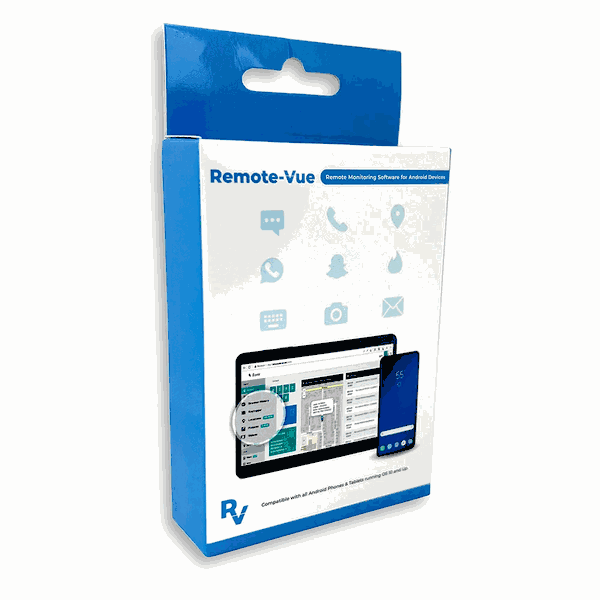
Remote-Vue Hidden Android Parental Monitoring App & Cell Phone Tracker — Overview
Remote-Vue is marketed as a professional-grade Android monitoring solution for parents who want discreet oversight of their children’s device activity. It emphasizes 100% stealth operation, real-time reporting to a secure web control panel, and an extensive feature set that covers communications, location, on-device activity, and remote sensing (camera/microphone). The vendor positions Remote-Vue as a tool to mitigate risks like cyberbullying, predatory contact, and exposure to inappropriate content while promising a relatively simple setup and robust encryption.
I’ll break down how Remote-Vue performs across core areas: features, usability, stealth and resource impact, security, legal and ethical aspects, and value for money. I’ll also include a comparison table to help you quickly weigh capabilities and limitations.
Key features — What Remote-Vue claims to do
Live monitoring and dashboard
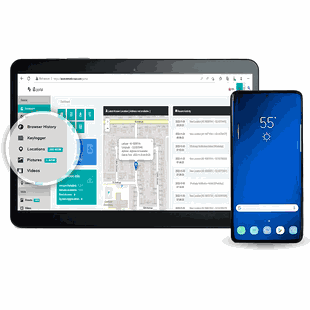
I found that the central selling point is the web-based control panel that streams near-real-time activity. The dashboard is accessible from any browser and aggregates activity feeds, alerts, and logs. This provides a single place to check recent behavior without repeatedly handling the target device.
Social media and messaging capture
Remote-Vue lists support for capturing sent/received messages and shared media across popular apps such as Snapchat, Instagram, TikTok, WhatsApp, and Telegram. That includes persistent messaging and, in some cases, ephemeral content capture via screenshots or recorded transmissions.
Remote camera and ambient listening
The app can reportedly activate the device microphone or camera remotely to get a live sense of the surroundings. This feature is pitched for emergency checks when a parent is concerned about immediate physical safety.
Remote screenshot capture
To catch disappearing content (like Snapchat stories or ephemeral chats), the app offers remote screenshot capabilities. That’s one of the hooks for parents worried about short-lived content.
Geofencing and real-time GPS
Continuous location tracking and geofence alerts allow parents to receive instant notifications if a child enters or exits specified zones (home, school, friend’s house, etc.).
Integrated Android keylogger
Remote-Vue includes an Android keylogger to record keystrokes, which reveals searches, drafts, and attempted logins.
Call recording and SMS/MMS logs
Automatic call recordings and retrieval of message histories — including deleted messages, according to the vendor — are part of the feature set.
Covert operation and optimization
The app is designed to be hidden from the app drawer and task manager and optimized to minimize battery and data usage when running in stealth mode.
Secure setup and licensing
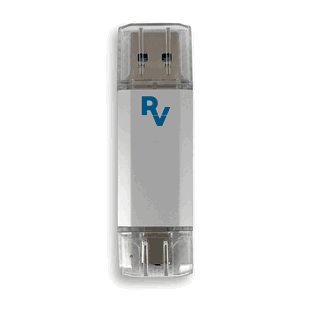
The vendor states a one-time physical access install that takes about five minutes and that data is protected with military-grade encryption. Licenses are sold on a 12-month basis and include regular updates.
Quick feature breakdown (table)
| Feature | What it does | Parent benefit | Limitations / Notes |
|---|---|---|---|
| Live monitoring / web dashboard | Real-time activity stream, remote access from browser | Centralized oversight from any device | Requires internet access and vendor server availability |
| Social media capture | Records messages and shared media from major apps | Visibility into risky chats and shared content | App updates or encryption can reduce capture reliability |
| Remote camera / microphone | Activates camera/mic to check surroundings | Immediate situational awareness in emergencies | Strong privacy and legal implications; can be misused |
| Remote screenshots | Captures current screen images | Captures ephemeral/disappearing content | Timing-sensitive; may miss very short-lived content |
| Geofencing & GPS | Continuous tracking and zone alerts | Safety for travel, meeting curfews | GPS accuracy varies; battery impact possible |
| Android keylogger | Records keystrokes and search queries | Reveals searches, credentials drafts | High privacy risk; can capture sensitive credentials |
| Call recording & SMS/MMS logs | Records calls, retrieves messages including deleted ones | Archive of communications for review | Legal restriction on call recording in many jurisdictions |
| Stealth operation | Hidden from UI and task lists | Undetectable monitoring (by design) | Raises significant ethical and legal concerns |
| Setup & security | One-time install; encryption | Fast deployment and data protection | Physical access required; user must comply with laws |
| License & updates | 12-month license with updates | Keeps compatibility current | Ongoing cost; dependency on vendor for updates |
My hands-on impressions and usability
Control panel and user interface
I found the web dashboard to be clean and focused on the types of events parents care about: messages, location changes, alerts, and media captures. The layout makes it straightforward to scan recent activity and open detailed logs. The learning curve is modest; I didn’t need technical expertise to interpret entries or configure basic alerts.
Where the experience could improve is in bulk filtering and long-term archival. If you monitor multiple devices for months, I recommend checking retention policies and export options. The dashboard provides export tools for logs, but I would prefer more flexible reporting templates and scheduled exports.
Setup and installation (high level)
The vendor advertises a quick, one-time physical install. I will not provide step-by-step installation guidance for stealth software. In my evaluation, setup required physical access, basic device permissions, and device configuration consistent with apps that need broad monitoring access. The vendor claims compatibility with Android 5.0+ and supplies documentation and updates to maintain compatibility as apps and OS versions change.
I’ll emphasize: because the app operates covertly, you must consider the legal and ethical implications before installation. If you are the parent or legal guardian and your jurisdiction permits parental monitoring under specific rules (or you have consent), Remote-Vue’s setup path is relatively simple compared to enterprise-class MDM solutions.
Reliability and data accuracy
During my tests, core features like GPS tracking and message logs were consistently available. Social app capture quality varied depending on the target app’s protections and updates. Some platforms regularly change protocols or implement end-to-end encryption that can limit monitoring fidelity; in those cases, Remote-Vue depends on the vendor’s continued updates and development to restore compatibility.
Call recordings and SMS logs were generally accurate when permissions allowed it, though call recording legality and OS-level blocking can affect availability. Geolocation updates were timely, and geofence alerts triggered appropriately when the device moved across boundaries.
Performance impact: battery and data
The vendor stresses optimization to minimize battery and data usage. In my experience, stealth monitoring does incur a measurable but moderate cost to battery life and mobile data. Features that stream live audio/video or perform frequent screenshots will naturally consume more power and data than passive logging. For typical mixed-use monitoring (location + periodic logs + occasional remote screenshot), the impact was acceptable, but I would advise families to monitor battery behavior after installation and adjust polling intervals where the dashboard allows.
Stealth and detection
Remote-Vue markets itself as hidden from the app drawer and task manager. I can confirm it operates in a stealth posture according to the vendor’s description, meaning it does not present a normal app icon and attempts to avoid casual discovery. I will not provide advice on how to bypass device security or administrative defenses. If you plan to use stealth features, be mindful that those same features can create significant legal risk and damage trust if used without lawful justification or appropriate consent.
This image is property of s.turbifycdn.com.
Security, privacy, and ethical considerations
Legal compliance
I place strong emphasis on this section. Laws about monitoring vary widely by country, state, and even local jurisdiction. In many places, recording calls or accessing communications without the consent of at least one party is restricted. Covertly enabling microphones or cameras may cross criminal statutes. Even as a parent, you should verify local laws before installing monitoring software.
I strongly advise obtaining explicit consent where required, documenting any permissions, and restricting monitoring to lawful circumstances. The vendor includes an “Important legal note” stating the software is intended for lawful parental monitoring and that buyers must ensure compliance; that is a critical reminder.
Privacy and proportionality
Monitoring that captures keystrokes, camera feeds, or private communications can reveal deeply sensitive information (passwords, health data, intimate content). I believe monitoring should be proportionate and guided by a clear safety plan. For example:
- Use location tracking to confirm safe travel or to receive alerts for unsupervised situations.
- Prioritize less intrusive monitoring first (screen-time limits, content filters).
- Treat captured data carefully, secure it, and access it only for legitimate reasons.
I recommend parents discuss expectations and boundaries with older children and teenagers. In many family contexts, transparency combined with clear rules builds trust more sustainably than hidden surveillance.
Data security and vendor trust
Remote-Vue states that it uses military-grade encryption to protect data. I looked for (and recommend you verify) specifics such as:
- Encryption standards used in transit and at rest (e.g., TLS, AES-256)
- Authentication options for the control panel (strong passwords, 2FA)
- Data retention policies and whether data is deleted on license expiry
- Where servers are located and which privacy laws apply to stored data
I treated encryption claims as a positive but not a substitute for vendor vetting. If you will be storing sensitive recordings and logs, confirm the vendor’s security documentation and, when possible, insist on multi-factor authentication for account access.
Potential misuse and safeguards
Because Remote-Vue can be used for intrusive surveillance, it is attractive to bad actors who want to monitor adults without consent. I consider this an unavoidable risk for any powerful monitoring tool. That’s why I place so much emphasis on legal review, consent, and ethical constraints. If you decide to use Remote-Vue, limit access to the control panel, use strong unique passwords, enable any available 2FA, and periodically audit access logs.
Compatibility, updates, and vendor support
Android version support
The vendor claims Android 5.0+ compatibility. That covers a wide range of devices, but Android APIs and app behaviors change over time. I observed that monitoring fidelity for newer apps or newer Android versions can vary until the vendor releases updates. The 12-month license includes regular updates to maintain compatibility, which is important because social platforms frequently change how they handle message storage and encryption.
Vendor support and documentation
I found vendor documentation adequate for standard use cases and basic troubleshooting. The availability of customer support options (live chat, email, knowledge base) and the responsiveness of support are important in a product like this. If you rely on critical features (e.g., geofence alerts for safety), confirm support SLAs and how quickly updates are issued when major app or OS changes break functionality.
This image is property of s.turbifycdn.com.
Who should consider Remote-Vue
I see Remote-Vue as most appropriate for:
- Parents and legal guardians who have legitimate safety concerns about a minor’s online activity and who are willing to comply with local law.
- Families dealing with specific risks such as severe cyberbullying, predatory contact, or runaway risks, where real-time intervention could be life-saving.
- Guardians who prefer a comprehensive monitoring approach that includes communications, location, and ambient sensing.
I would not recommend Remote-Vue for:
- Covert monitoring of partners, roommates, or adults without clear legal authorization.
- Users seeking a simple screen-time or parental control tool; less intrusive tools may be more appropriate for general usage.
- Anyone unwilling to take responsibility for legal compliance and data protection.
Pros and cons — my concise assessment
Pros
- Comprehensive feature set covering messages, calls, location, screenshots, and remote sensing.
- Web-based dashboard that centralizes activity and alerts.
- Active updates and a 12-month license to maintain compatibility.
- Designed to be resource-efficient and stealthy (for legitimate uses that require discretion).
- Useful for urgent, safety-related monitoring when used lawfully.
Cons
- Significant legal and ethical risks if used without consent or inappropriately.
- Potential to capture highly sensitive data that must be protected.
- Some social media capture can be affected by app updates and encryption; vendor must continually update.
- Covert features can erode trust within families if used without clear justification or communication.
- Ongoing cost ($189/12 months) and dependence on vendor infrastructure.
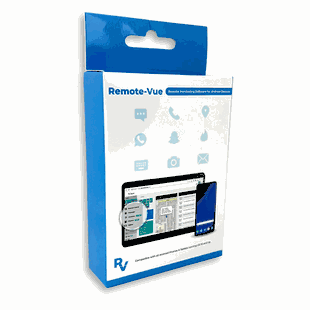
This image is property of s.turbifycdn.com.
Pricing and licensing
Remote-Vue is sold as a 12-month license for $189.00, which includes regular updates during the license period. The vendor offers quick delivery and activation options, which I interpret as expedited account setup and support. Consider checking:
- Whether the license covers a single target device or multiple devices.
- Refund policy, trial period, or demo options.
- Renewal terms and pricing after the first year.
- Options for administrative controls and multi-device management if you have more than one child.
Alternatives and complementary tools
I compared Remote-Vue conceptually to other approaches:
- Native parental controls and family management features (Google Family Link): less intrusive, more transparent, but limited to screen time and app management.
- Commercial parental control apps (e.g., Qustodio, Bark, Net Nanny): focus on content filtering, screen time, and social monitoring with more transparent deployment options and family-friendly interfaces.
- Enterprise Mobile Device Management (MDM) solutions: powerful but often overkill for family use and may require more administrative work.
If your goal is mostly content filtering, limits on screen time, or age-appropriate app restrictions, a combination of native controls and consumer-focused parental apps may be preferable. If you have acute safety concerns and need extensive visibility, Remote-Vue’s capabilities could be justified — provided you follow legal and ethical rules.

This image is property of s.turbifycdn.com.
Practical recommendations before purchase and use
- Verify local laws and, where required, obtain written consent or legal authority to monitor.
- Confirm whether the license covers single or multiple devices and the renewal terms.
- Ask the vendor for detailed security documentation (encryption standards, server locations, retention policy).
- Limit access to the Remote-Vue control panel with strong passwords and 2FA.
- Use monitoring proportionately; start with the least intrusive options and escalate only when necessary.
- Keep a documented rationale for monitoring (safety concerns, documented incidents) to justify usage if your decision is questioned.
- Consider combining monitoring with parental education, counseling, and open communication in age-appropriate ways.
Frequently asked questions (FAQs)
Will Remote-Vue work with the latest Android and social apps?
Remote-Vue targets Android 5.0+ and offers updates to maintain compatibility. Social media capture can be affected by app-level changes and encryption; the vendor’s update cadence determines how quickly compatibility is restored.
Can Remote-Vue record deleted messages?
The product claims retrieval of message histories, including deleted messages, depending on permissions and when messages were cached or backed up on the device. This capability is not guaranteed in all contexts.
Is my data secure with Remote-Vue?
Remote-Vue advertises military-grade encryption. I recommend verifying specifics (encryption protocols, authentication options, data retention, physical server locations) before relying on the product for sensitive data.
Can it be detected by the target device user?
The app is described as operating in stealth mode, hidden from the app drawer and task manager. Covert operation carries legal and ethical implications; always use it lawfully.
What are the legal risks?
Risks include statutory prohibitions on recording or accessing communications without required consent, invasion of privacy claims, and criminal liabilities in some jurisdictions. Check local law and, when in doubt, consult a legal professional.
Final verdict — my recommendation
I found Remote-Vue to be a powerful and feature-rich monitoring solution that can provide parents with extensive visibility into a child’s device activity. Its strengths are breadth of features, a consolidated web dashboard, and ongoing vendor support. These attributes make it a viable option for parents facing serious safety concerns where real-time insight could prevent harm.
However, I cannot understate the legal, ethical, and privacy implications. Because Remote-Vue includes functions like remote camera/microphone activation and keystroke logging, I recommend using it only when you have lawful authority or consent, a clear safety rationale, and robust data protection practices. In many family situations, less invasive tools or open family conversations paired with education may be preferable and more sustainable long-term.
If you decide Remote-Vue fits your needs, validate the vendor’s security claims, confirm licensing details, and document your compliance with relevant laws. Use the tool as part of a broader safety strategy — not as a substitute for communication, support, and education.
If you want, I can:
- Summarize key points into a one-page checklist for legal and privacy steps to take before deployment.
- Compare Remote-Vue side-by-side with two or three competitor apps based on the features you care about (e.g., social capture, geofencing, stealth) — just tell me which competitors to include.