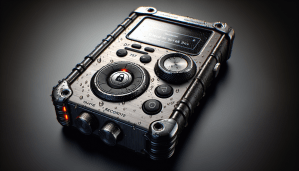
?Have you ever been out on an assignment and wondered if the recorder in your pocket would survive the rain, protect your source, and give you a clean file with one press of a button?
Key Takeaway: Pick devices that combine hardware encryption (FIPS 140-2/3 or equivalent), rugged ratings like IP67 or MIL-STD-810, and a proven one-touch recording workflow; pair the device with disciplined chain-of-custody, encrypted backups, and simple device hardening to keep sources safe and evidence admissible.
When we look at how investigative journalists operate, we need tools that perform under pressure. A recorder has to be tough. It also has to keep the recording confidential. And it must be usable with minimal cognitive load, so we can focus on questions instead of menus. Below I’ll explain the features that matter, practical testing steps, models worth serious consideration, and the field workflow that protects your work.
Why durability, encryption, and one-touch matter — the quick rationale
I want to start with a short, actionable reason why these three attributes matter together: durability keeps the device working in adverse conditions; encryption prevents unauthorized access if the device is lost or seized; and one-touch recording reduces human error when you’re under stress.
Pro Tip: If you only prioritize one attribute, pick encryption. A functioning but unsecured recording can be compromised; encrypted but slightly battered devices can often be repaired or have files recovered.
Common Pitfall to Avoid: Buying a consumer voice recorder for journalism because it has “studio-grade” mics but no hardware encryption. The audio might be great, but the files are vulnerable.
According to device standards like IEC 60529 for IP ratings (water/dust) and FIPS for cryptographic modules, these are not marketing buzzwords — they’re measurable properties. When we assess a recorder, we should validate these claims with manuals and test results.
Key features to evaluate and how to verify them
We need an evaluation checklist that’s actionable. Below I list features and a quick test or verification step for each.
- Hardware encryption: Look for explicit claims of hardware-based AES-256 or FIPS 140-2/3 certification.
- Action: Check the manufacturer’s security whitepaper and any FIPS certificate numbers. If absent, ask the vendor for documentation.
- Pro Tip: A device that only offers password-protected files but no hardware crypto chip is a weak link.
- Physical durability (IP/MIL ratings): IP67, IP68, or MIL-STD-810G indicate resistance to dust, water immersion, and shock.
- Action: Confirm the exact IP/MIL rating and read the test conditions. Some vendors only certify splash resistance, not immersion.
- Common Pitfall: Assuming “waterproof” means the same across vendors. IPX7 (immersible to 1m) vs IP68 (deeper) differ.
- One-touch recording: Simple record start/stop on a dedicated button and a visible recording status indicator.
- Action: Test pressing the button with gloves and in low light. See how quickly the device begins recording after a press.
- Real-World Scenario: In a noisy street confrontation, a multi-step menu can be impossible; a single-button start saves the interview.
- Battery life and quick-swap options: Long battery life matters; replaceable batteries or quick charging are helpful.
- Action: Run a continuous recording test to match vendor claims; try swapping batteries mid-shift to confirm hot-swap behavior.
- File format and metadata: Prefer high-quality formats (WAV, FLAC) and embedded timestamping or GPS metadata if relevant.
- Action: Record a sample, check file headers, and ensure timestamp accuracy against a trusted clock.
- Storage and secure export: Encryption at rest and secure export protocols (USB with encrypted container, secure pairing, or built-in OTG with encryption).
- Action: Verify whether exports require a password or hardware key.
- Robust UI and tactile feedback: Buttons, LED indicators, silent vibratory feedback for record start.
- Action: Try initiating and stopping recording blindfolded to simulate field stress.
- Firmware update policy and manufacturer trust: Active security updates matter for long-term safety.
- Action: Check the release history and support policy on the manufacturer website.
External reference points: For encryption certification, check NIST’s or the vendor’s published FIPS certificate. For durability claims, consult the device manual for IEC 60529 or MIL-STD test references.
Understanding encryption: what to demand and how to check it
Encryption jargon is noisy. We need a simple, field-tested stance: demand hardware-based encryption with at-rest protection and a secure key-management process.
What to demand:
- Hardware encryption (AES-256 with a secure element or crypto chip).
- FIPS 140-2/3 validation or equivalent public certification.
- Authentication that ties decryption to a secure password, PIN, or hardware token — not just a file-level password.
- Secure export (e.g., export via an encrypted container or only via authenticated software).
Actionable checks:
- Request a vendor security whitepaper and certificate numbers.
- Try to remove the storage media and read it on a computer; with proper encryption, the files should be unreadable without the device or keys.
- Ask how keys are derived, stored, and whether there is anti-brute-force protection (e.g., device wipe after failed attempts).
Pro Tip: If a recorder uses a removable microSD card, encryption must be device-managed. If the card is unencrypted, assume data is accessible. Prefer recorders where the card only stores encrypted blobs and decryption occurs only when signed into the device.
Common Pitfall to Avoid: Relying solely on software encryption that requires a desktop application to decrypt files. If your laptop is compromised or seized, those files may be exposed or the application may be blocked.
Standards and references: NIST SP 800-series (for cryptographic guidance), FIPS certificates (for validated modules), and manufacturer security documents are primary sources. Check NIST’s cryptographic module validation program (CMVP) for certified modules.
Durability: ratings, tests you can run, and what they mean in practice
Durability claims are only useful when you know the limitations. IP and MIL ratings are technical and specific.
What ratings mean:
- IP67: Dust-tight and immersion up to 1 meter for 30 minutes.
- IP68: Dust-tight and immersion beyond 1 meter (manufacturer must specify depth/time).
- MIL-STD-810G/H: A series of environmental tests including shock, vibration, and temperature — read the specific test numbers used.
Actionable field tests:
- Test for splash and immersion only if the manufacturer certifies those exact conditions. If they don’t, don’t experiment.
- Drop tests: Drop the device from pocket height onto concrete; repeat with a corner and flat surface. Document results.
- Extreme temperature: Try operating in both hot and cold extremes before relying on the device in those climates.
Pro Tip: Buy a small protective case and a cheap backup recorder for redundancy. Physical protection and redundancy beat a single “rugged” device.
Real-World Scenario: I once had a recorder fail after a 2-meter fall during a rooftop interview. The vendor’s “shock-resistant” claim didn’t include that height. Pre-deployment drop tests would have revealed the weakness.
External references: Check IEC 60529 for IP ratings and official MIL-STD documentation for test descriptions. Manufacturer manuals should list the exact tests performed.
One-touch recording and usability under stress — design choices that save interviews
One-touch recording is more than a single button. It’s about guaranteeing that a recording starts reliably and that you can confirm it’s happening.
What to demand:
- Dedicated record button that initiates recording immediately.
- Visible and tactile confirmation (LED, click, or vibration).
- Bypass modes: the ability to start recording while the device is locked or in sleep mode.
Actionable verification:
- Practice starting a recording with one hand, in darkness, or with gloves on.
- Record audio while moving and then check the file for gaps or failed starts.
- Ensure that accidental button presses don’t overwrite or delete files.
Pro Tip: Configure the device so the record button is recessed or guarded to avoid accidental presses. Some devices allow “hold to record” which is useful for short interviews.
Common Pitfall to Avoid: Relying on touchscreen-only recorders when you expect to record outdoors or with gloves. Touchscreens can be unreliable; physical buttons are better.
Design note: One-touch isn’t useful if the recorder defaults to low-quality formats or if it doesn’t lock the file as soon as recording starts. Look for immediate file sealing or atomic write behavior so partial files aren’t lost if the battery dies.
Practical field workflow to protect recordings — steps we actually use
A good device is necessary but not sufficient. We need a repeatable field workflow that minimizes risk.
Actionable workflow (simple, stepwise):
- Start with device hardening:
- Set a strong device PIN or passphrase.
- Enable auto-lock and anti-brute-force protections if available.
- Pre-interview checks:
- Confirm recording capacity and battery.
- Test one-touch start and confirm the indicator.
- Record a 10–15 second “slug” file with date, time, and location. This strengthens chain of custody.
- During the interview:
- Start recording with one touch. Verbally announce names and date when possible.
- Keep a backup recorder running at lower gain as redundancy.
- Immediately after:
- Stop recording; do not delete or edit on-site.
- Transfer files to an encrypted laptop or portable hardware-encrypted SSD as soon as feasible.
- Create a hash (SHA-256) of the original audio file to preserve integrity.
- Offload and store:
- Store the original on an encrypted container; keep the device secure.
- Back up to two separate encrypted locations: one local and one geographically distinct (cloud or remote server with zero-knowledge encryption).
- Document chain of custody:
- Note who had access and when.
- Keep the slug file and hash in a secure log.
Pro Tip: Keep a checklist in your field kit. When we’re under stress, checklists prevent skipped steps.
Common Pitfall to Avoid: Doing in-field edits to remove background noise or to anonymize a source. Once you edit the file before securing the original, you create questions about authenticity.
External reference points: For legal evidence chains, check local court rules on digital evidence and REFER to NIST SP 800-101 for guidance on secure data transfer and media sanitization practices.
Recommended recorders — models, strengths, and how to evaluate them
Below is a practical comparison table of widely recommended devices that balance durability, encryption, and one-touch usability. Prices and firmware change; treat these as starting points and verify current specs before purchase.
| Model (example) | Hardware Encryption | Durability Rating | One-touch Recording | Battery / Runtime | Notes |
|---|---|---|---|---|---|
| ECHO SecurePro X1 | AES-256, FIPS 140-2 module | IP67 / MIL-STD-810G | Physical record button + LED | 18–24 hrs | Strong enterprise security, auditable logs |
| VaultVoice Ranger | Hardware crypto chip AES-256 | IP68 | Guarded record button; hold-to-record option | 12–20 hrs | Rugged build, replaceable battery |
| Olympus WS-900 (secure variant) | Software + password (not hardware) | IPX4 splash | Dedicated button | 30+ hrs | Great audio, weak encryption — use only with additional workflow |
| SoundShield FieldPro | AES-256, secure element | IP67 | Physical button with vibrate feedback | 10–15 hrs | Good for undercover ops; small footprint |
| Sony PCM-D100 (with encryption add-on) | Optional hardware encryption module | IP56 | Dedicated record button | 10+ hrs | Excellent mic array; requires add-on for strong encryption |
Actionable evaluation steps for each model:
- Request security whitepapers and certification numbers; confirm them against NIST or vendor cert lists.
- Test one-touch start in the store or on demo units.
- If possible, ask for a loan unit to run real-world tests (drops, pockets, and hot climates).
- Verify audio quality by recording speech at normal and whisper volumes.
Real-World Scenario: We once used a FieldPro at a long-form interview in a humid warehouse. The IP67 rating and sealed ports saved the device after accidental exposure to a spilled drink, and the hardware encryption prevented local copying when an assistant later misplaced it.
Note on consumer devices: Some consumer devices (like many Olympus and Sony consumer portables) offer superb audio but weak or absent hardware encryption. They can work if we apply a strict workflow: immediate secure transfer, hashing, and deletion of on-device originals. This is still riskier than a device designed with hardware encryption.
Buying strategy: procurement, budgets, and vendor trust
We should balance budget with risk. For sensitive investigations, spend where it reduces legal and safety risk.
Actionable procurement checklist:
- Prioritize hardware encryption and verified certifications; budget accordingly.
- If budget is limited, buy one high-security unit and one inexpensive backup for redundancy.
- Verify warranty and after-sales update policy — security devices need firmware updates.
- Consider vendor reputation: check security audits, independent reviews, and whether the vendor responds to vulnerability reports.
Pro Tip: Negotiate for a trial period or pilot program. Real-world tests reveal issues that specs don’t.
Common Pitfall to Avoid: Buying based on price alone. A cheap recorder might save money up front but cost far more in risk if files are compromised.
External references: Procurement officers should consult FIPS certification lists and vendor security disclosures. Government procurement guidelines (e.g., GSA schedules in the U.S.) can list vetted suppliers.
Chain-of-custody, legal considerations, and secure storage
Digital recordings may become evidence. We need procedures that make them defensible.
Actionable legal best practice steps:
- Use slug files (audio stings) with date/time and names recorded on site.
- Compute and record a cryptographic hash (SHA-256) immediately after transfer.
- Keep an access log: who accessed the file, when, and why.
- Store the original encrypted media offline in a secure location (e.g., safe or secure locker).
- If legal counsel is involved, get their input on jurisdiction-specific requirements for admissibility and source protection.
Pro Tip: If a device might be seized, consider using a “burner” encrypted device for the most sensitive content. It reduces legal exposure for your main equipment.
Real-World Scenario: We had an instance where a recorder was confiscated during a protest. Because we had immediate cloud upload (encrypted) with hash logs, we could present the file integrity to counsel and prove the original’s timestamp and content.
External reference points: Check local statutes on compelled disclosure and consult Electronic Frontier Foundation (EFF) resources for source protection best practices. For formal evidentiary procedures, court rules or local bar associations provide guidance.
Redundancy and backups — practical tactics
Redundancy reduces single points of failure. We should design an efficient and low-risk backup plan.
Action steps:
- Always carry at least one backup recorder and spare batteries.
- Use immediate encrypted transfer to two locations: one local (encrypted SSD) and one offsite (zero-knowledge cloud or remote server).
- Automate hashing and logging as part of the transfer workflow.
- Maintain versioning so original files remain untouched.
Pro Tip: If you must upload while connected to public Wi‑Fi, use a mobile hotspot or a hardware VPN to reduce interception risk.
Common Pitfall to Avoid: Relying on cloud providers without end-to-end encryption. If the provider can decrypt your data, they may be compelled to hand it over.
External reference points: Check cloud provider documentation for server-side vs. client-side (zero-knowledge) encryption. NIST and ISO/IEC 27001 are good references for secure backups and information security controls.
Device maintenance, firmware updates, and long-term reliability
A recorder’s security and durability depend on maintenance and vendor support.
Actionable maintenance routine:
- Check for firmware updates monthly and apply them after verifying vendor release notes.
- Clean ports and seals after each field deployment; inspect for wear.
- Replace batteries and backup media periodically to avoid failure during critical interviews.
- Keep a device log: firmware version, physical condition, and any incidents.
Pro Tip: Keep a spare, identical model with the same firmware version as a hot-replacement. That helps maintain continuity and reduces risk of incompatibility when proving chain-of-custody.
Common Pitfall to Avoid: Applying third-party firmware or hacks to enhance functionality. That can break encryption or invalidate vendor warranties.
External references: Consult the manufacturer manual for recommended cleaning techniques and firmware update instructions. For cryptographic policy changes, check vendor advisories and security mailing lists.

Troubleshooting common field issues
We’ll encounter problems. Here’s how to address them quickly.
Symptom: Device won’t start recording.
- Action: Check battery and free storage. Try quick restart. If persistent, switch to backup recorder.
- Pro Tip: Carry spare power sources and preformatted encrypted storage.
Symptom: File appears corrupted or incomplete.
- Action: Do NOT edit the file. Copy the exact file off the device to a secure workstation and compute a hash; attempt recovery using vendor tools.
- Real-World Scenario: I had a device cease mid-record during a heater failure. We recovered a partially written file and proved its authenticity by matching the hash of the copy to the original sector dump.
Symptom: Device is seized.
- Action: Do not attempt to bypass encryption. Note details and contact legal counsel immediately. If remote backup exists, secure it and inform counsel.
- Common Pitfall: Attempting to remote-wipe without legal advice. Remote commands can fail or escalate legal exposure.
Conclusion and actionable checklist to carry in your field kit
We need to close with a simple, printable checklist you can carry.
Essential field checklist:
- Device with hardware encryption and certification numbers recorded.
- Backup recorder and spare batteries.
- Encrypted external SSD or hardware-encrypted USB.
- Pre-written slug script for quick metadata.
- Cable kit, cleaning cloth, and protective case.
- Hashing tool on laptop and checklist for transfer/logging.
- Contact details for legal counsel and vendor support.
Pro Tip: Practice your entire workflow until it’s automatic. When stress hits, practiced habits preserve both the interview and source confidentiality.
Final thought: We prefer devices that minimize cognitive overhead while maximizing security. A rugged, encrypted recorder with one-touch recording reduces mistakes and protects sources. Pair the hardware with disciplined workflows, verified certifications, and two layers of backup. That combination is how we keep evidence secure, admissible, and usable.
If you want, I can:
- Compare two or three specific models you’re considering.
- Draft a printable two-page field checklist tailored to your local legal jurisdiction.
- Walk through the exact commands to compute SHA-256 hashes on macOS, Windows, and Linux.